How to Get DIY Image Works
This guide is for Ulanzi Studio + Ulanzi TC002 Pixel Clock. It explains how to import pixel artwork from the UGC website into the DIY image creation feature in Ulanzi Studio.
After completing the steps, you can quickly import pixel artwork you like and sync it to TC002 for display.
Supported products
- Ulanzi Studio
- Ulanzi TC002 Pixel Clock
What you will learn
- Find pixel artwork on the UGC website.
- Get the share link for an artwork.
- Import the link into
DIYimage creation in Ulanzi Studio. - Display the imported artwork on TC002.
Before you begin
Make sure that:
- Ulanzi Studio is installed and running.
- Ulanzi TC002 is connected to the software.
- Your computer can access the UGC website.
Instructions
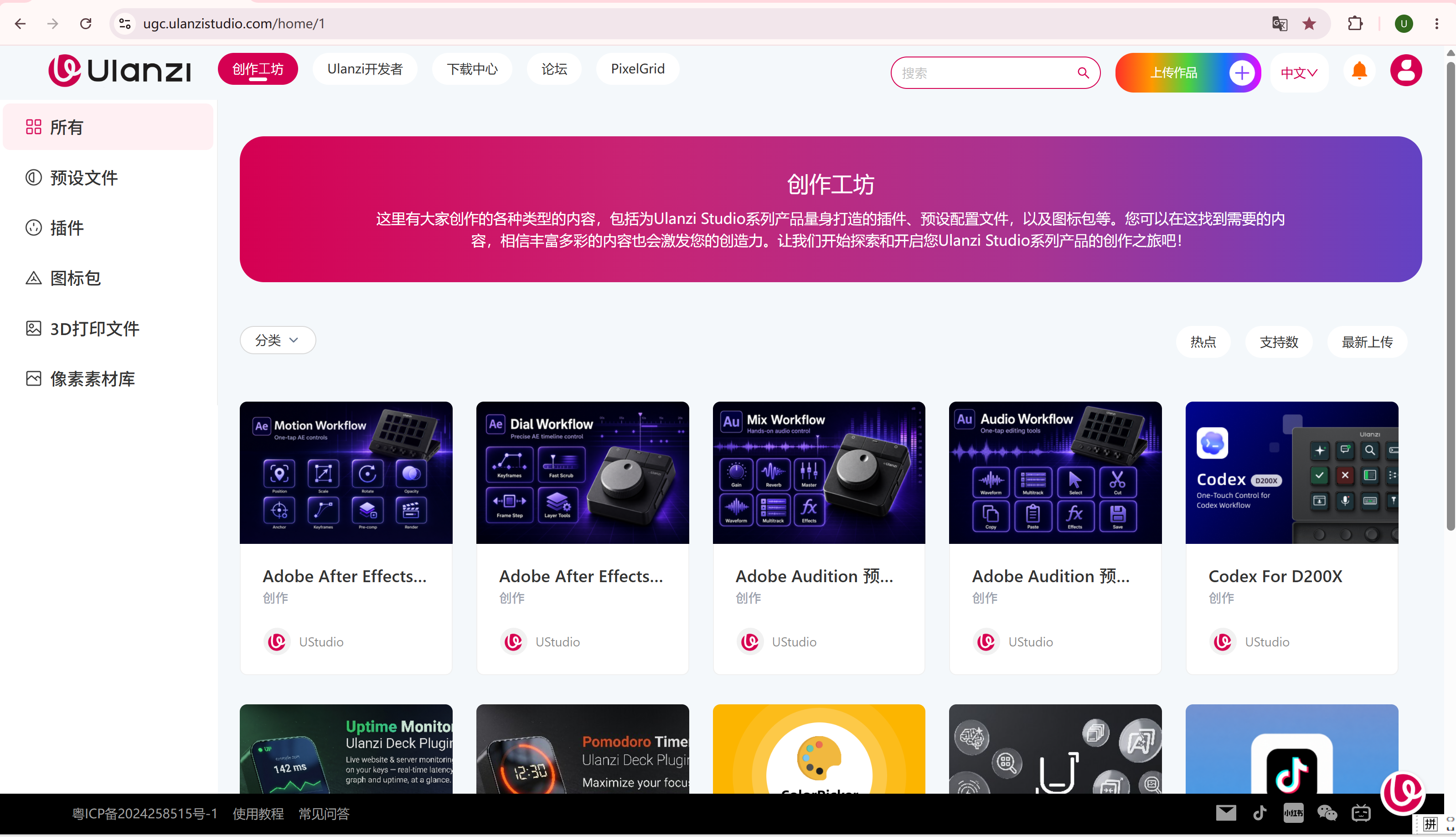
Step 1: Open the UGC website
Open the following address in your browser:
https://ugc.ulanzistudio.com/home/1
The UGC content page appears.
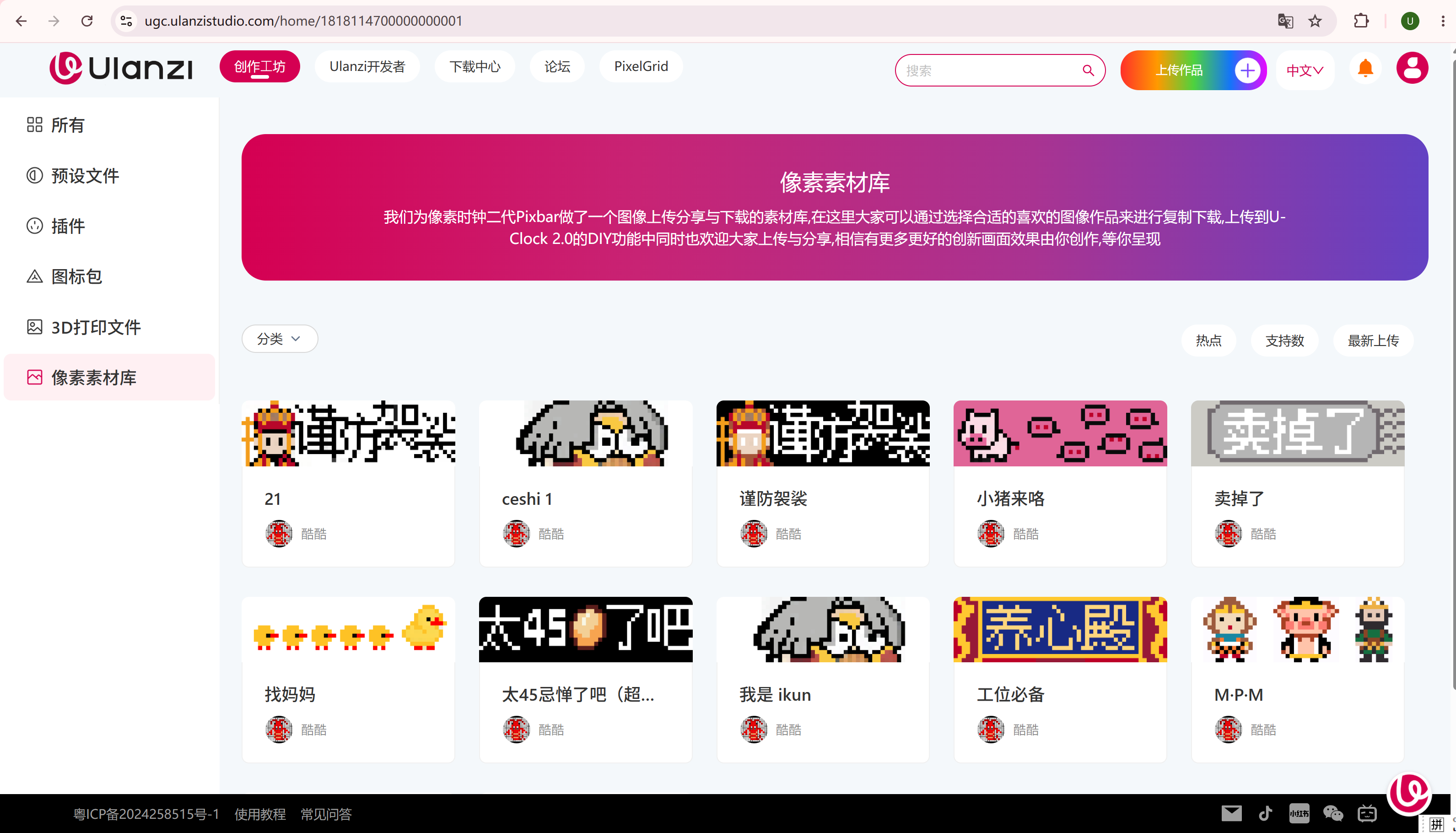
Step 2: Select Pixel Assets from the menu
Find and click Pixel Assets in the menu on the left.
You can now browse the pixel artwork available on the platform. Choose the type of artwork that you want to display on TC002.
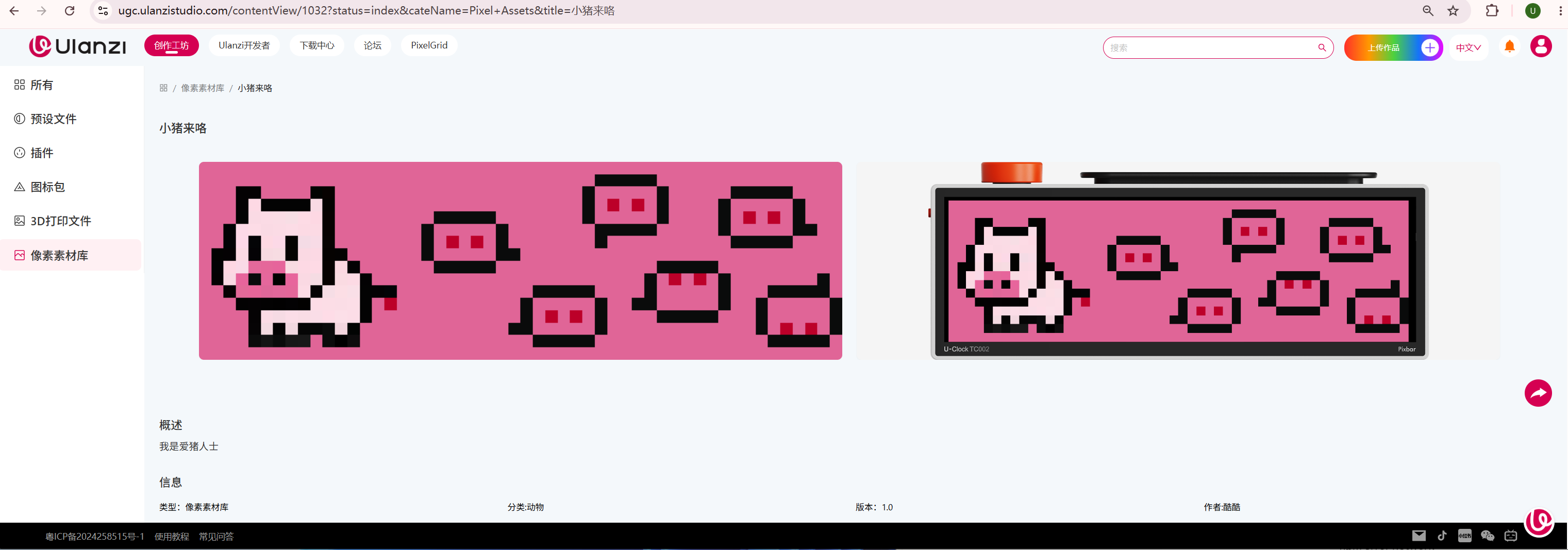
Step 3: Open an artwork
Select an artwork you like in the Pixel Assets library and open its details page.
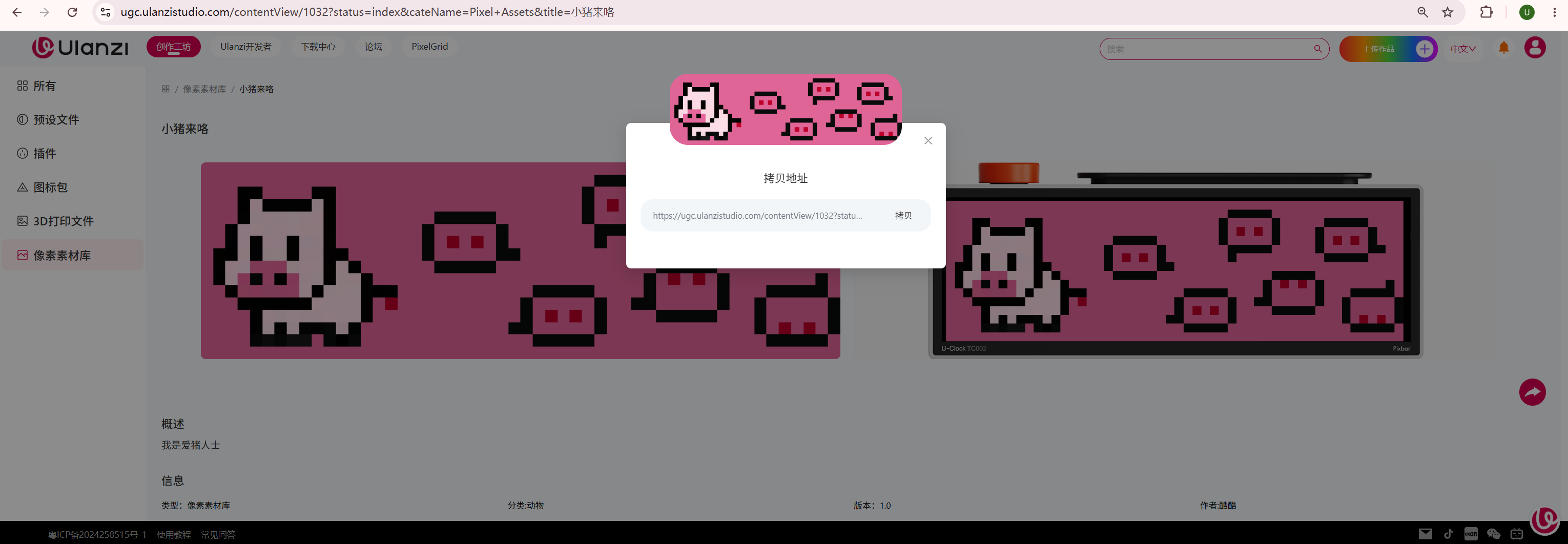
Step 4: Share the artwork and copy its address
Click Share on the right side of the artwork details page, then copy the share address.
Make sure you copy the complete artwork link.
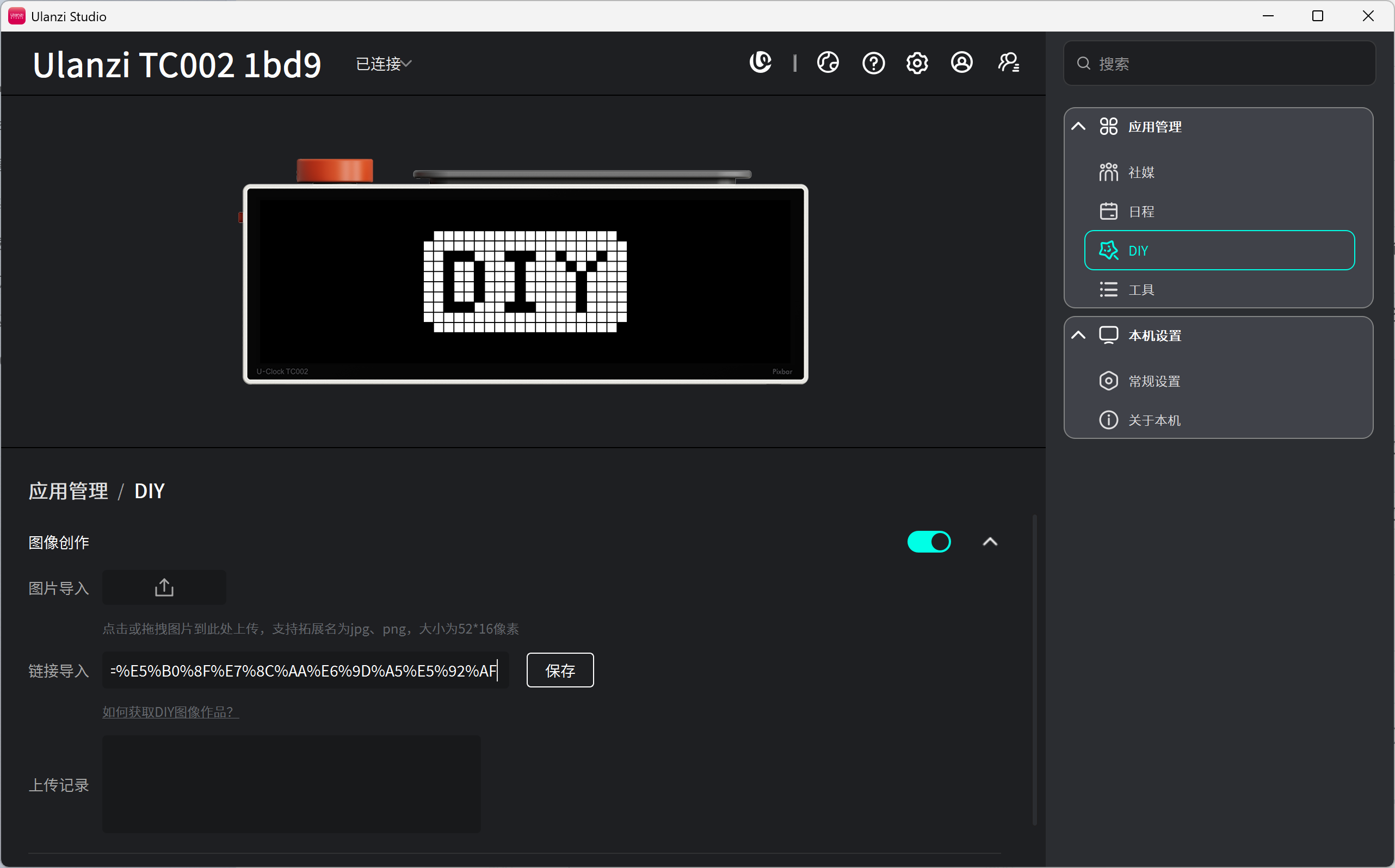
Step 5: Import the link in Ulanzi Studio
Return to Ulanzi Studio and open:
DIY -> Image Creation -> Import Link
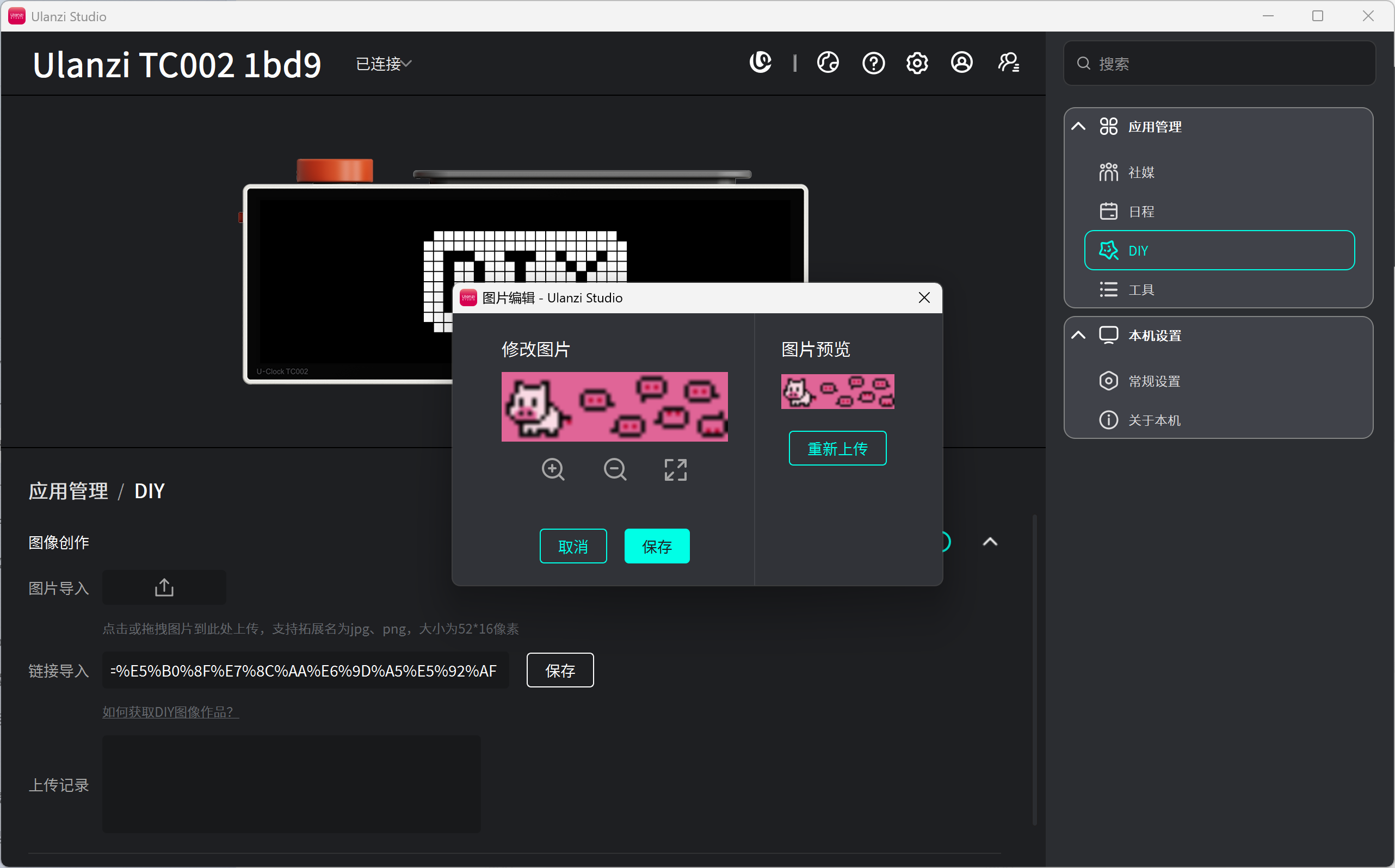
Paste the artwork link into the import field, check that it is correct, and click Save.
Step 6: Sync the artwork to TC002
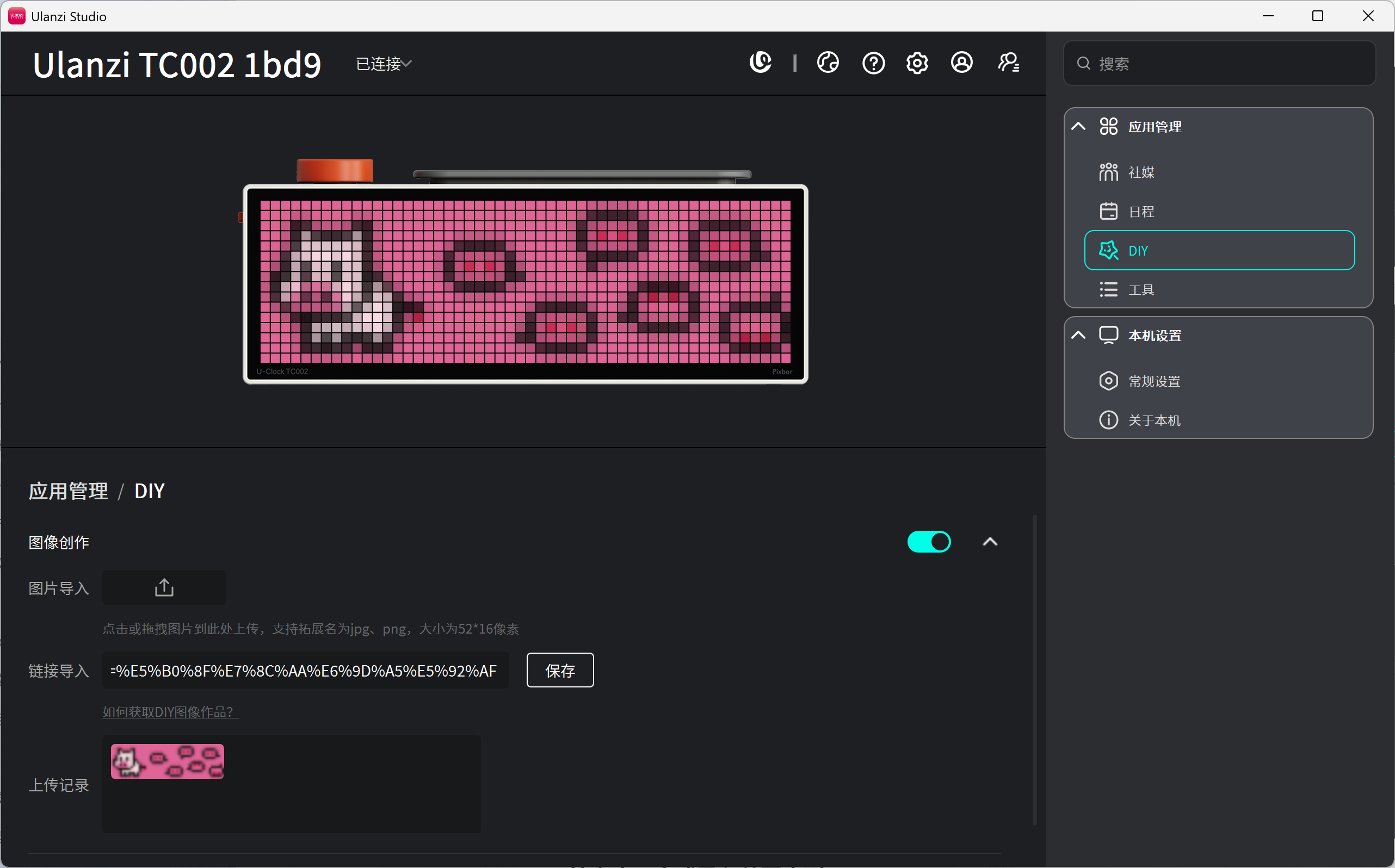
After the link is imported, the artwork appears under DIY -> Image Creation.
Follow the prompts in Ulanzi Studio to sync the content to the Ulanzi TC002 Pixel Clock. The artwork can then be displayed on the device.
Quick review
- Open https://ugc.ulanzistudio.com/home/1.
- Click Pixel Assets in the menu on the left.
- Open an artwork.
- Click Share.
- Copy the artwork link.
- Open Ulanzi Studio.
- Go to
DIY -> Image Creation -> Import Link. - Paste the link and save it.
Troubleshooting
I cannot find Pixel Assets
Make sure you opened the correct UGC page:
https://ugc.ulanzistudio.com/home/1
If the page does not load correctly, refresh it and try again.
The import fails after I click Share
Check the following:
- You copied the complete artwork link.
- No extra spaces were pasted with the link.
- Your network connection is working.
- Ulanzi Studio is running correctly.
The import succeeded, but TC002 does not display the artwork
Check that:
- TC002 is connected to Ulanzi Studio.
- The sync operation has completed.
- The device is showing the page that contains the imported artwork.
Tips
- For your first import, test with a simple artwork.
- After the first import succeeds, try more images.
- For a rotating desktop display, import several artworks and manage them under DIY.