Feishu (Lark)
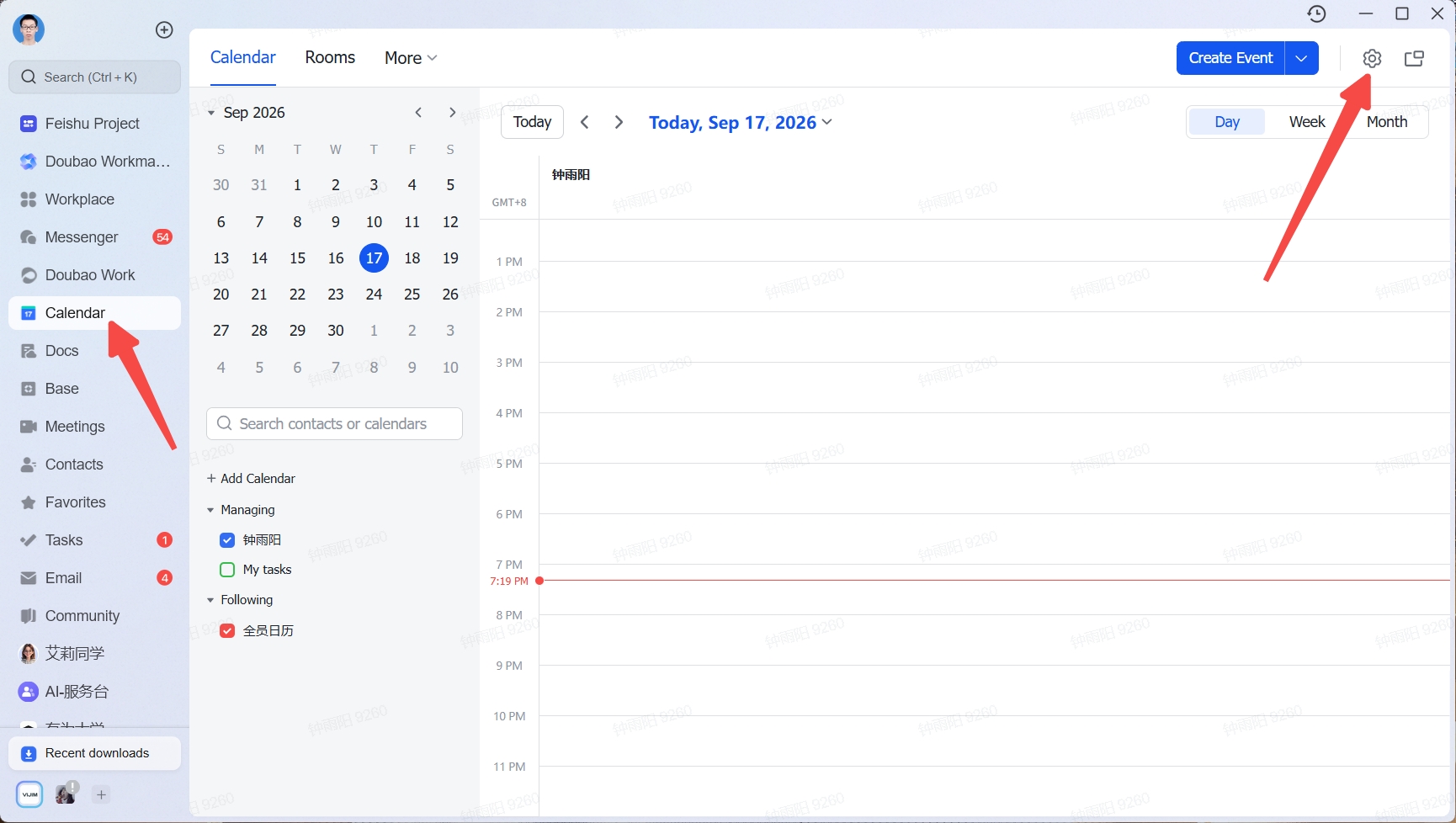
- In the Feishu (Lark) desktop app, click Calendar in the left navigation, then click the Settings icon in the top-right corner
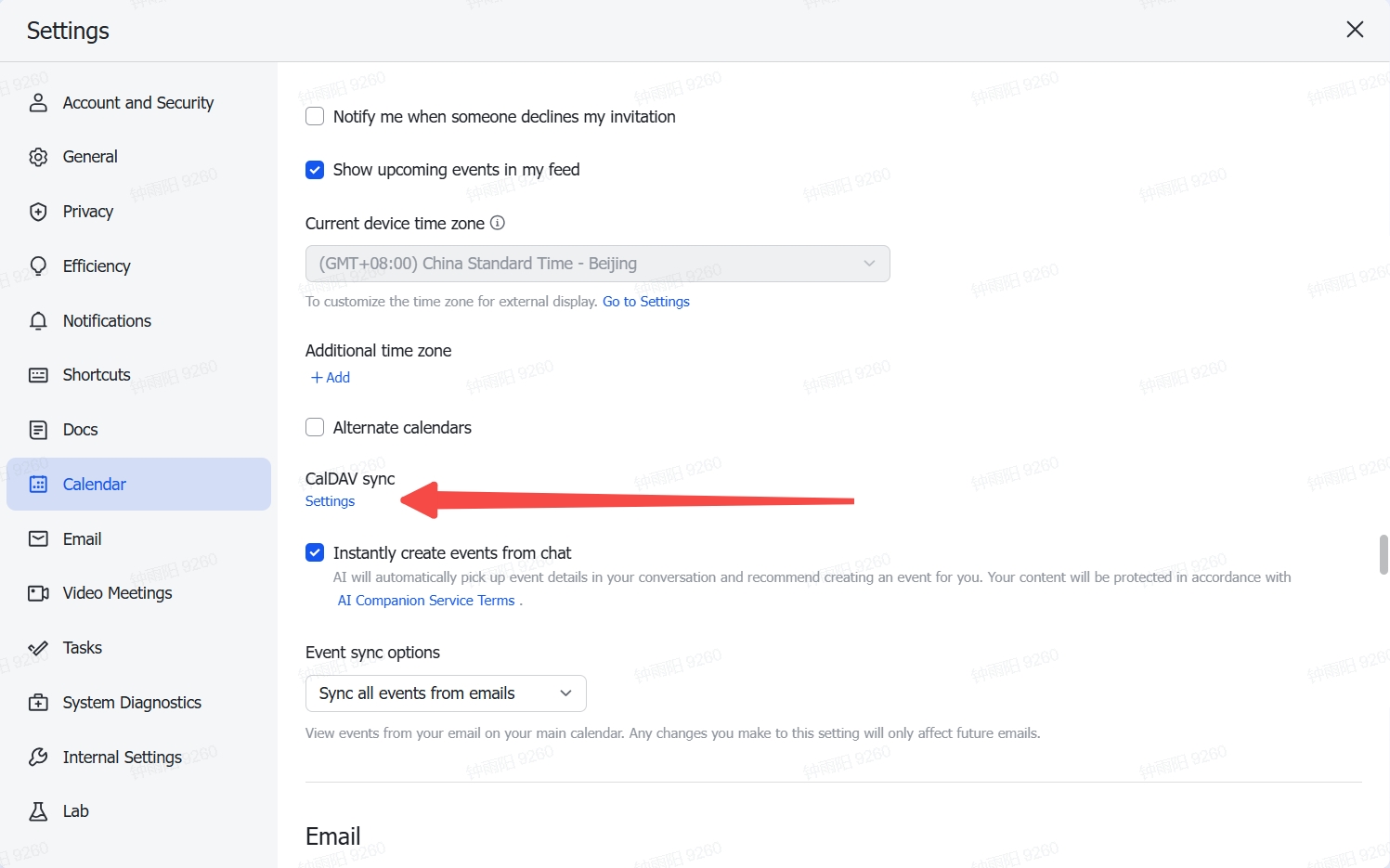
- Find CalDAV Sync in the calendar settings and click to enter
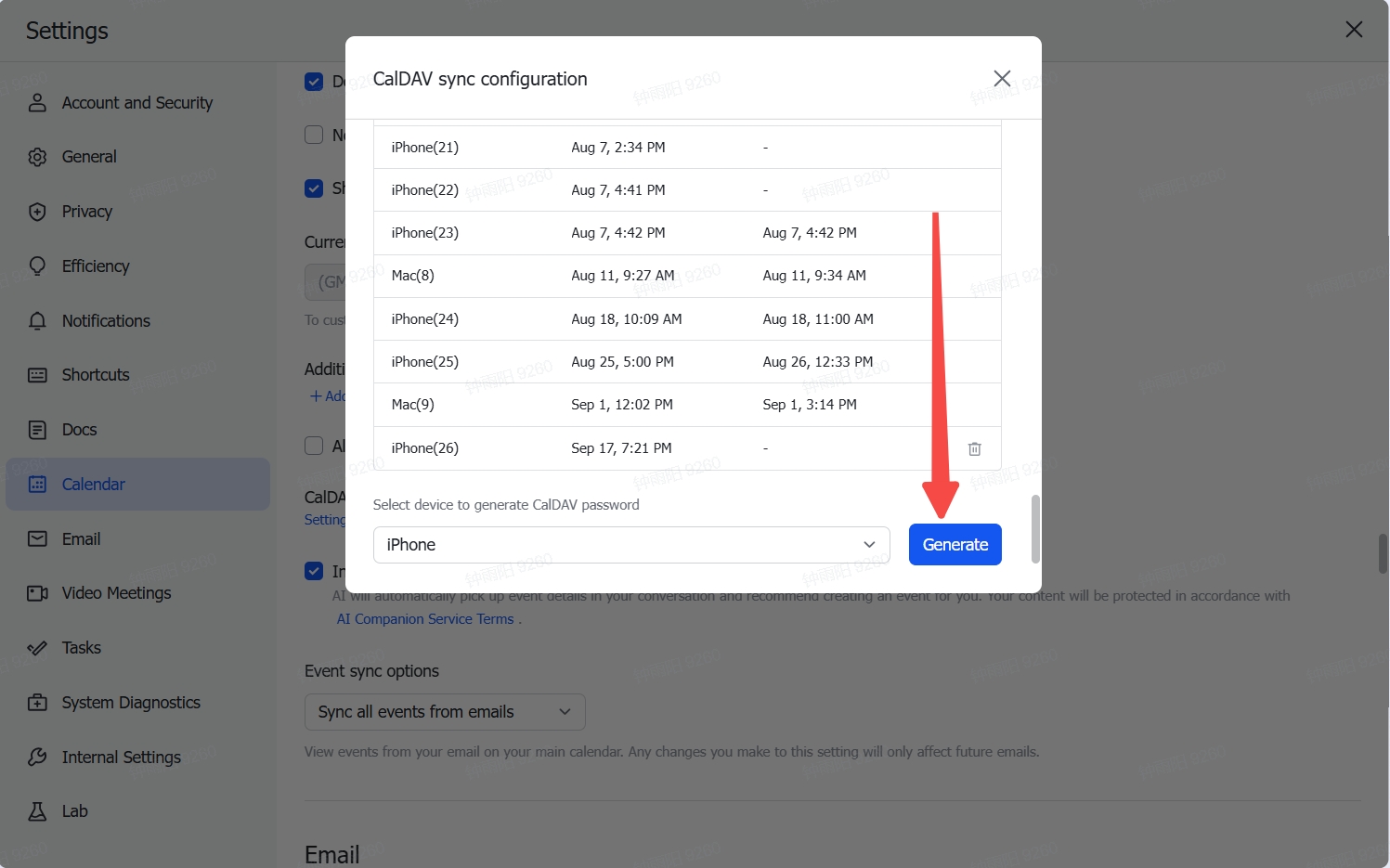
- Select a device and click Generate
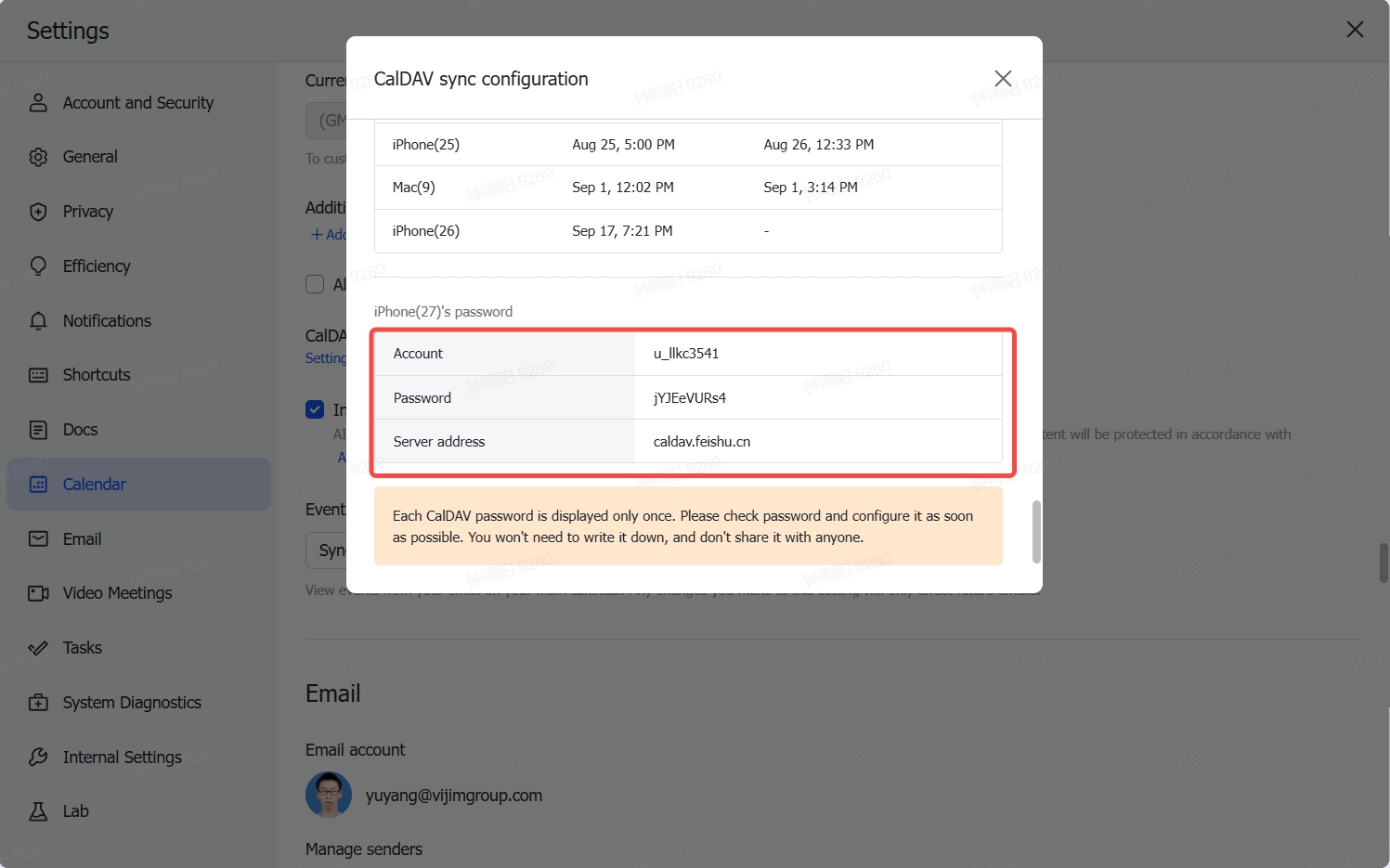
- Copy the account, password, and server address
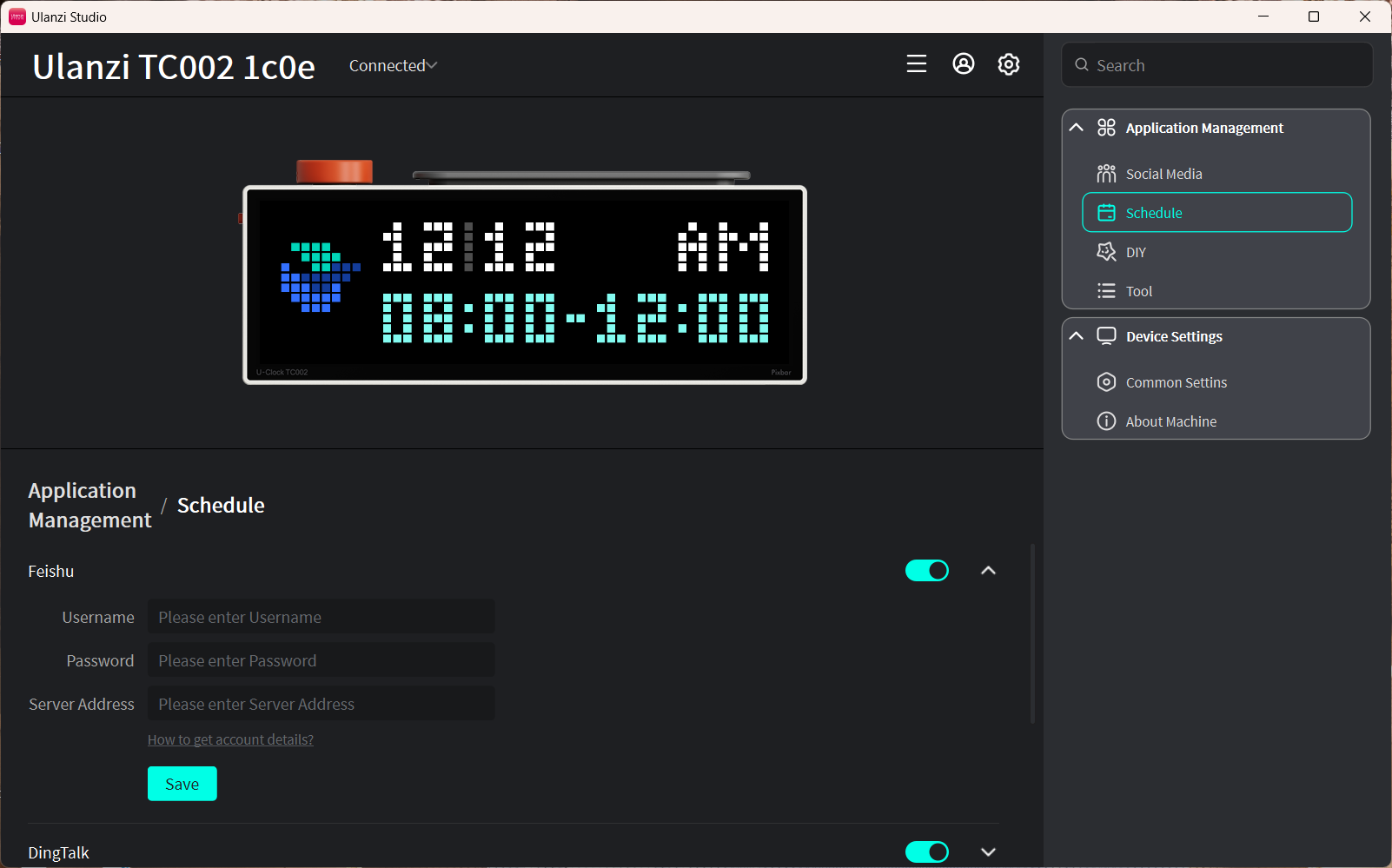
- Paste them into the account, password, and server fields in the Feishu schedule feature, then click Save
Notes
- Only today's events are displayed, up to the two most recent entries.
- Data syncs automatically every 5 minutes.
- Keep the device connected to the internet. After modifying events, click Save in Ulanzi Studio to refresh immediately.