Outlook
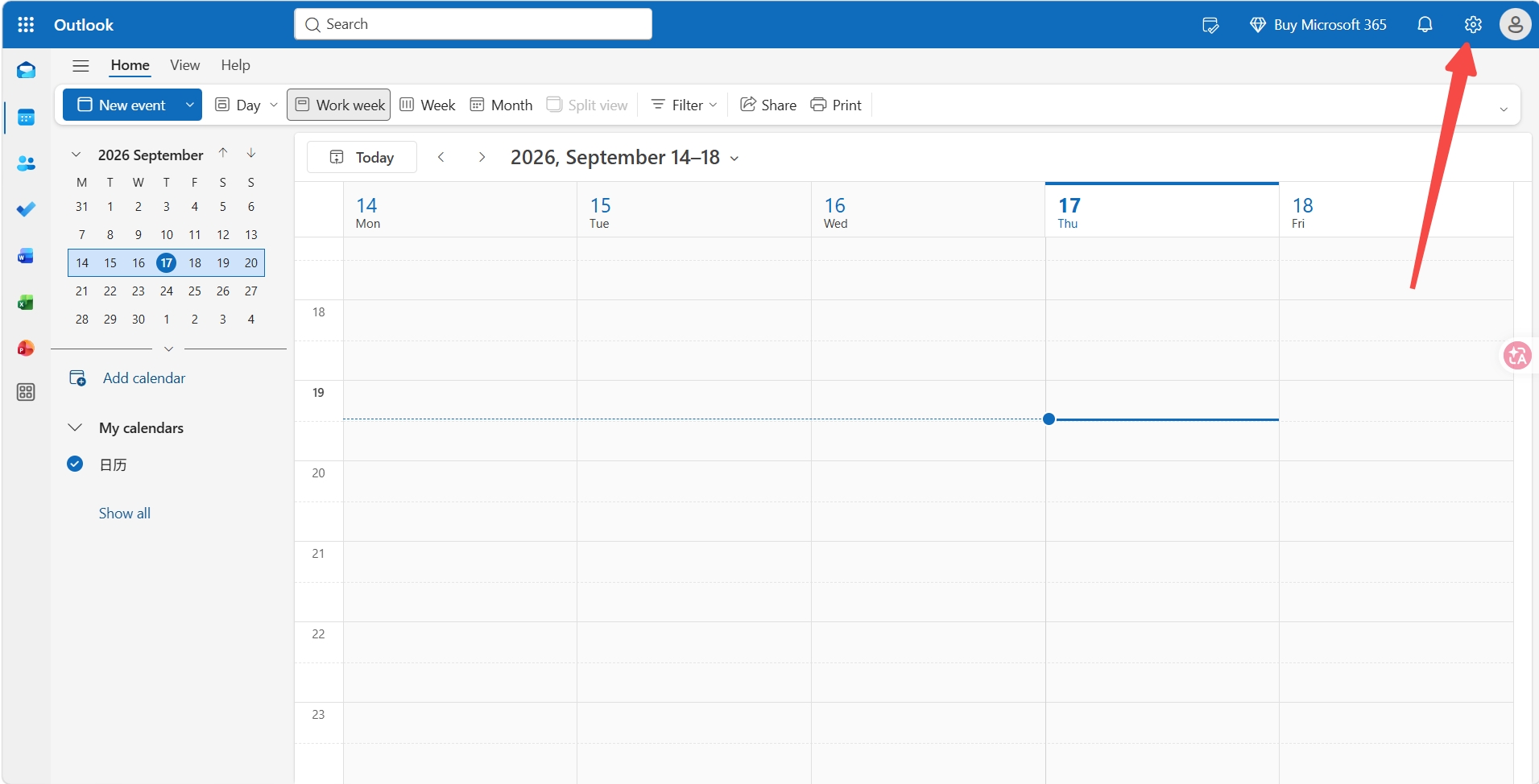
- Open Outlook Calendar web version at https://outlook.live.com/calendar/view/workweek and click Settings
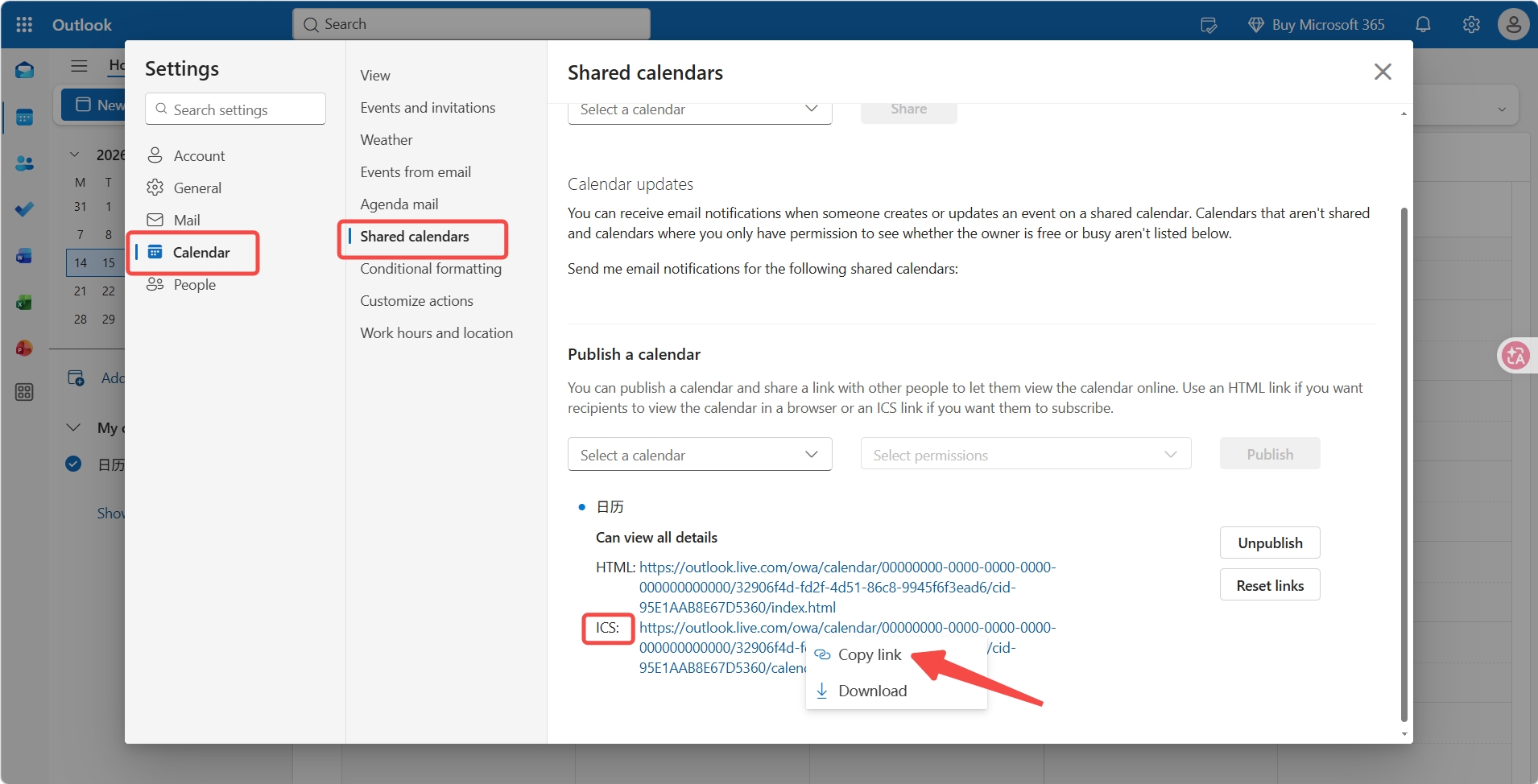
- Under Calendar, select Shared calendars. In the Publish a calendar section, click Select a calendar and choose your calendar
Click Select permissions and choose Can view all details
Click Publish, then click the ICS URL and click Copy link
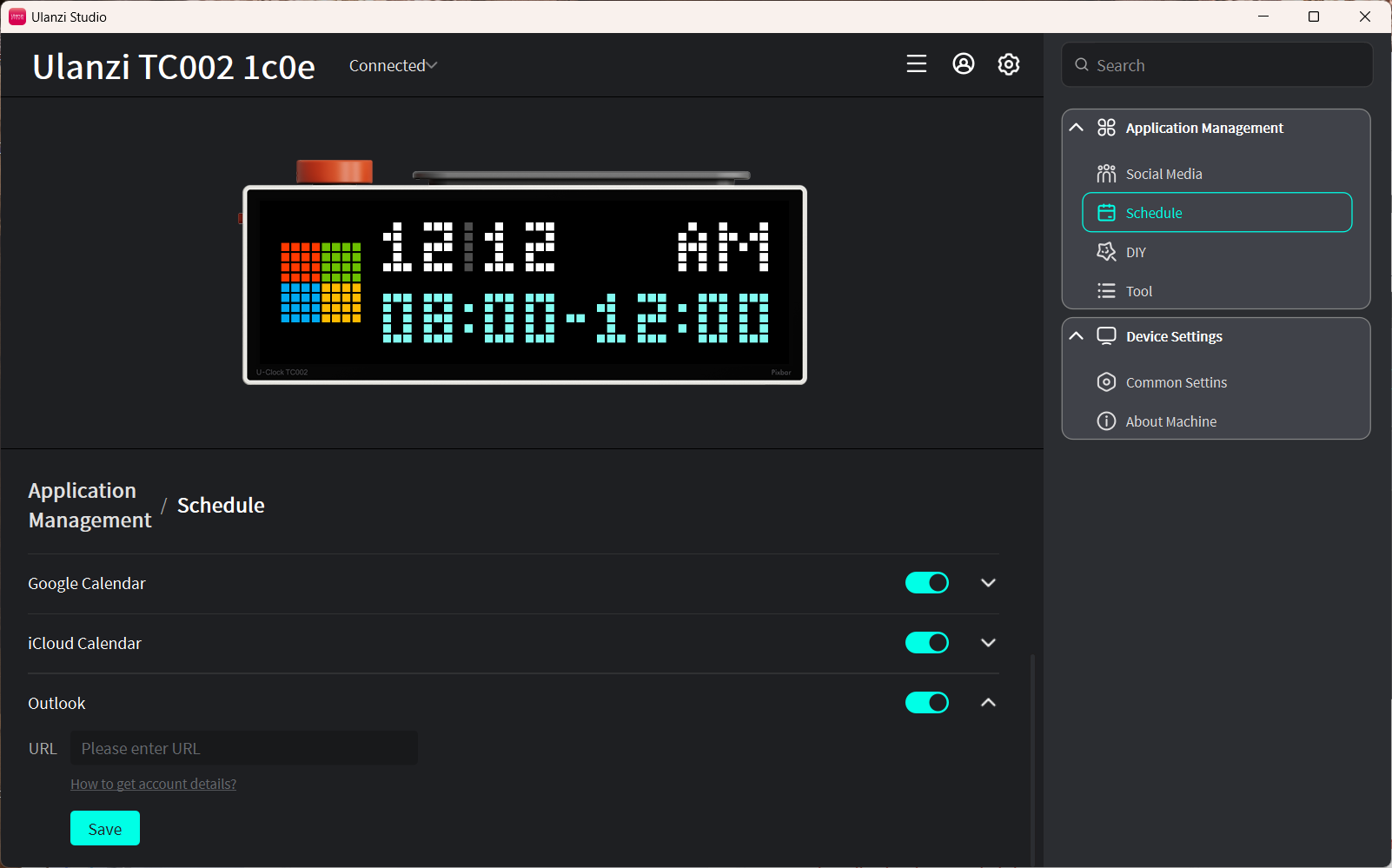
- Paste it into the URL field in the Outlook schedule feature, then click Save
Notes
- Only today's events are displayed, up to the two most recent entries.
- Data syncs automatically every 5 minutes.
- Keep the device connected to the internet. After modifying events, click Save in Ulanzi Studio to refresh immediately.