Google Calendar
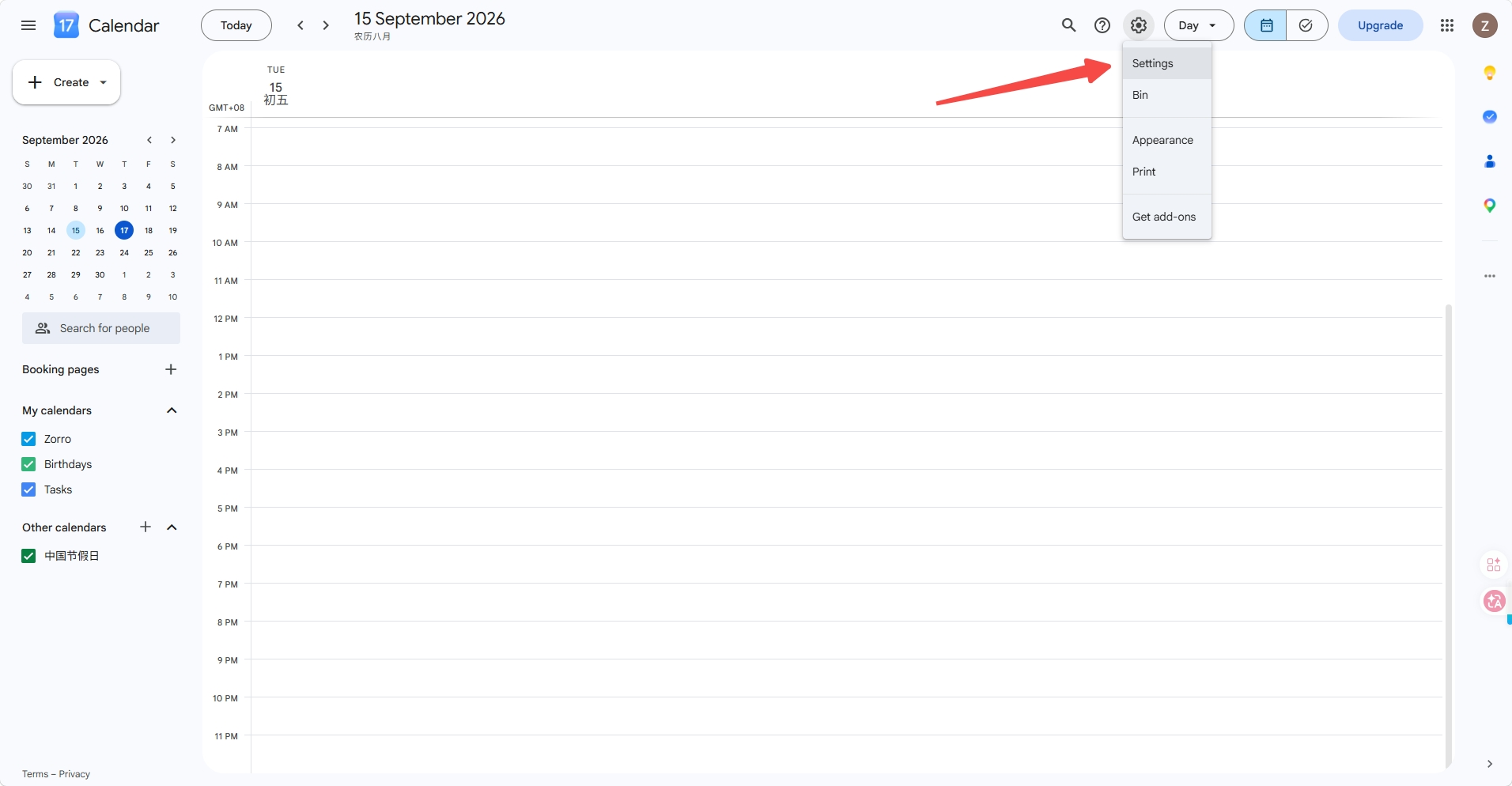
- Open Google Calendar web version at https://calendar.google.com/calendar/u/0/r?pli=1 and click Settings
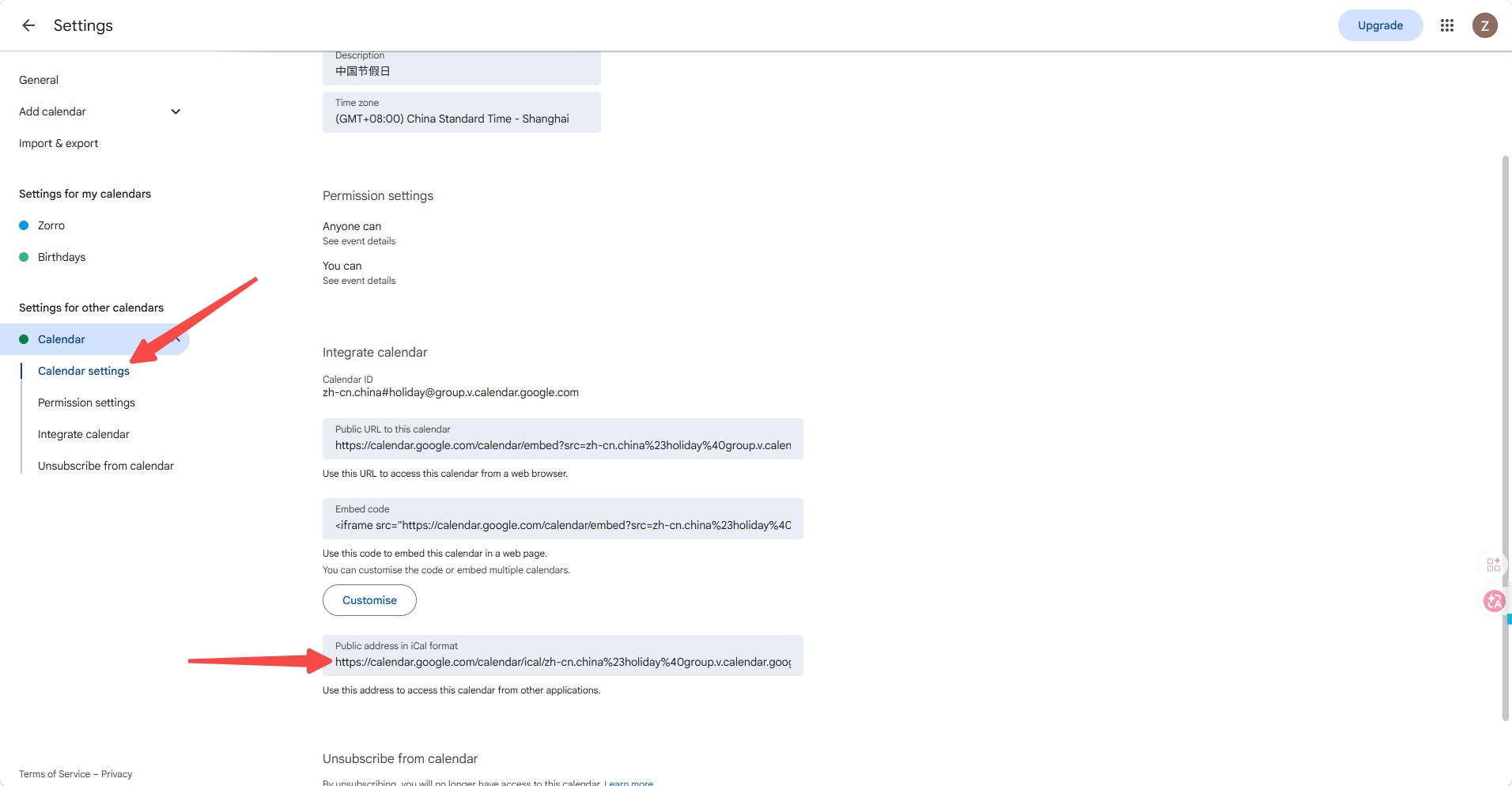
- Select your target calendar (e.g. Chinese Holidays), find Integrate calendar, and copy the public URL of this calendar
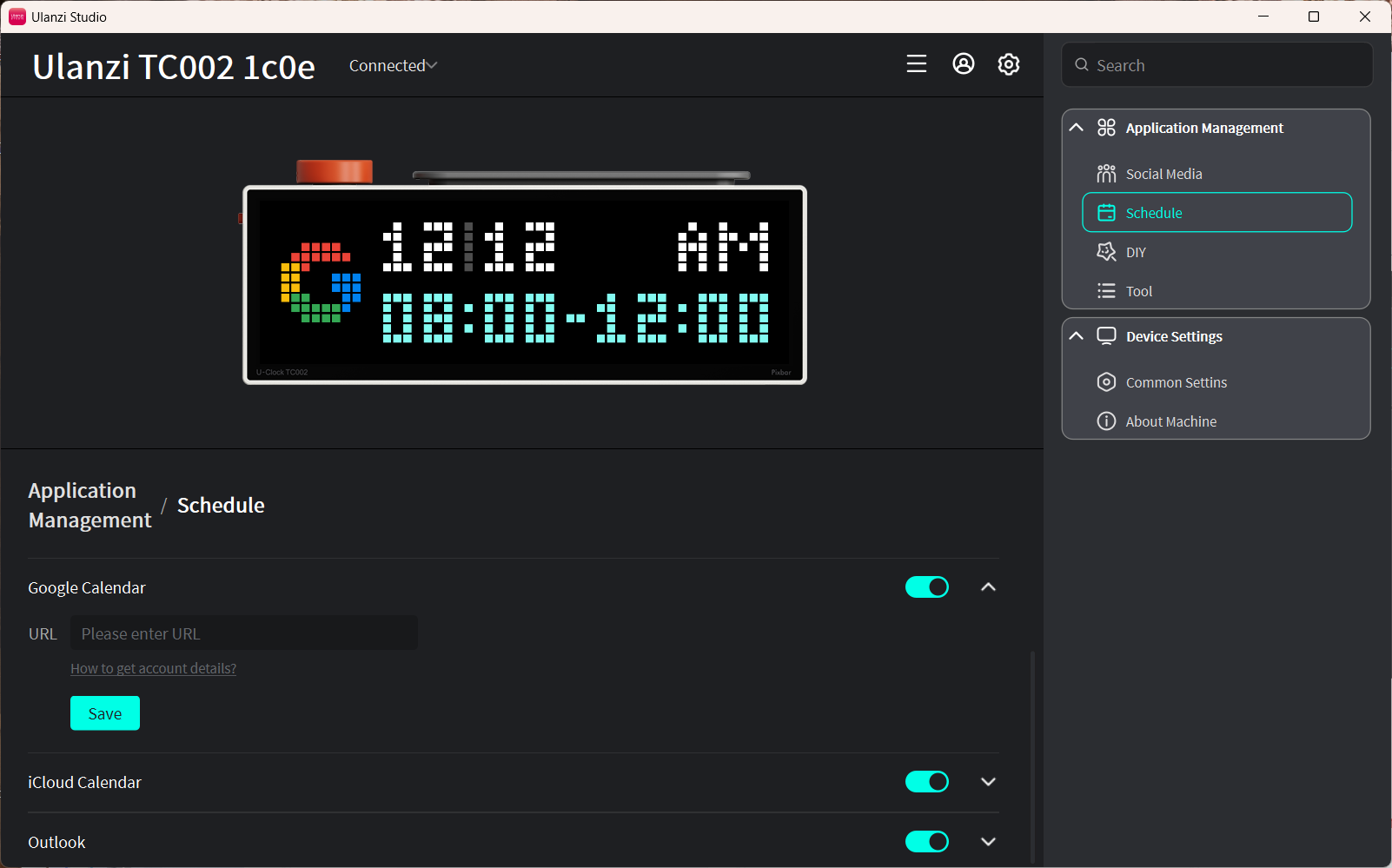
- Paste it into the URL field in the Google schedule feature
Notes
- Only today's events are displayed, up to the two most recent entries.
- Data syncs automatically every 5 minutes.
- Keep the device connected to the internet. After modifying events, click Save in Ulanzi Studio to refresh immediately.