Beginner's Guide to Social Media Data on TC002
The Social Media feature in Ulanzi Studio syncs follower counts to TC002 so that the device can display the updates that matter to you.
This guide explains how to connect TC002, enable a platform, enter the required account details, display follower data, and troubleshoot errors.
Supported platforms: Douyin, Bilibili, Weibo, YouTube, TikTok, and Instagram.
Before you begin
- Install and open Ulanzi Studio.
- Connect TC002 in Ulanzi Studio.
- Check that the network is working.
- Make sure you can sign in to the platform you want to configure.
Basic setup
- Complete the TC002 Wi-Fi setup in Ulanzi Studio.
- Open the TC002 device page.
- Find Social Media and select a platform.
- Follow the guide to enter the required account information.
- Save the settings. TC002 downloads and refreshes the follower count automatically.
Open Social Media
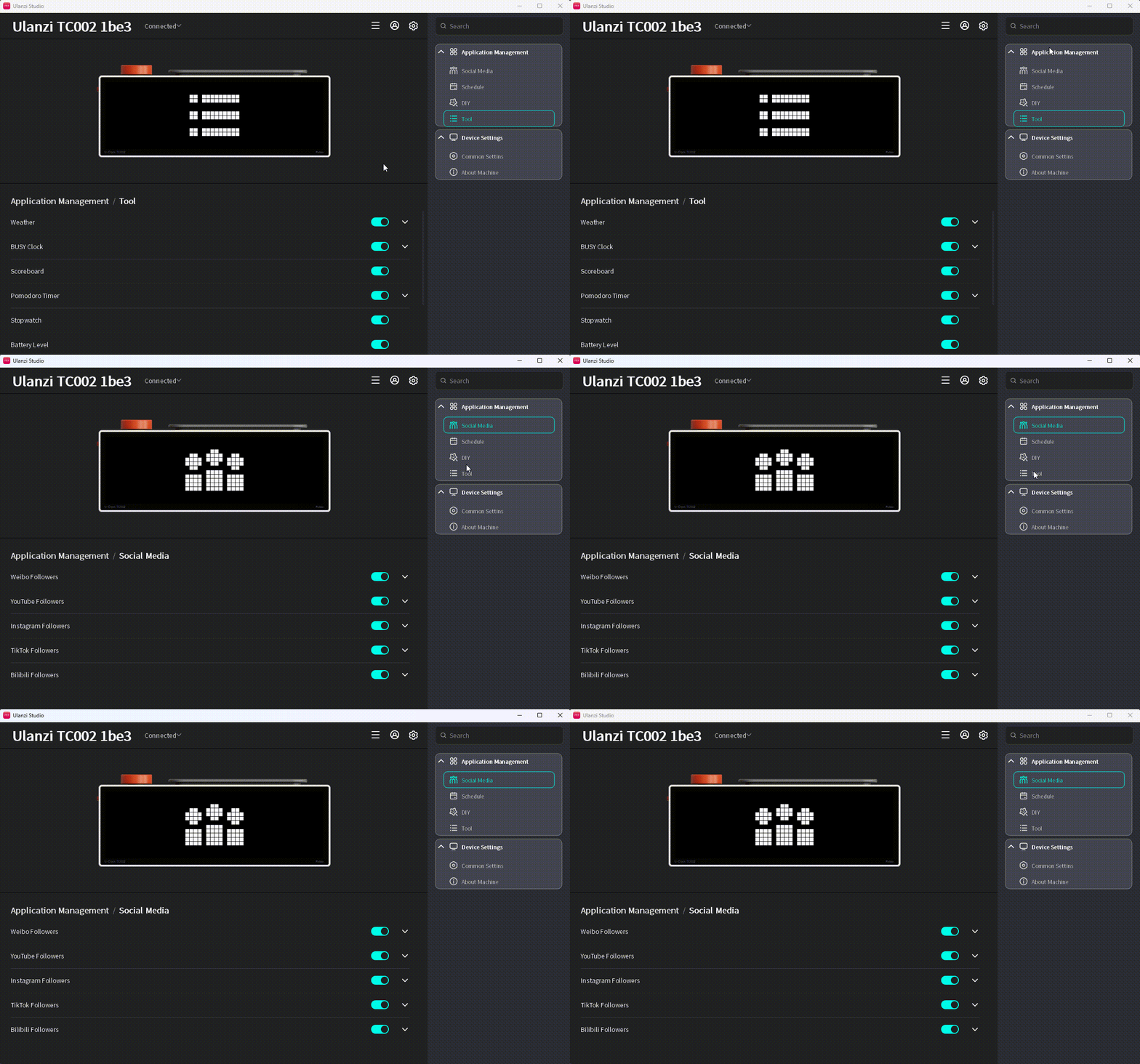
Find Social Media in the list on the right and click it.
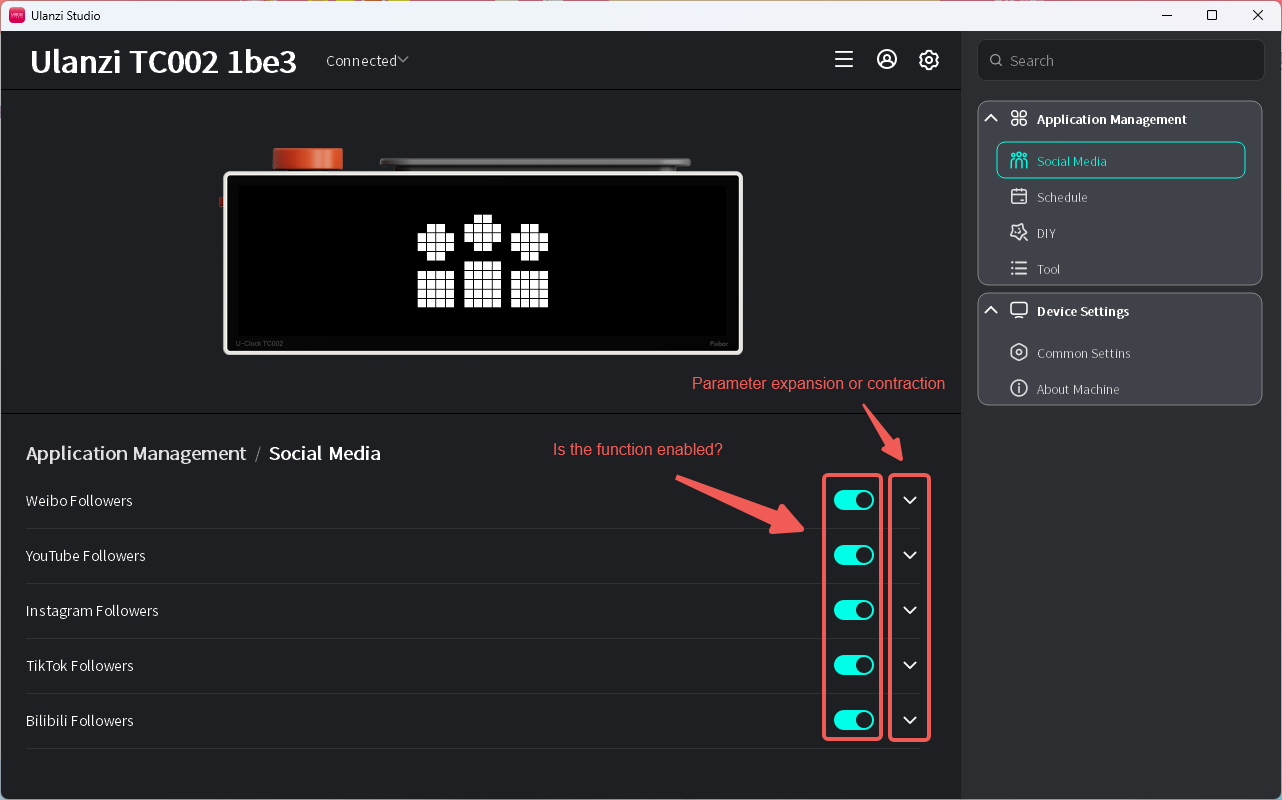
- The enable switch is on by default. When enabled, TC002 displays follower data or an error for the selected platform. When disabled, TC002 skips the app during app switching.
- The parameter control is collapsed by default and is hidden when an app has no additional settings.
Douyin follower count
Enter the Douyin user ID for the account you want to display.
- Expand the settings.
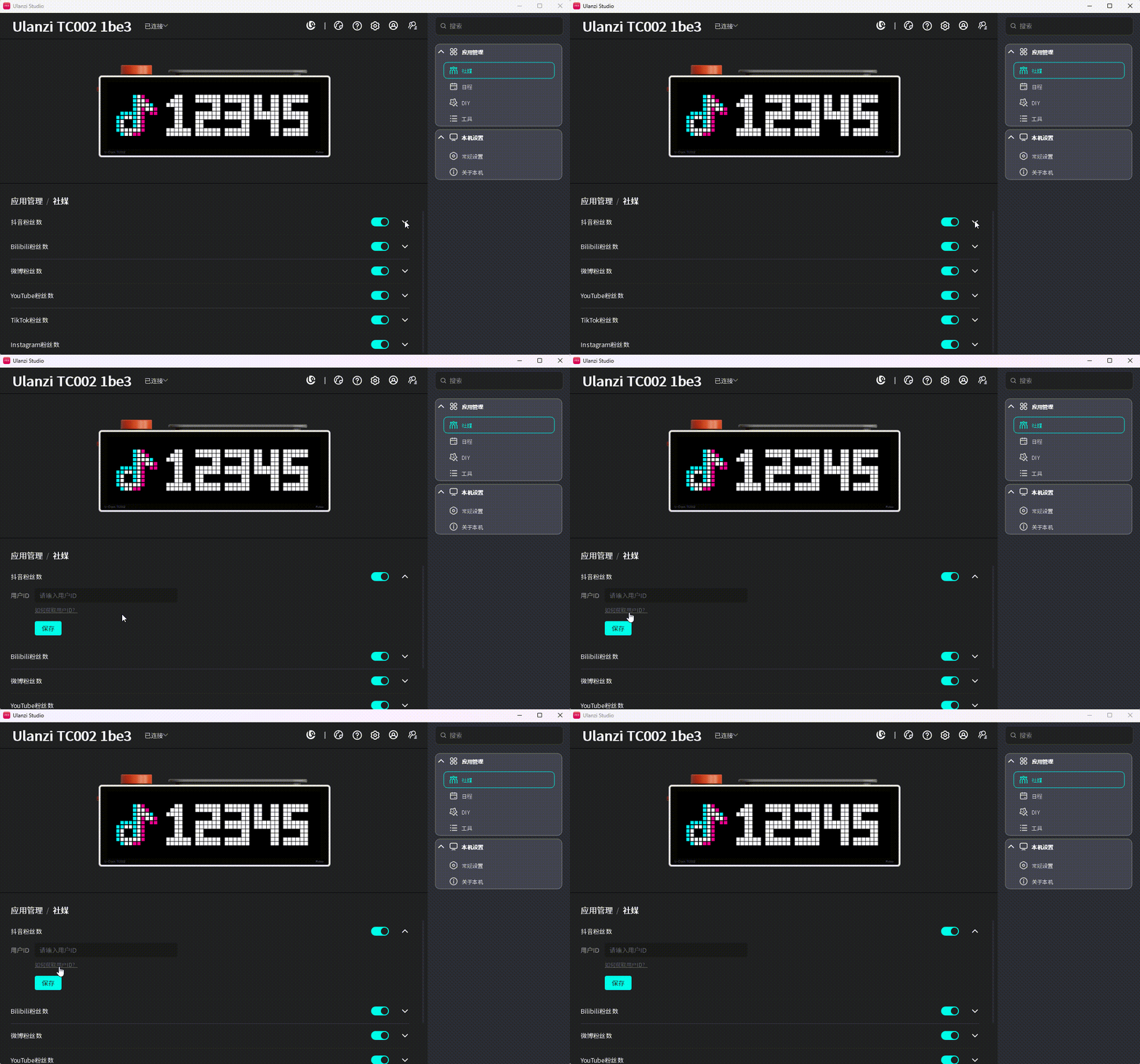
- Click How to Get User ID? and select the Douyin follower guide.
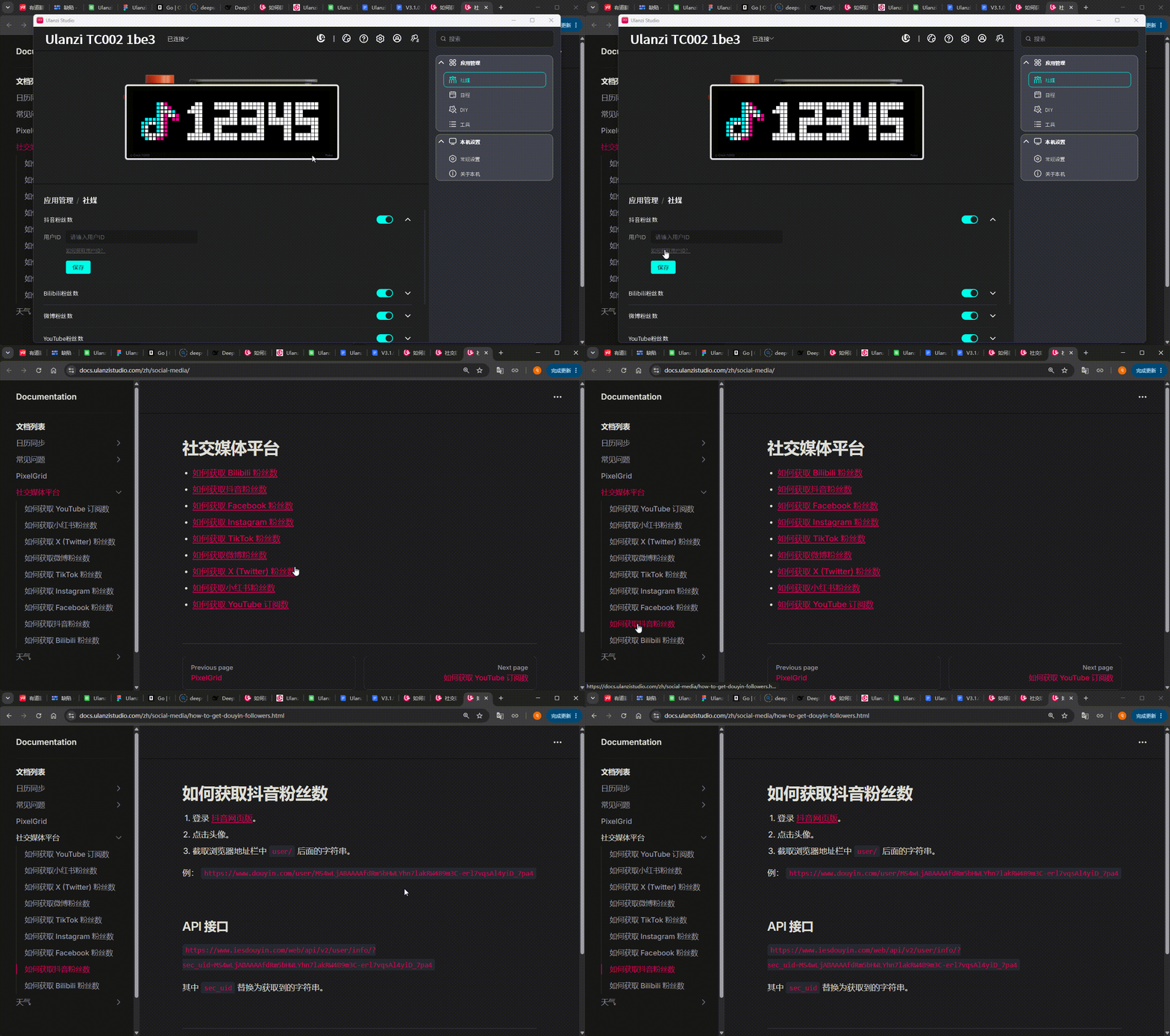
- Follow the guide and enter the user ID.

- Click Save. A check mark indicates success; an exclamation mark and message describe an error.
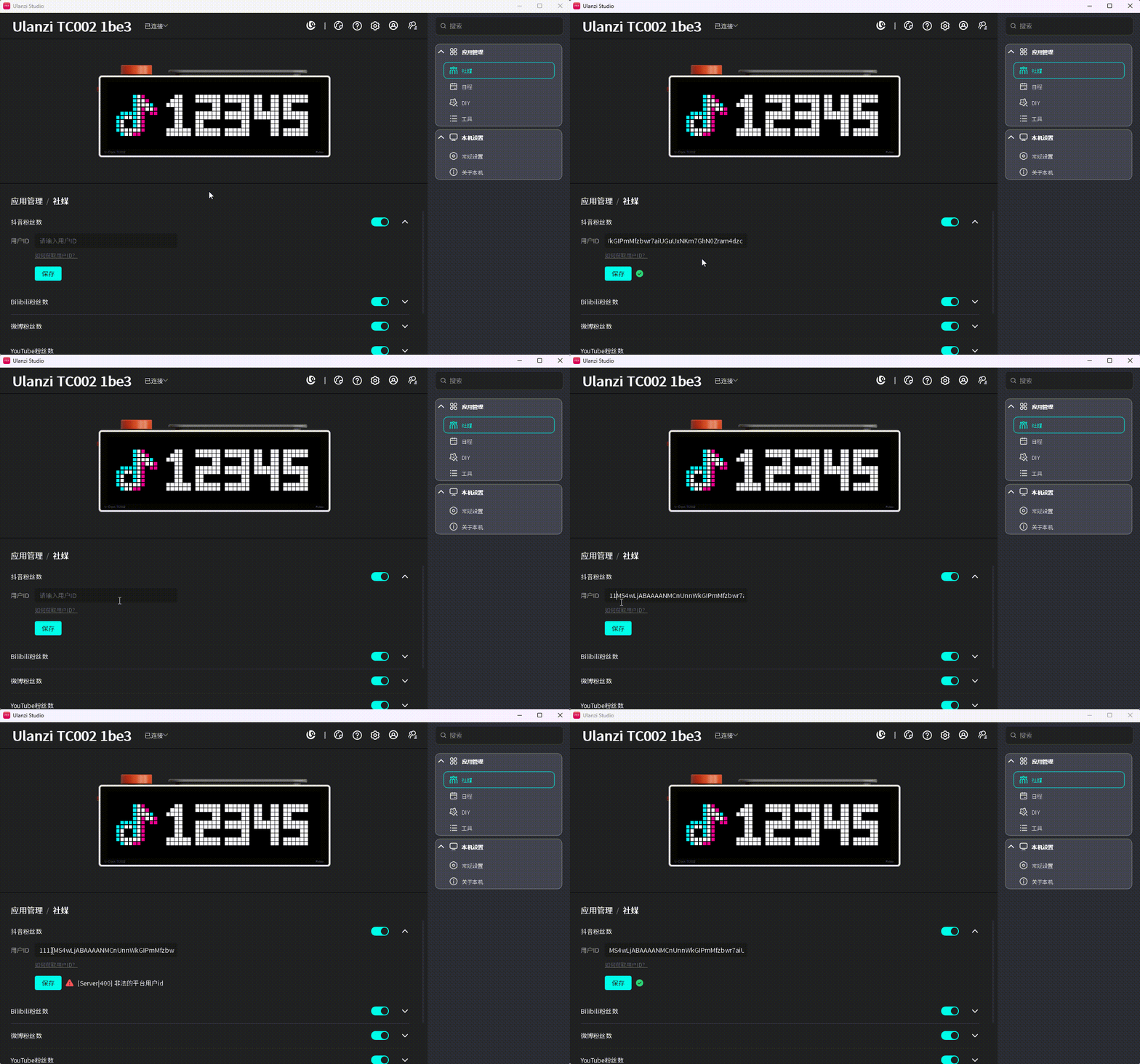
- Switch TC002 to Social Media > Douyin follower count.

Bilibili follower count
Enter the Bilibili user ID for the account you want to display.
- Expand the settings.
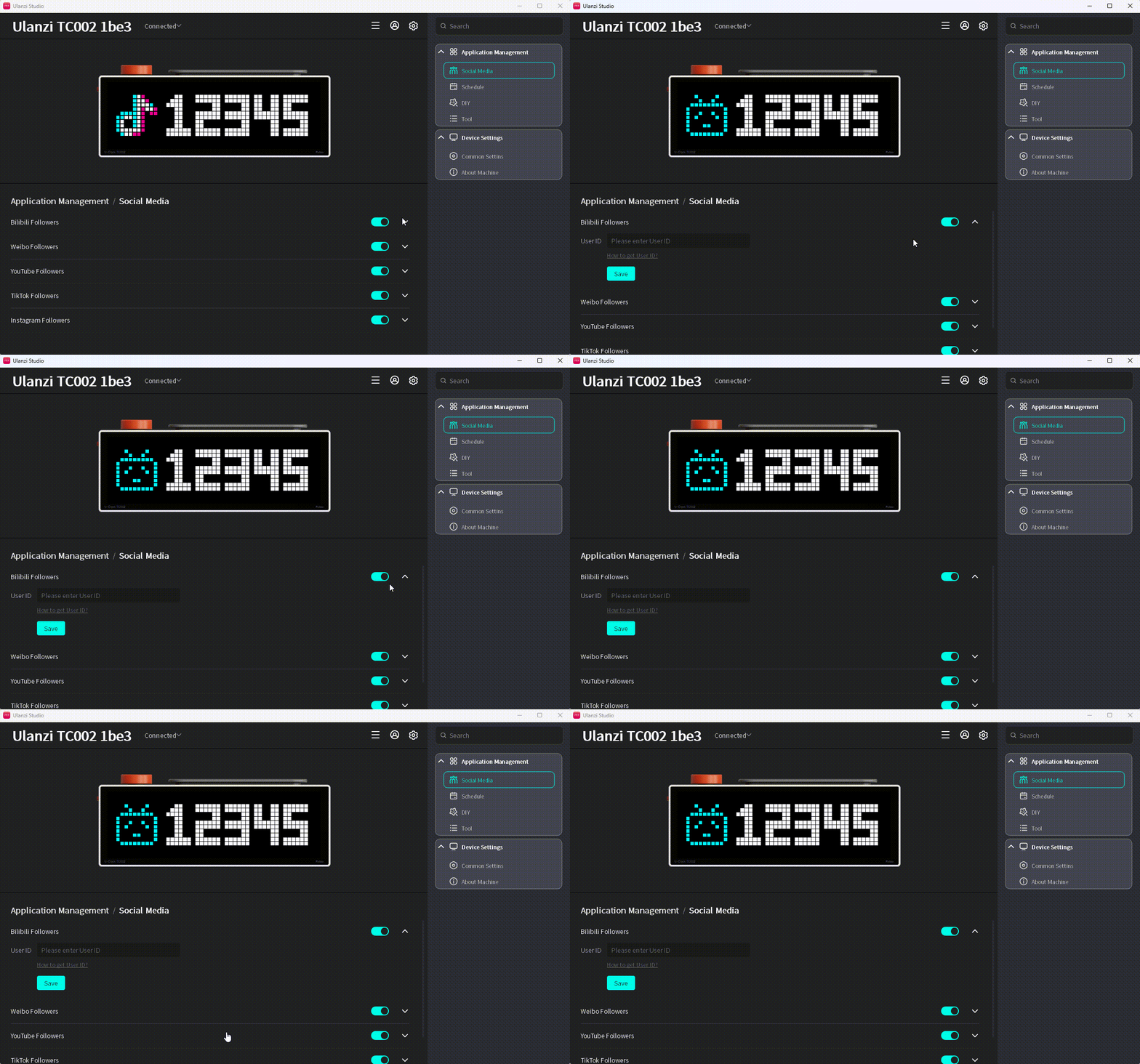
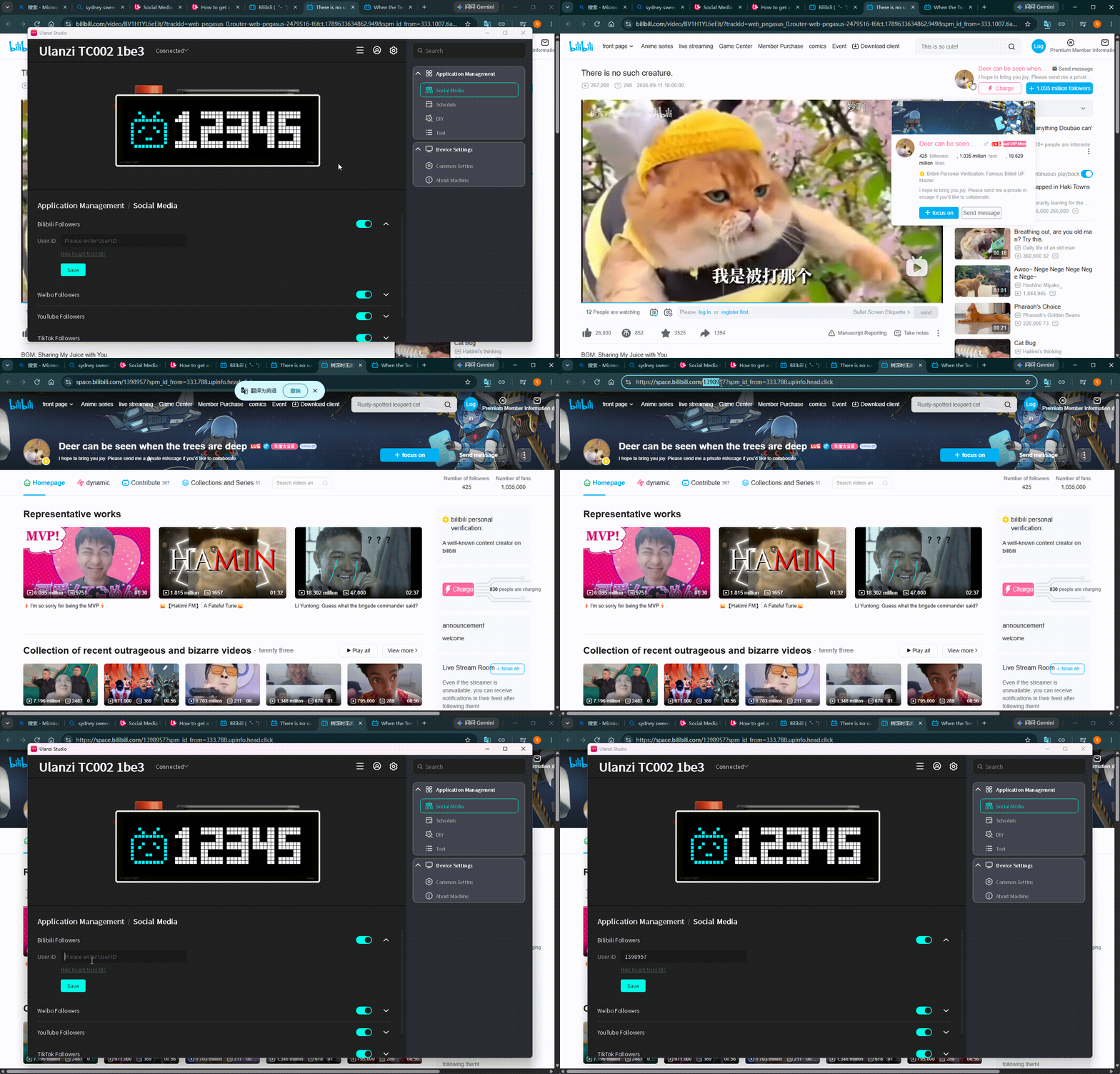
- Click How to Get User ID? and select the Bilibili follower guide.

- Follow the guide and enter the user ID.
- Click Save and check the validation result.
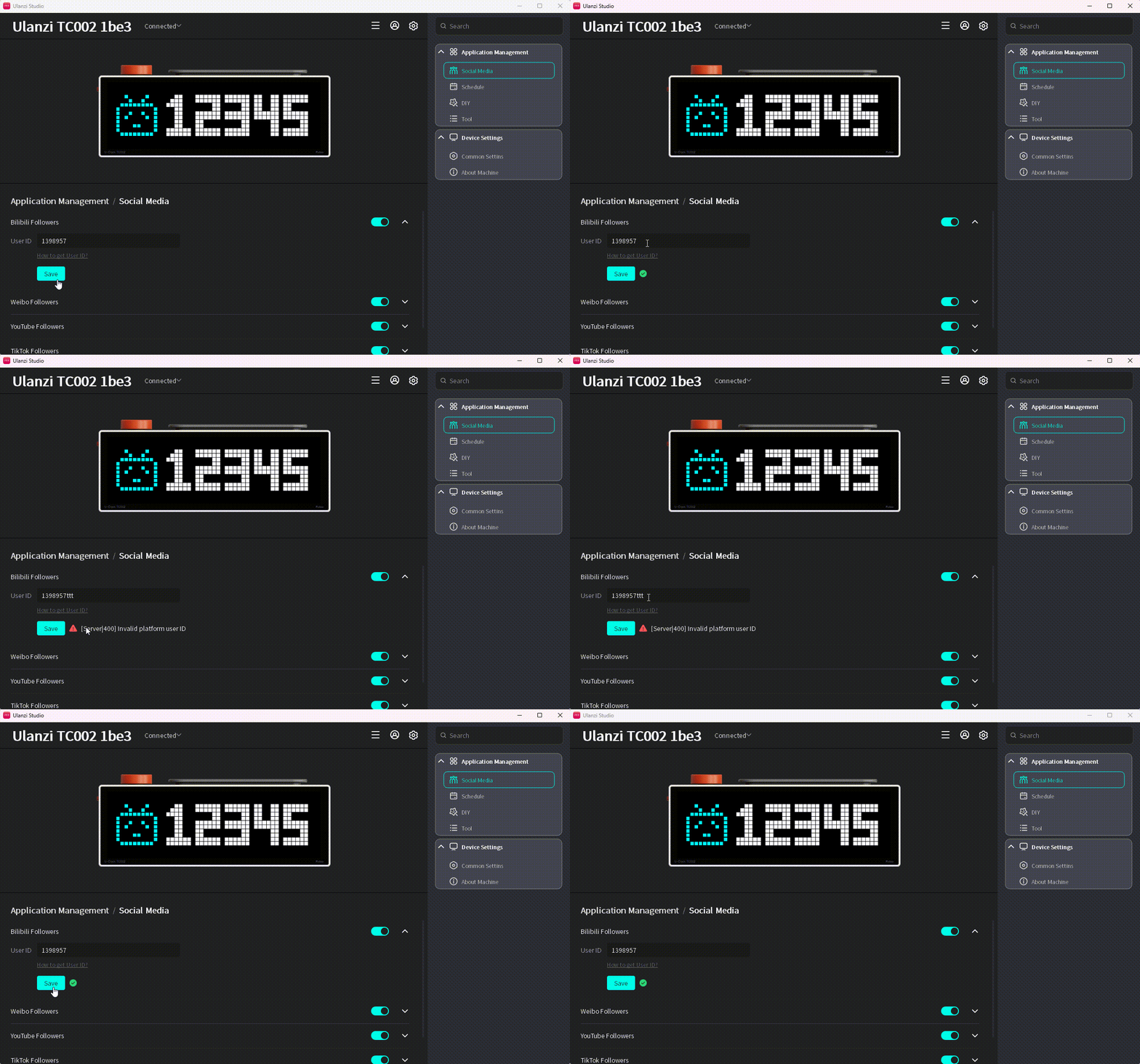
- Switch TC002 to Social Media > Bilibili follower count.

Weibo follower count
Enter the Weibo user ID for the account you want to display.
- Expand the settings.
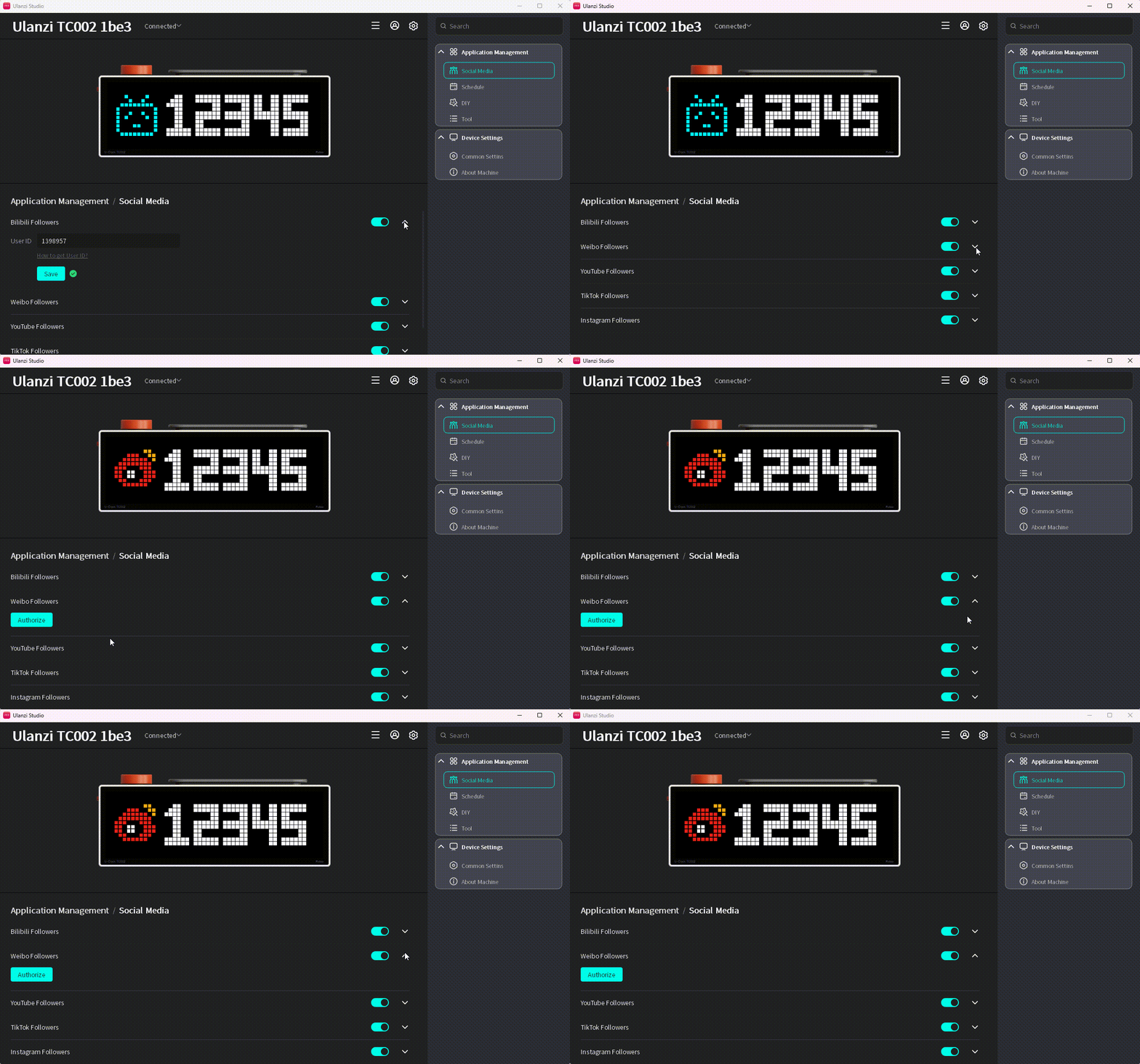
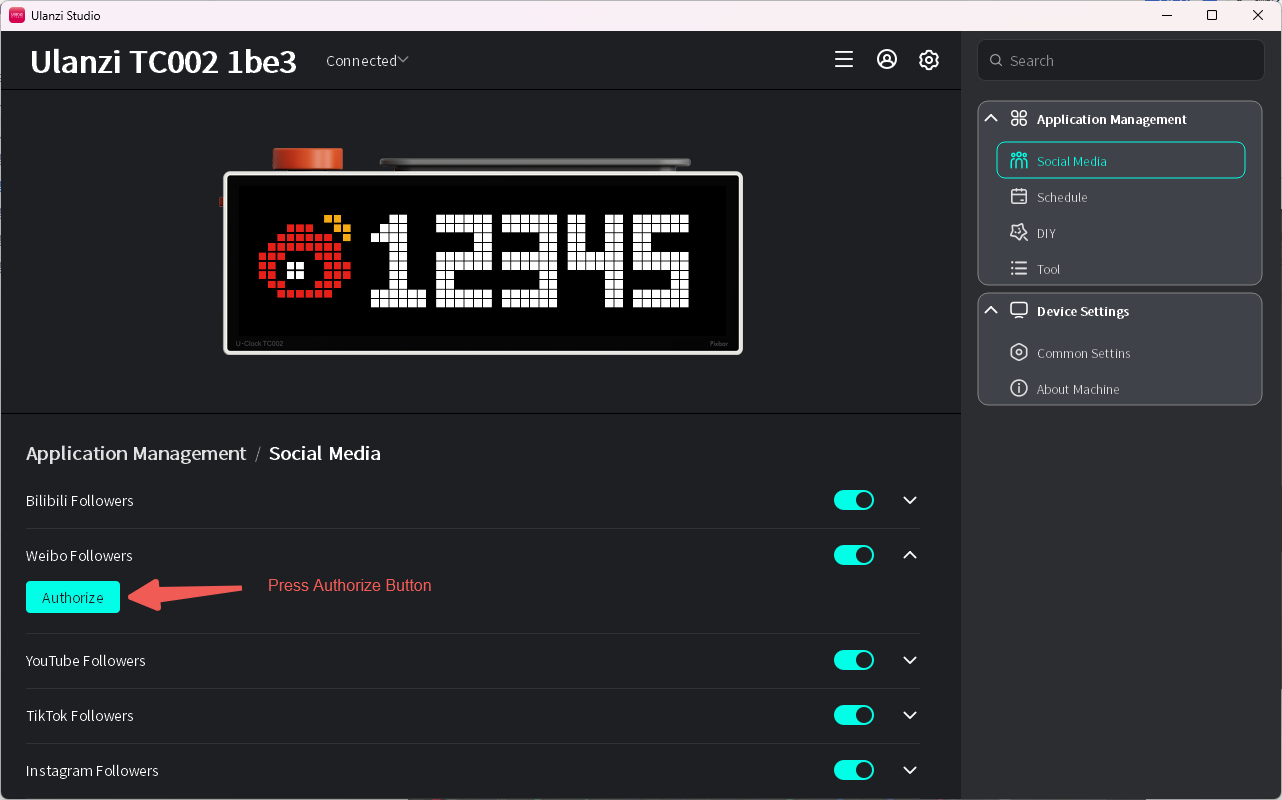
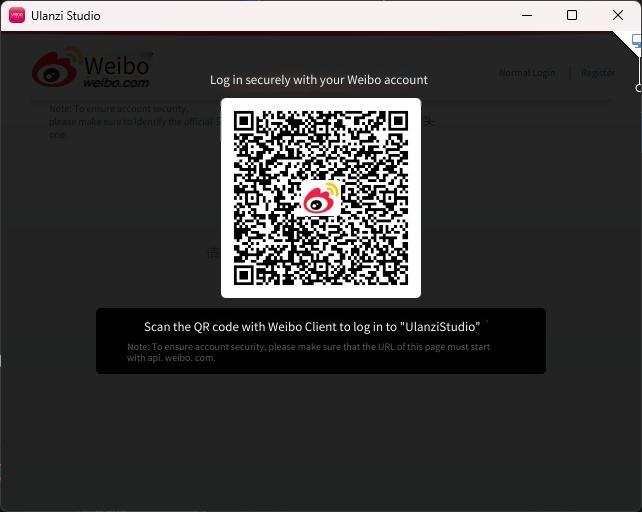
- If authorization is missing or expired, click Authorize. Scan the QR code with the Weibo mobile app and confirm. The authorized user ID is entered automatically.
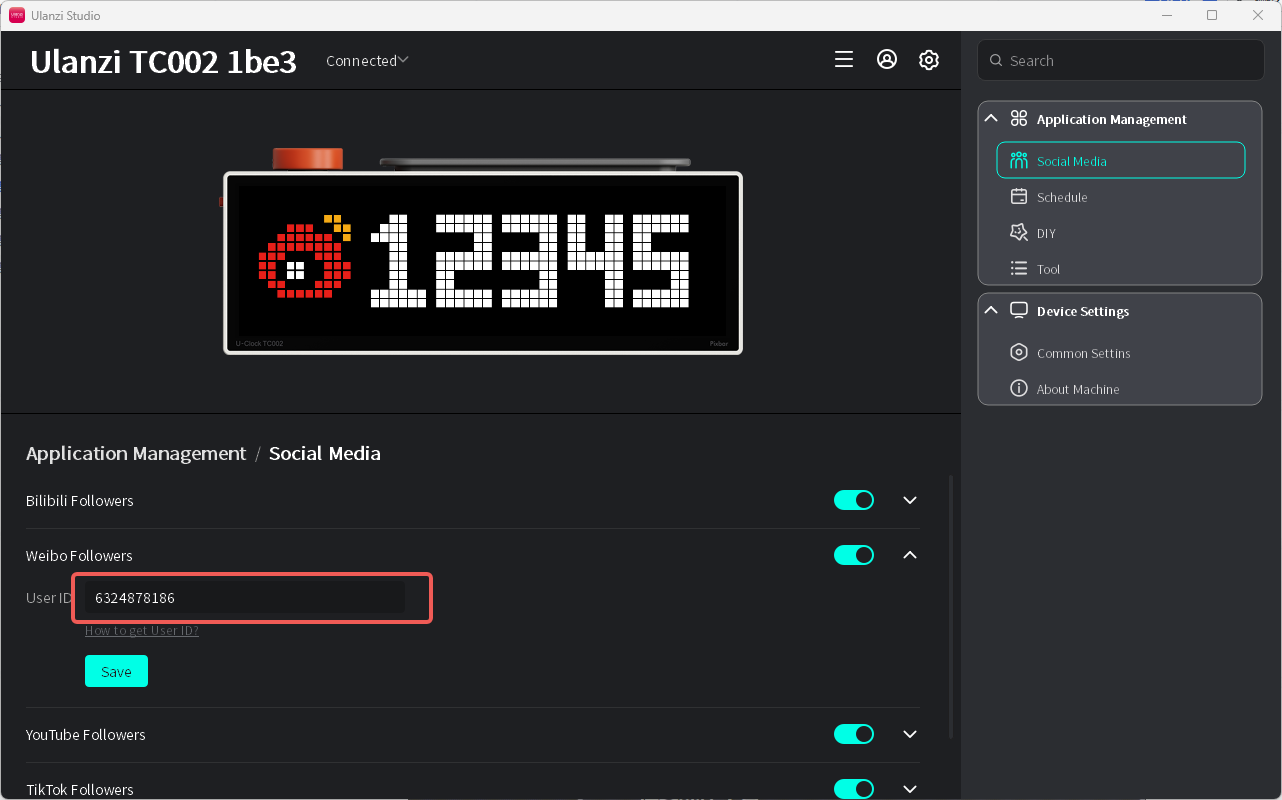
If you want to display the authorized account, skip the next step.
- To use another account, click How to Get User ID? and select the Weibo follower guide.
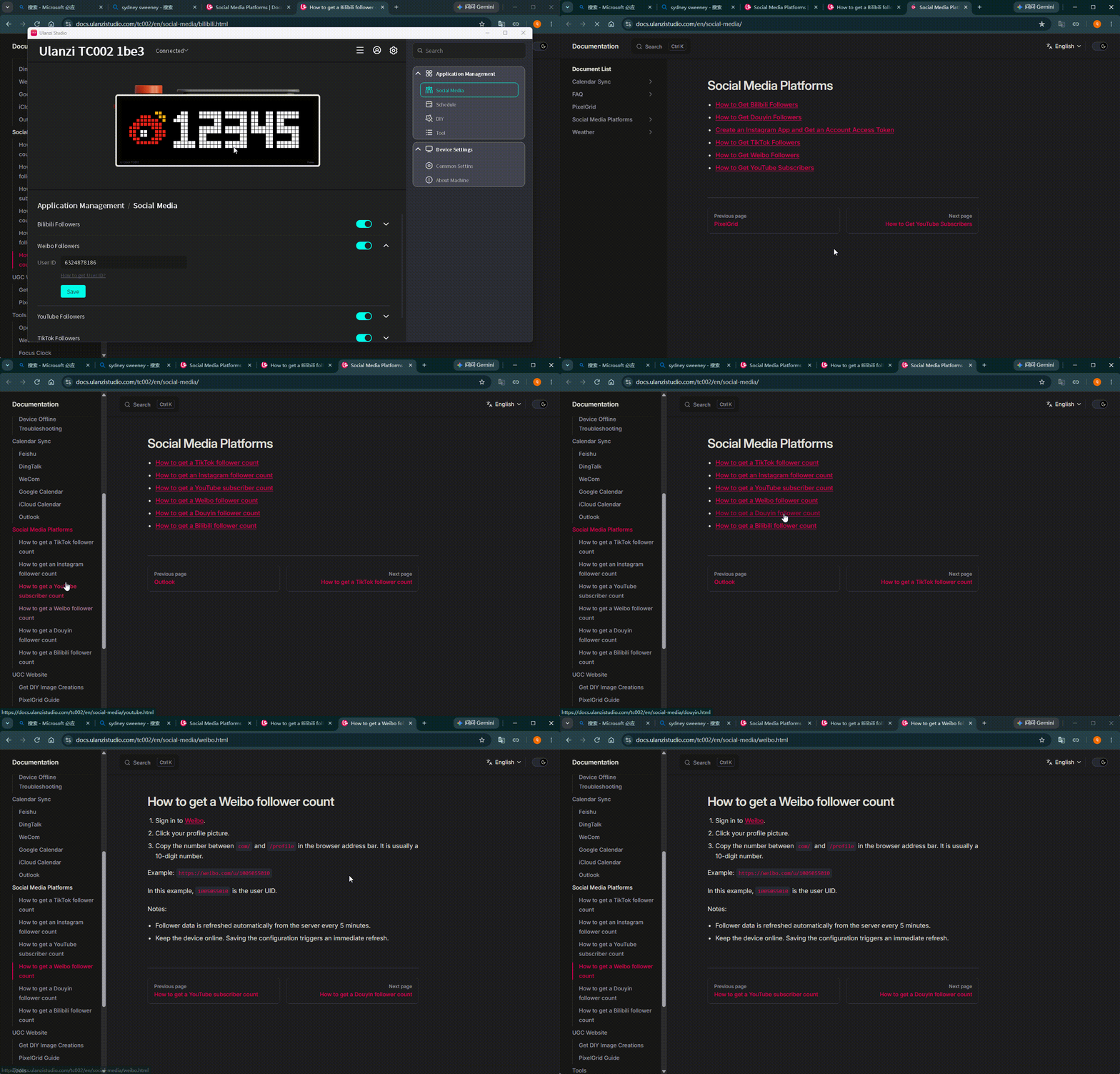
- Enter the user ID.
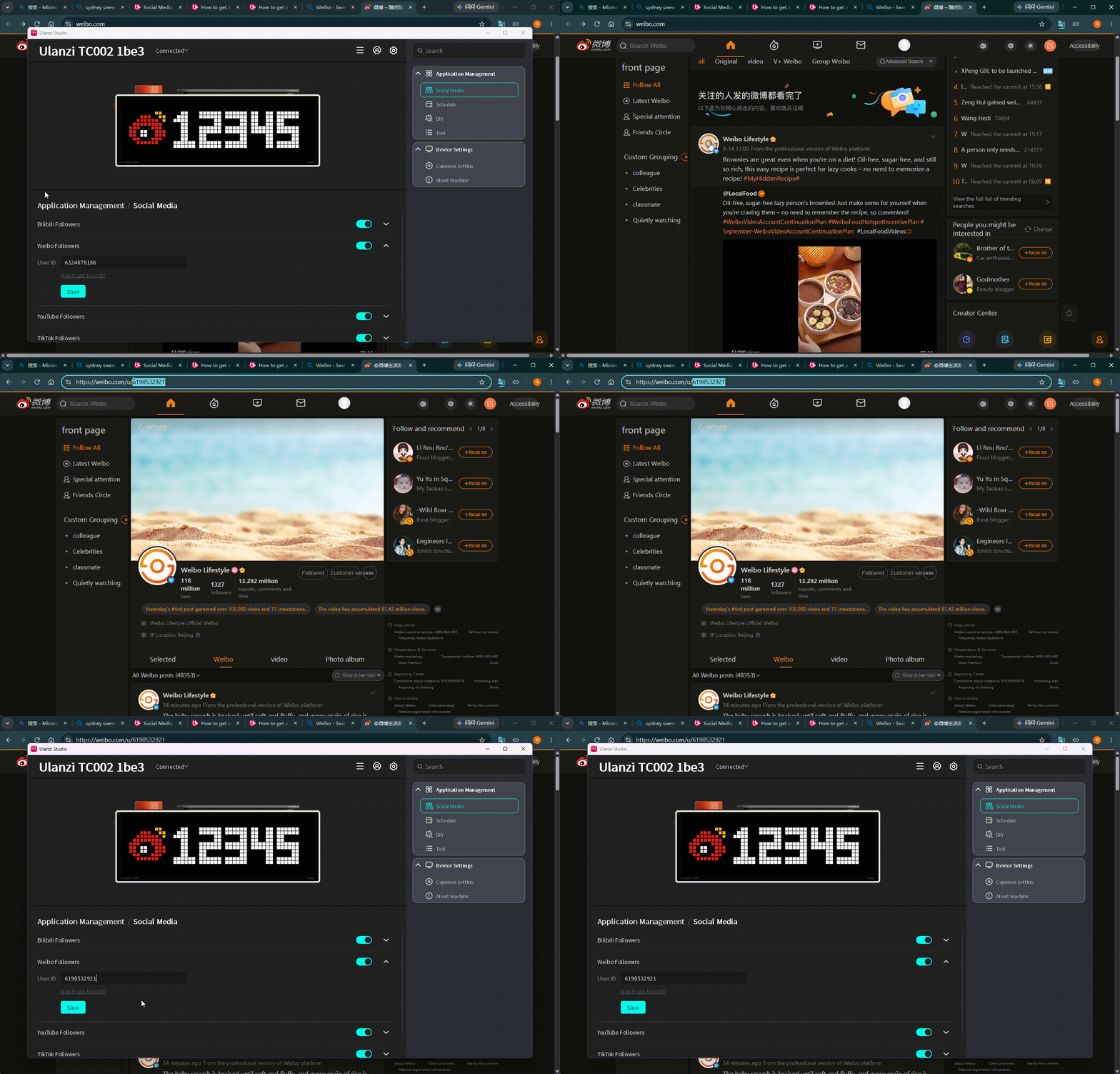
- Click Save and check the validation result.
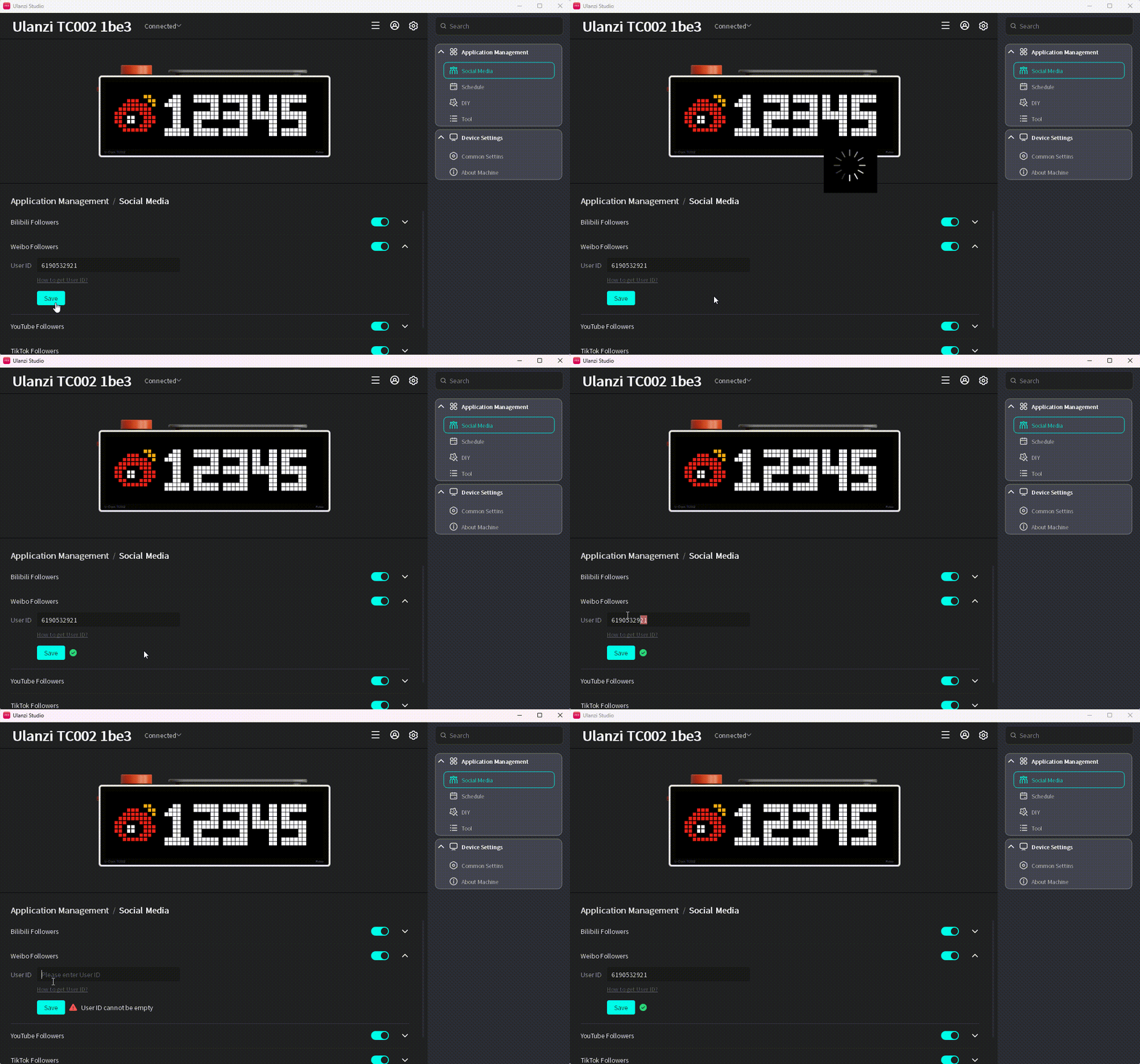
- Switch TC002 to Social Media > Weibo follower count.

YouTube subscriber count
Required fields:
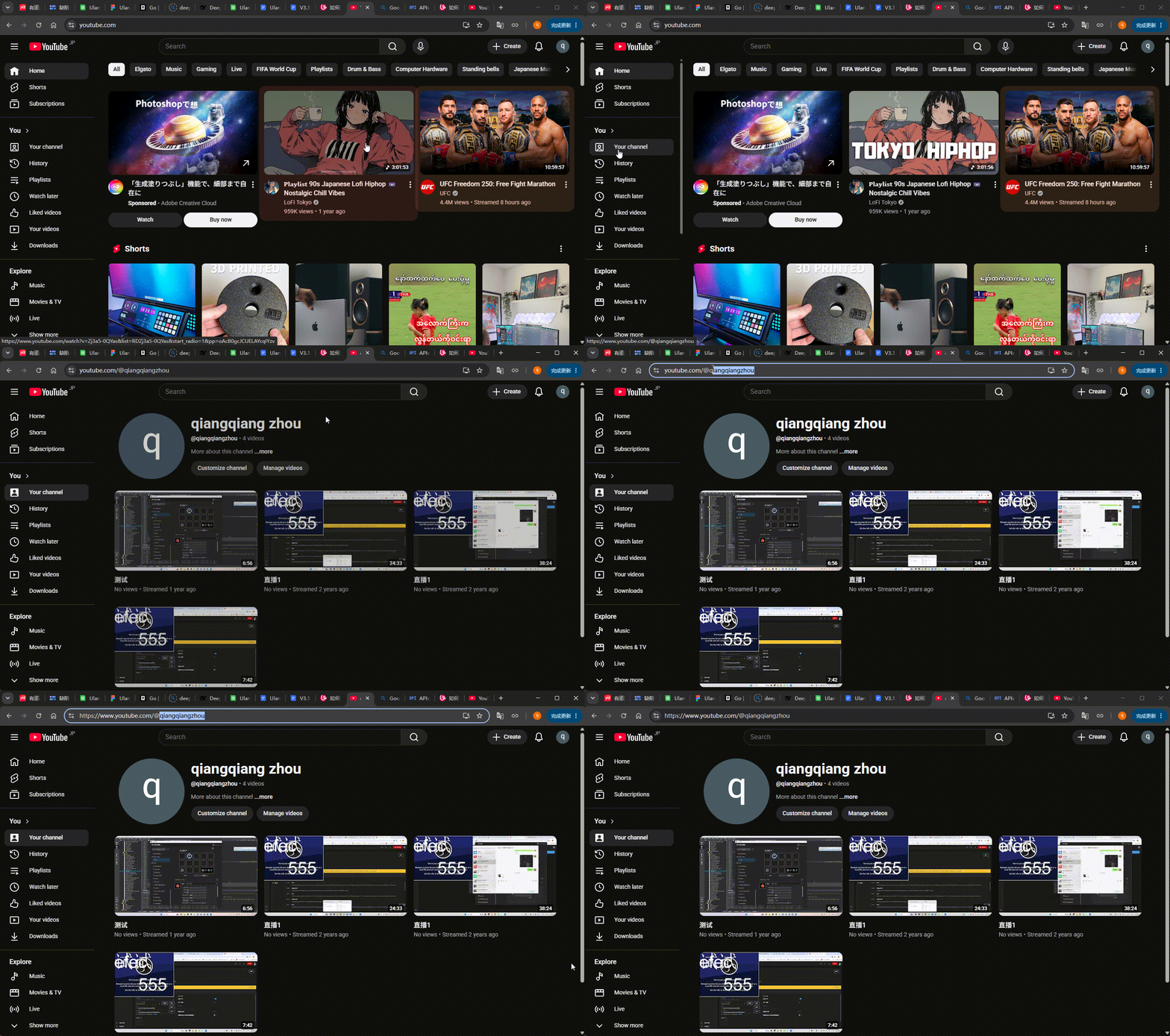
- User ID: the YouTube channel ID to display.
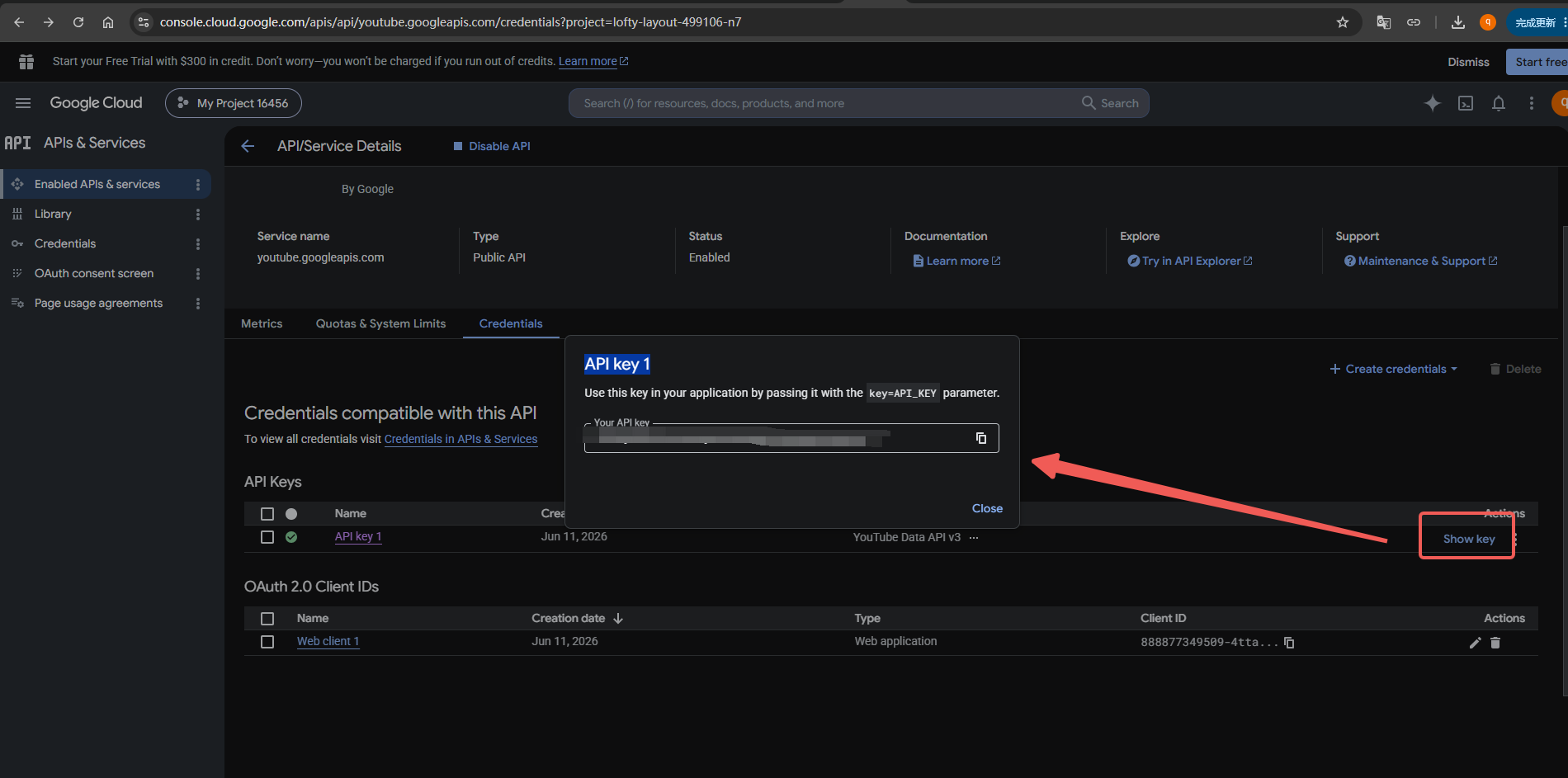
- Token: an API key from Google Cloud Console.
- Expand the settings.
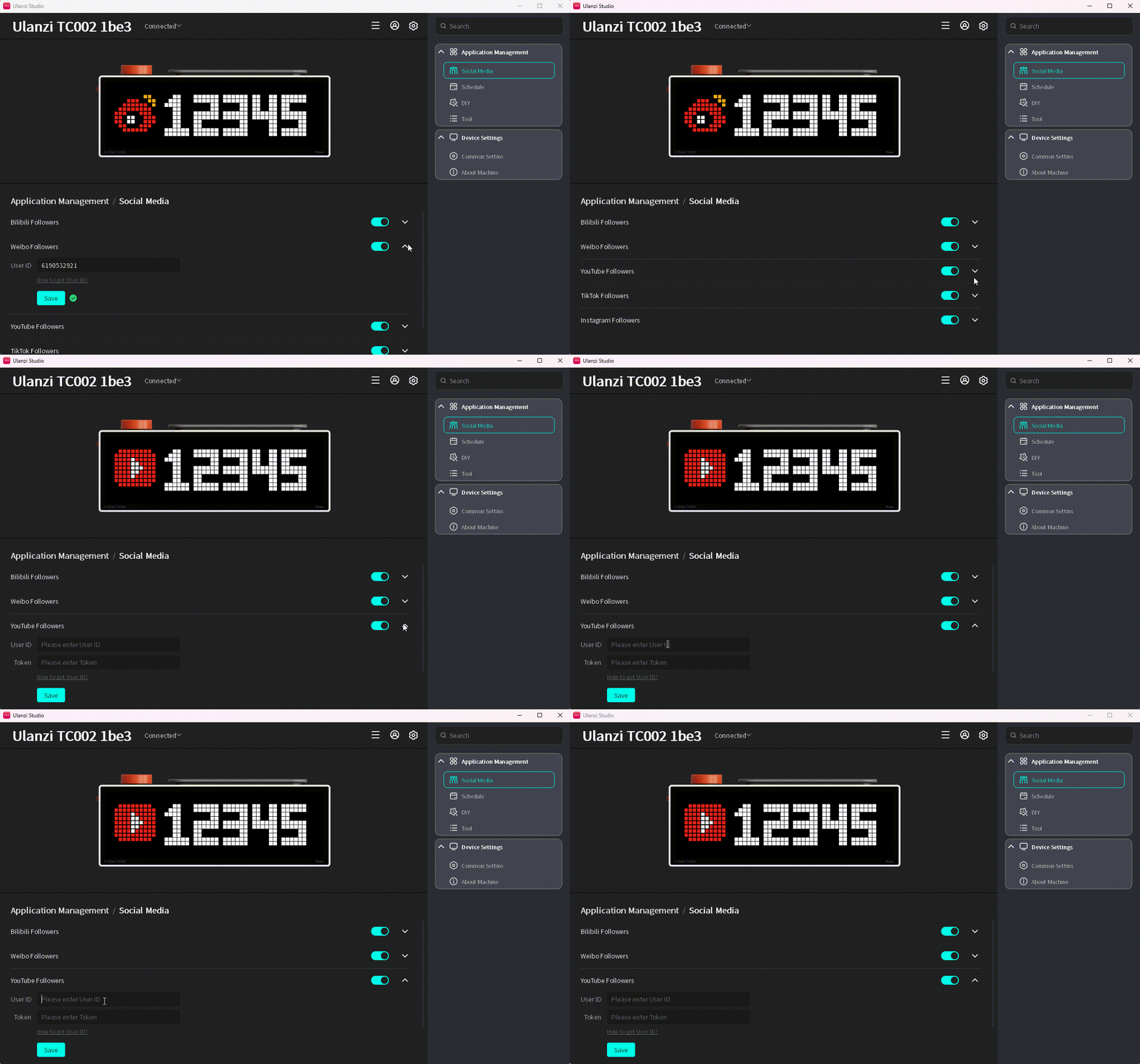
- Click How to Get User ID? and select the YouTube subscriber guide.
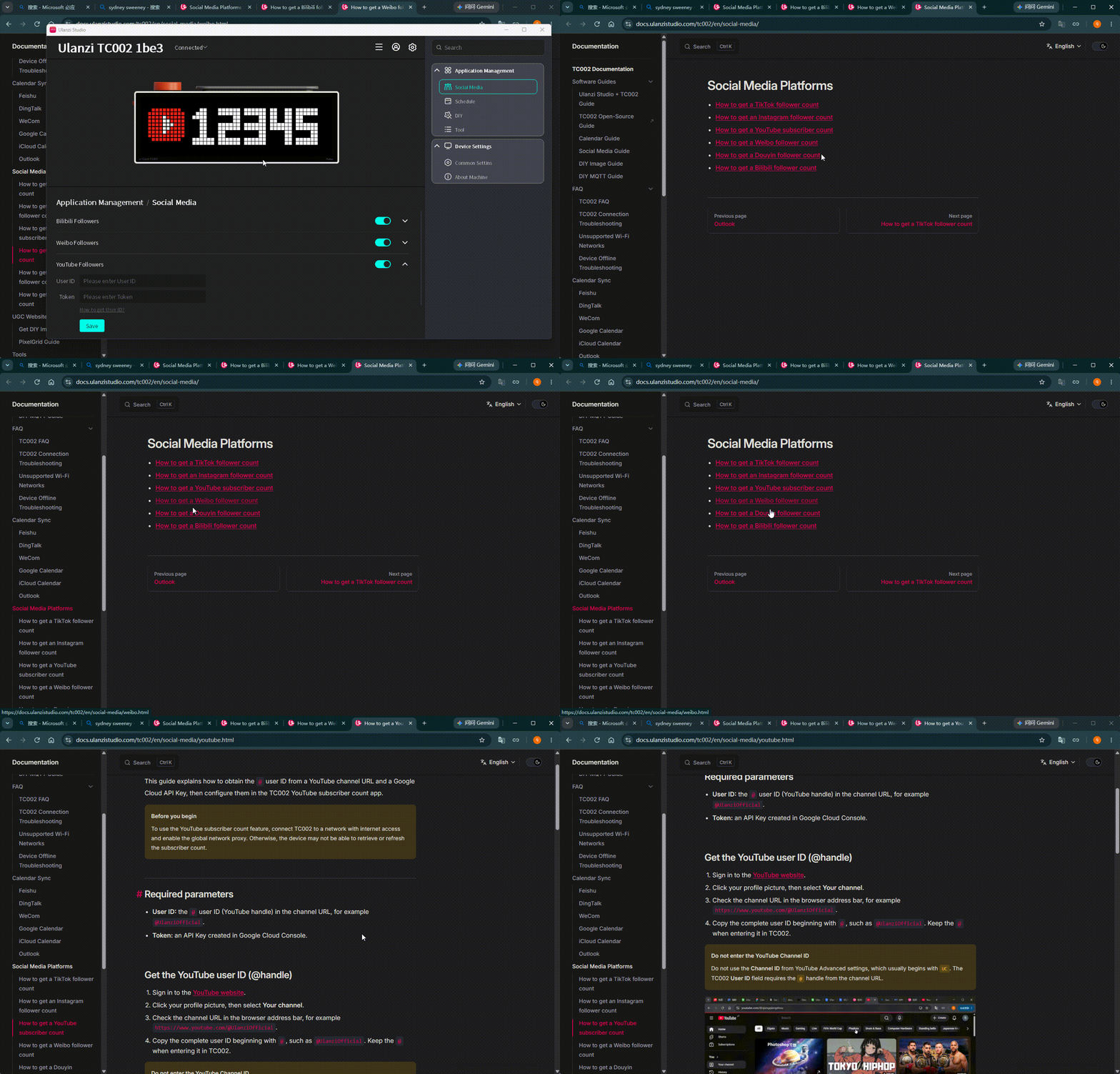
- Follow the guide to get the user ID and token, then enter them.
- Click Save and check the validation result.
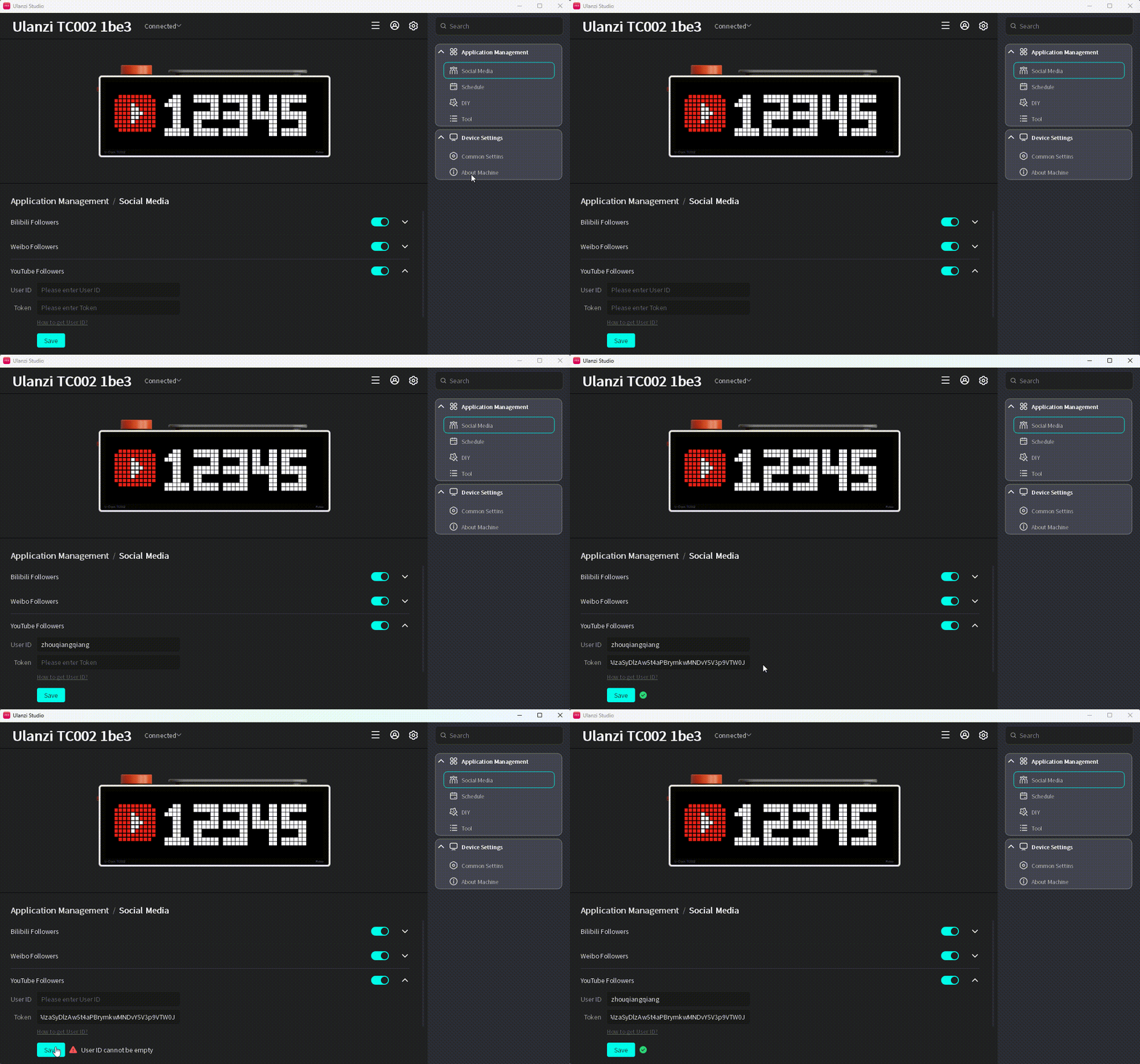
- Switch TC002 to Social Media > YouTube subscriber count.

TikTok follower count
- Expand the settings.
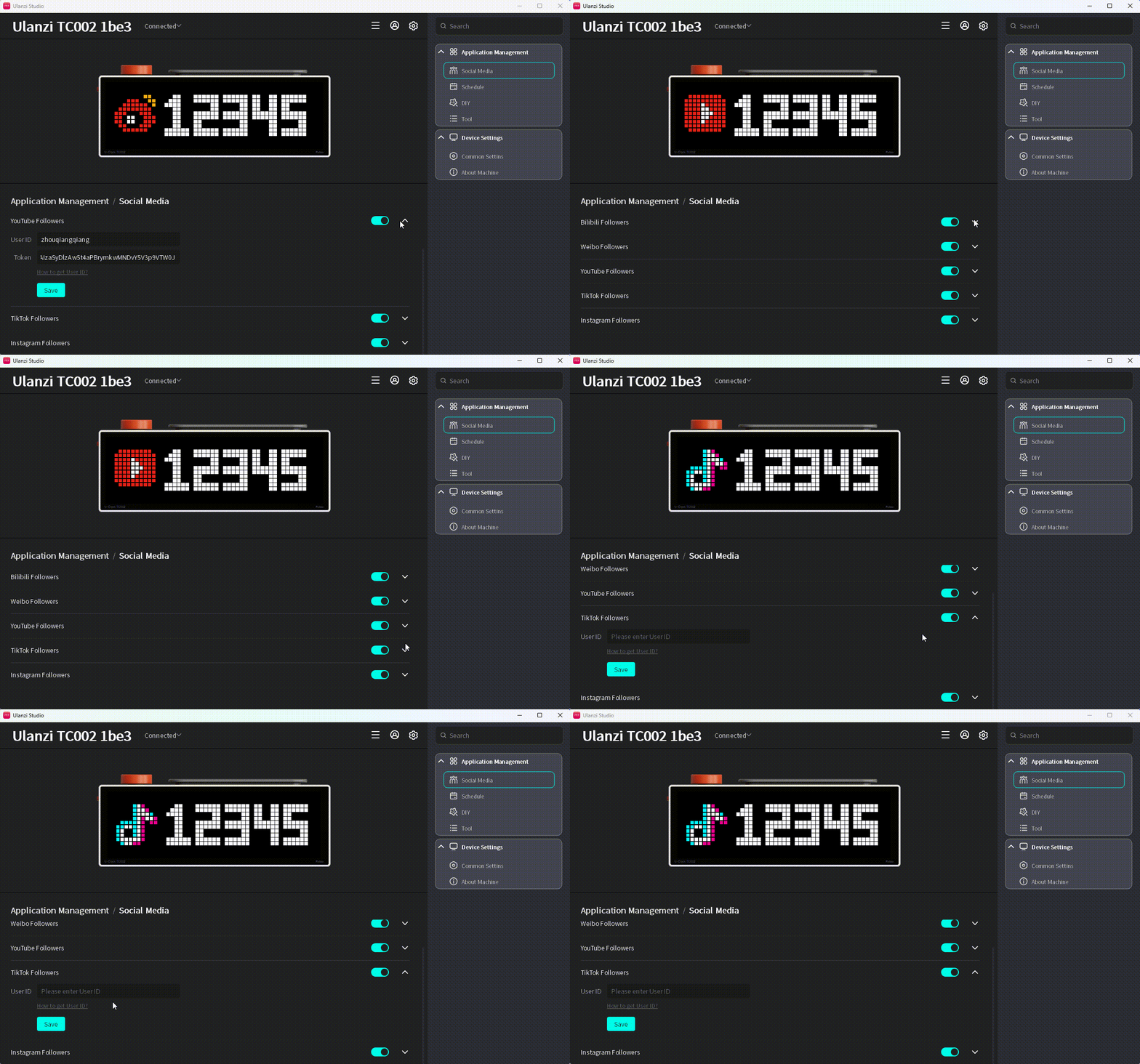
- Click How to Get User ID? and select the TikTok follower guide.
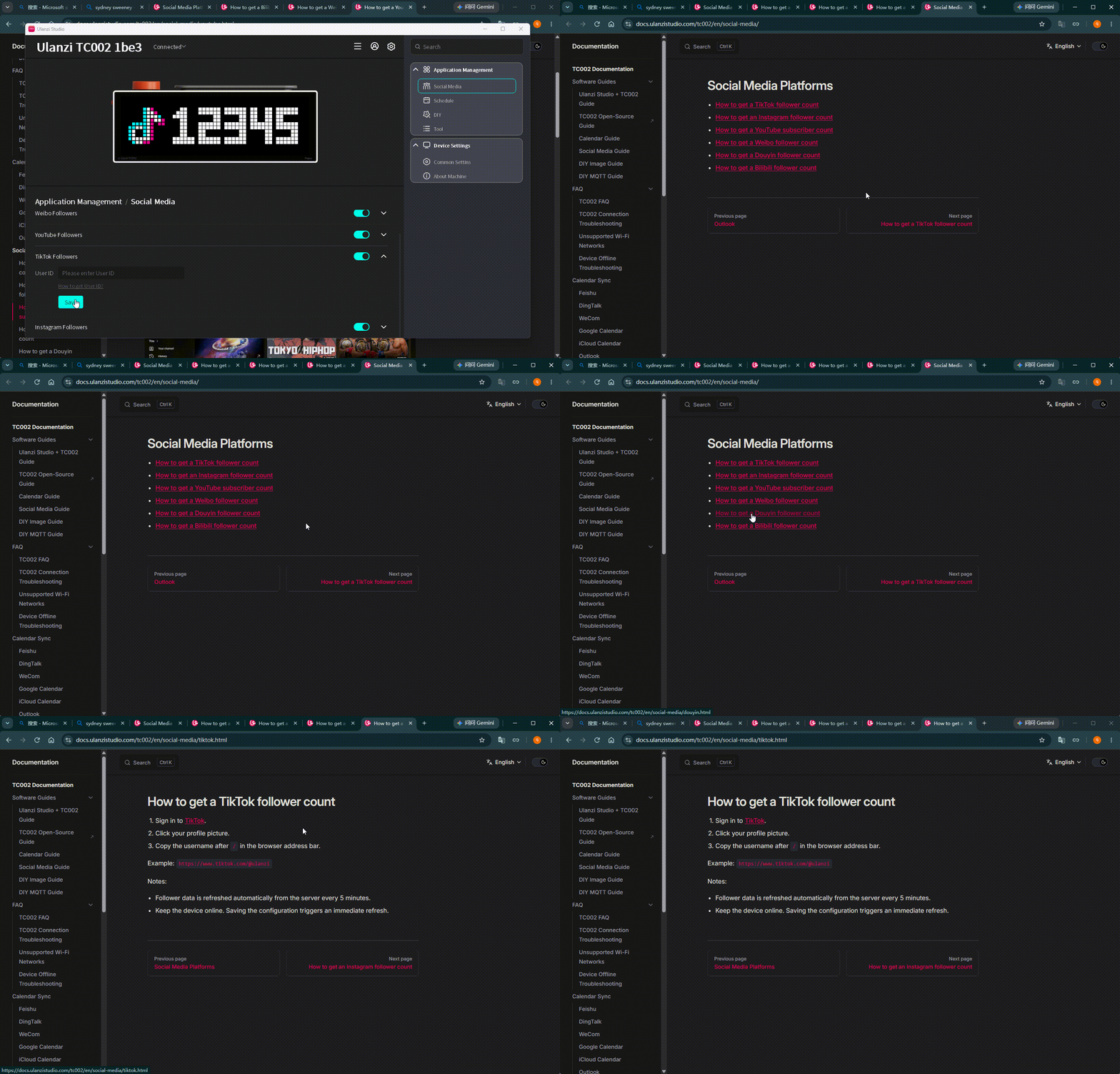
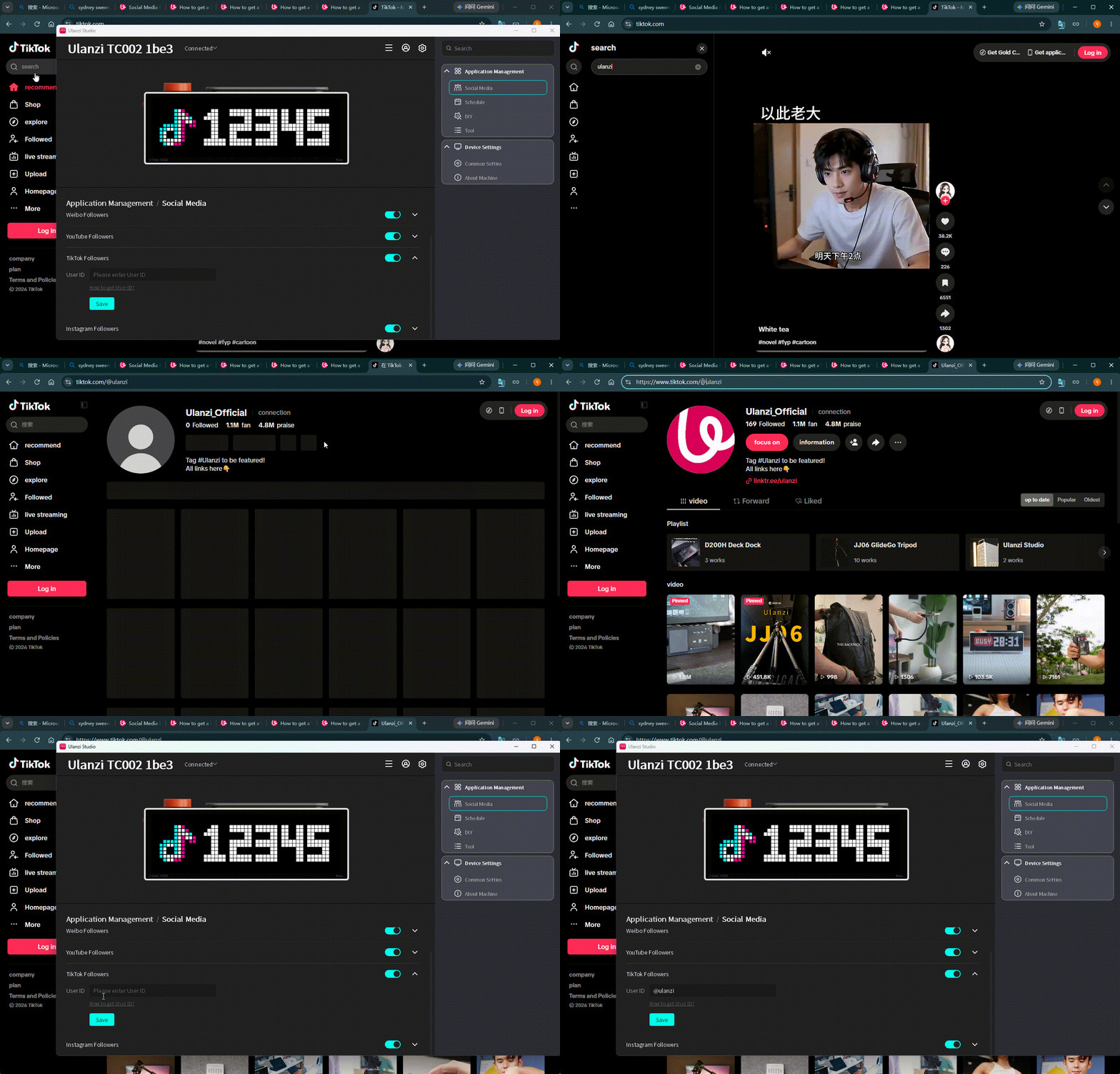
- Follow the guide and enter the user ID.
- Click Save and check the validation result.
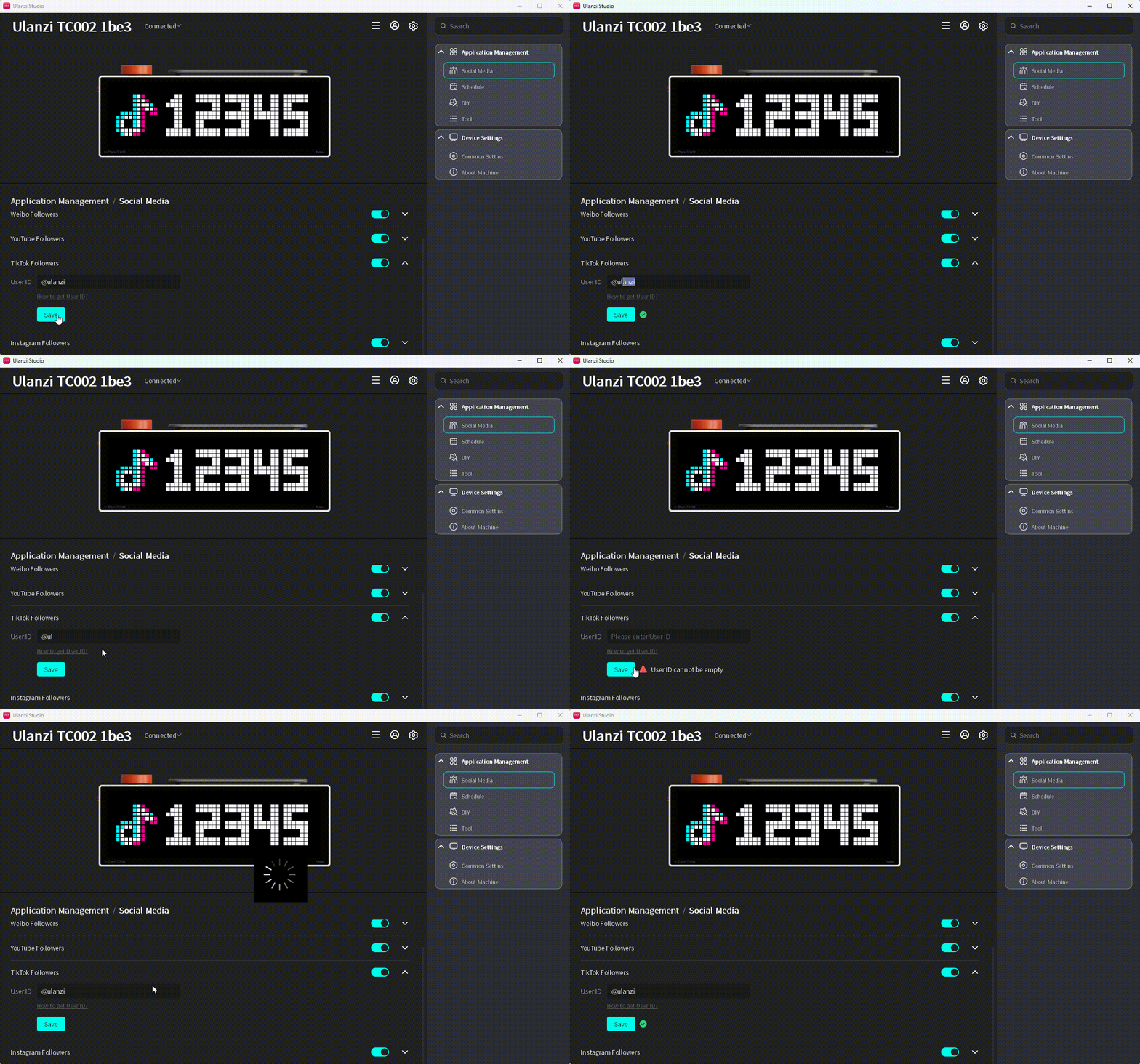
- Switch TC002 to Social Media > TikTok follower count.

Instagram follower count
Enter the Instagram user ID and the token required by the service.
- Expand the settings.
- Click How to Get User ID? and select the Instagram follower guide.
- Follow the guide and enter the user ID and token.
- Click Save and check the validation result.
- Switch TC002 to Social Media > Instagram follower count.
