How to Get YouTube Subscribers
This guide explains how to configure a YouTube channel in the TC002 Social Media app and display its subscriber count.
Required parameters
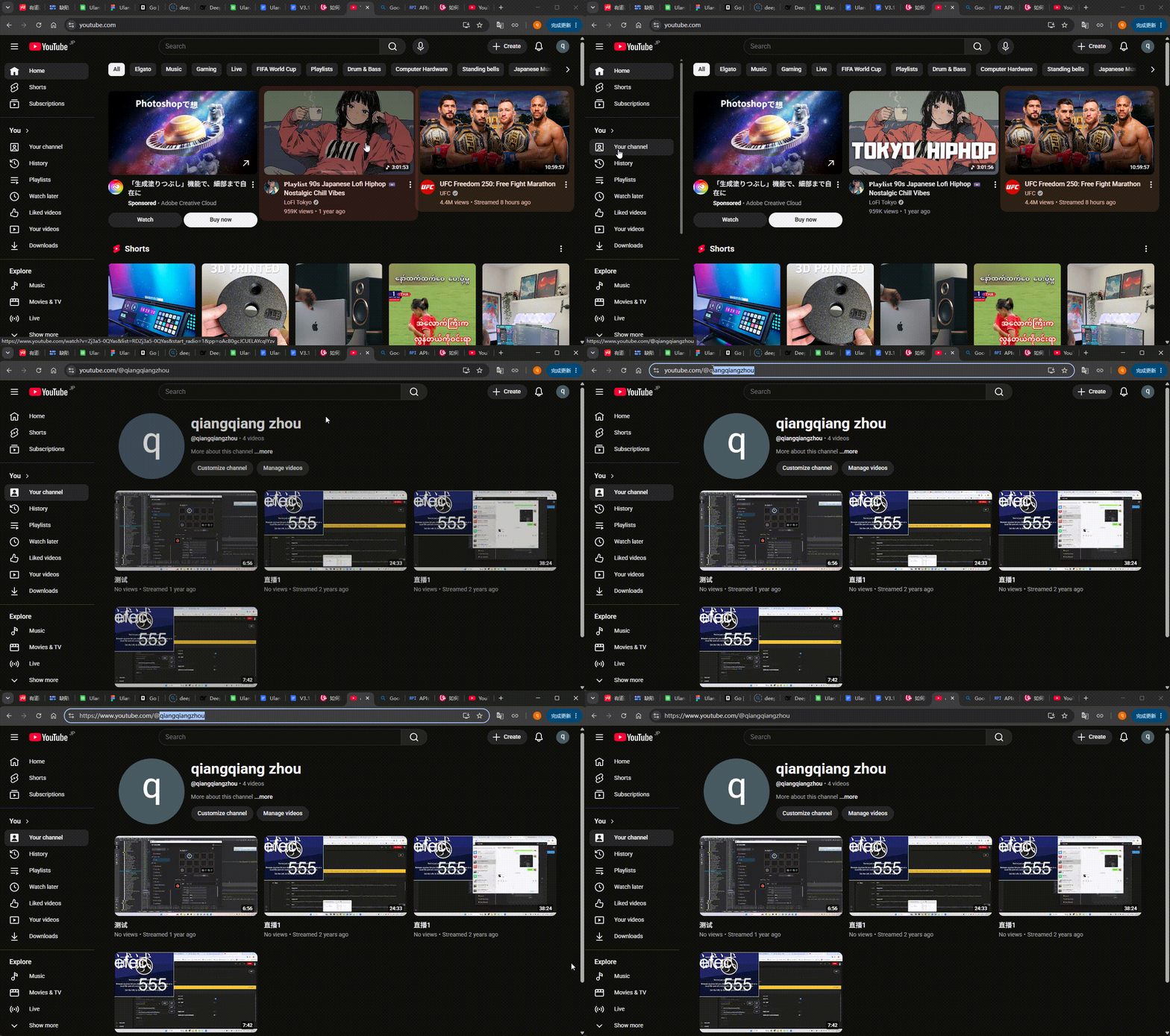
- User ID: the YouTube Channel ID whose subscriber count you want to display.
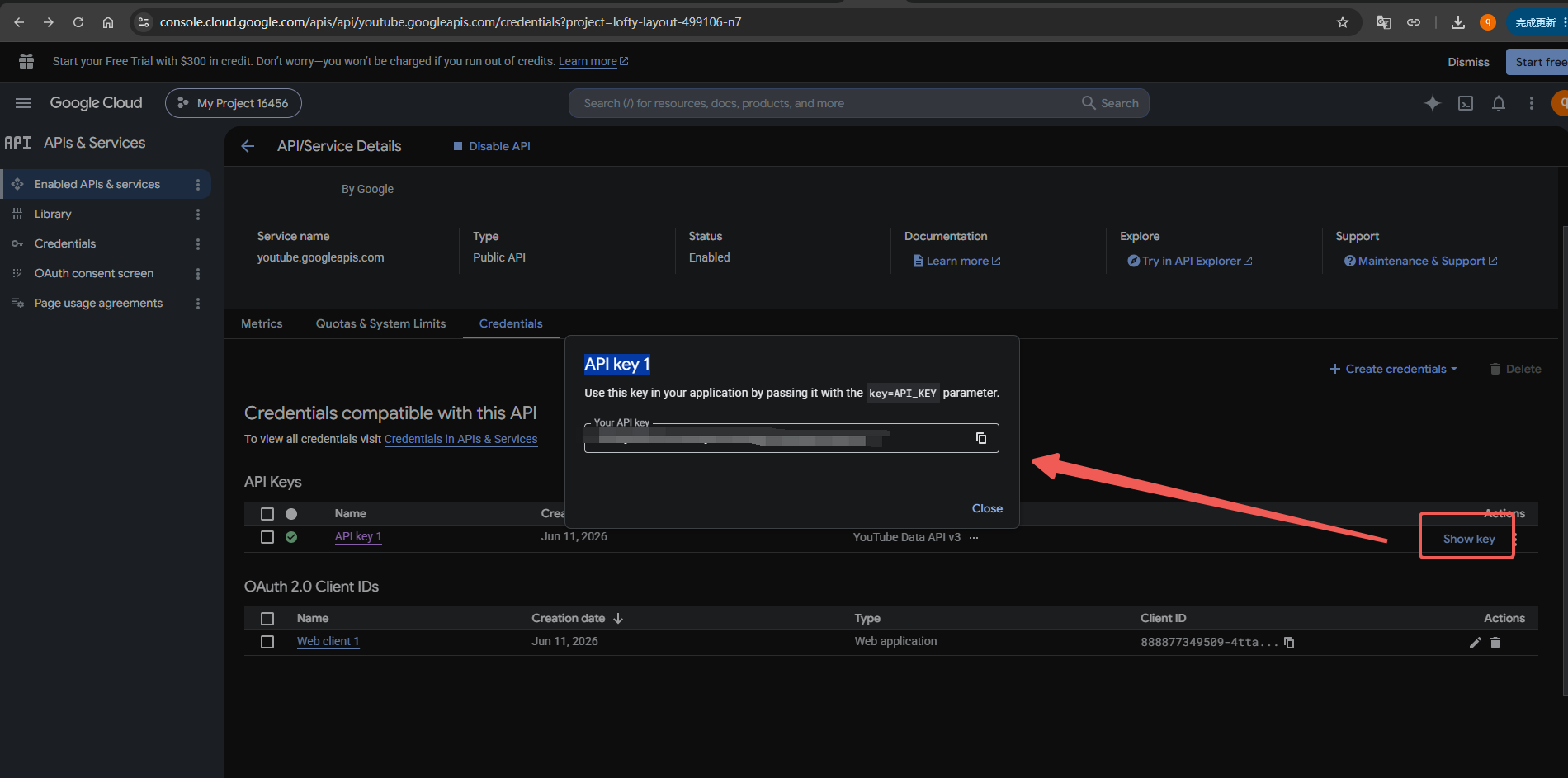
- Token: an API Key created in Google Cloud Console.
Configuration steps
- In the TC002 Social Media app, select the parameter expand/collapse button to open the YouTube settings.
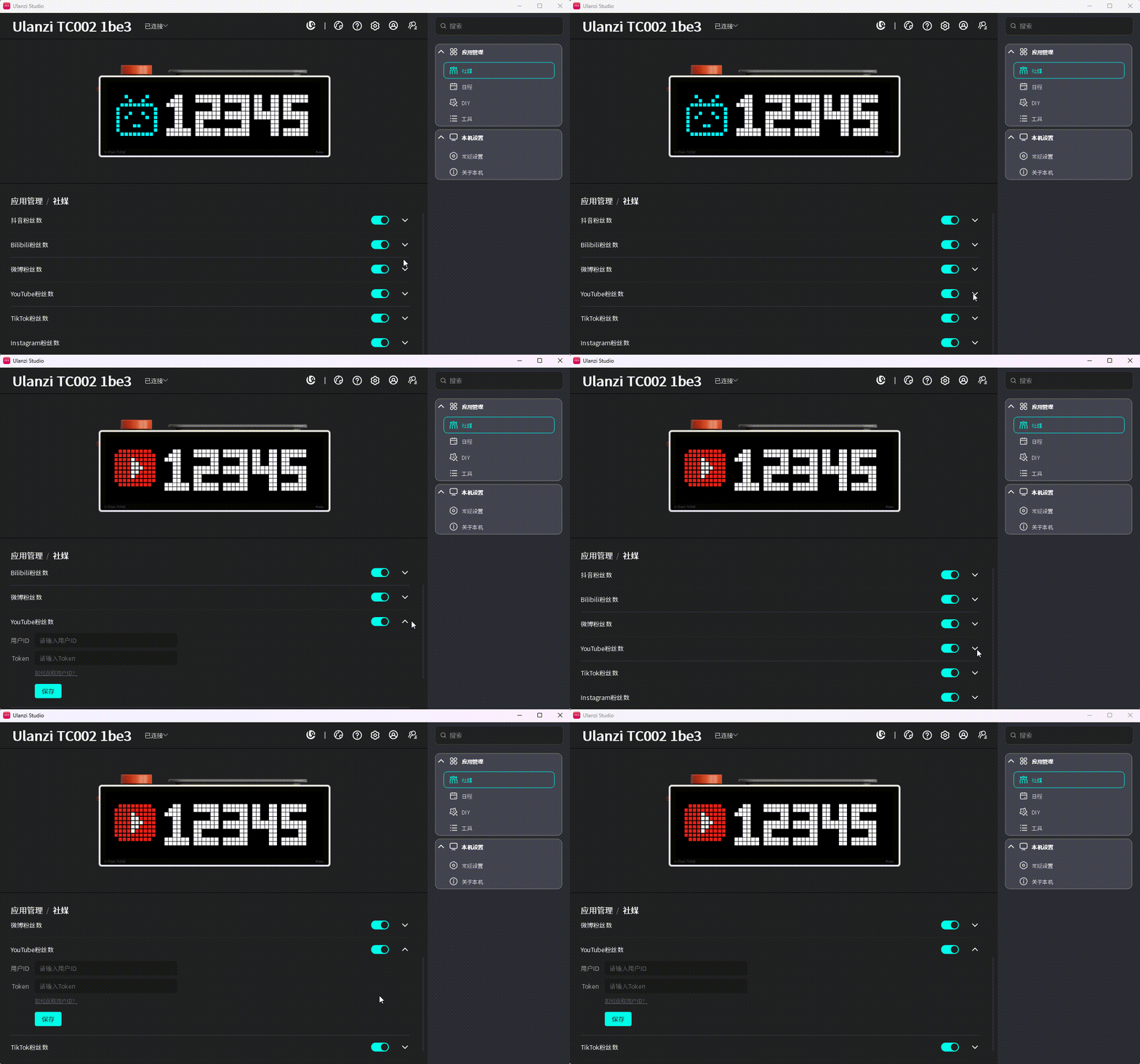
- Select How to Get User ID?, then choose the YouTube subscriber guide.
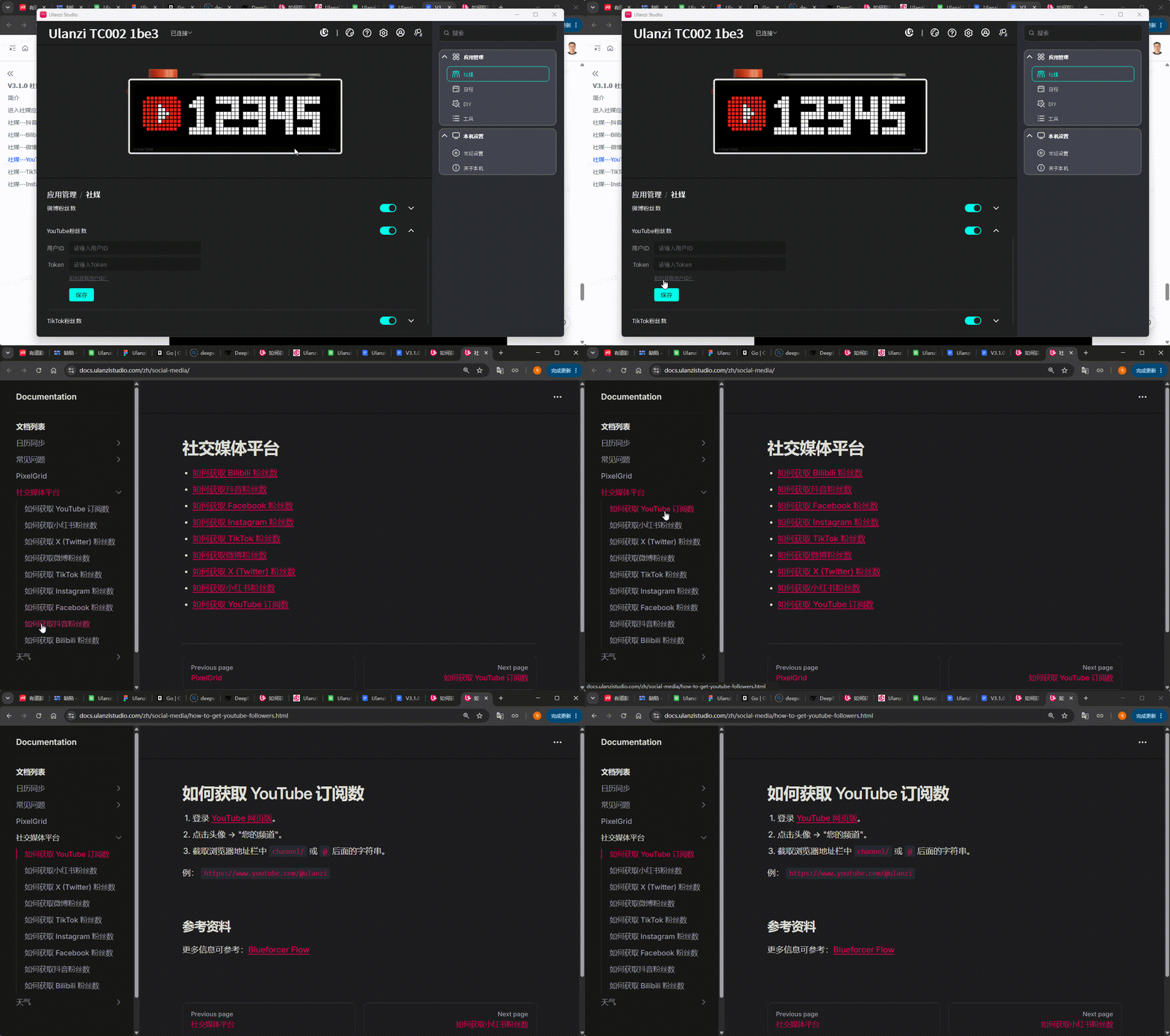
- Follow the guide to obtain the YouTube Channel ID and Google Cloud API Key. Enter them in the User ID and Token fields.
- Select Save. A successful validation shows “√” beside the button. A failed validation shows “❗” and an error message.
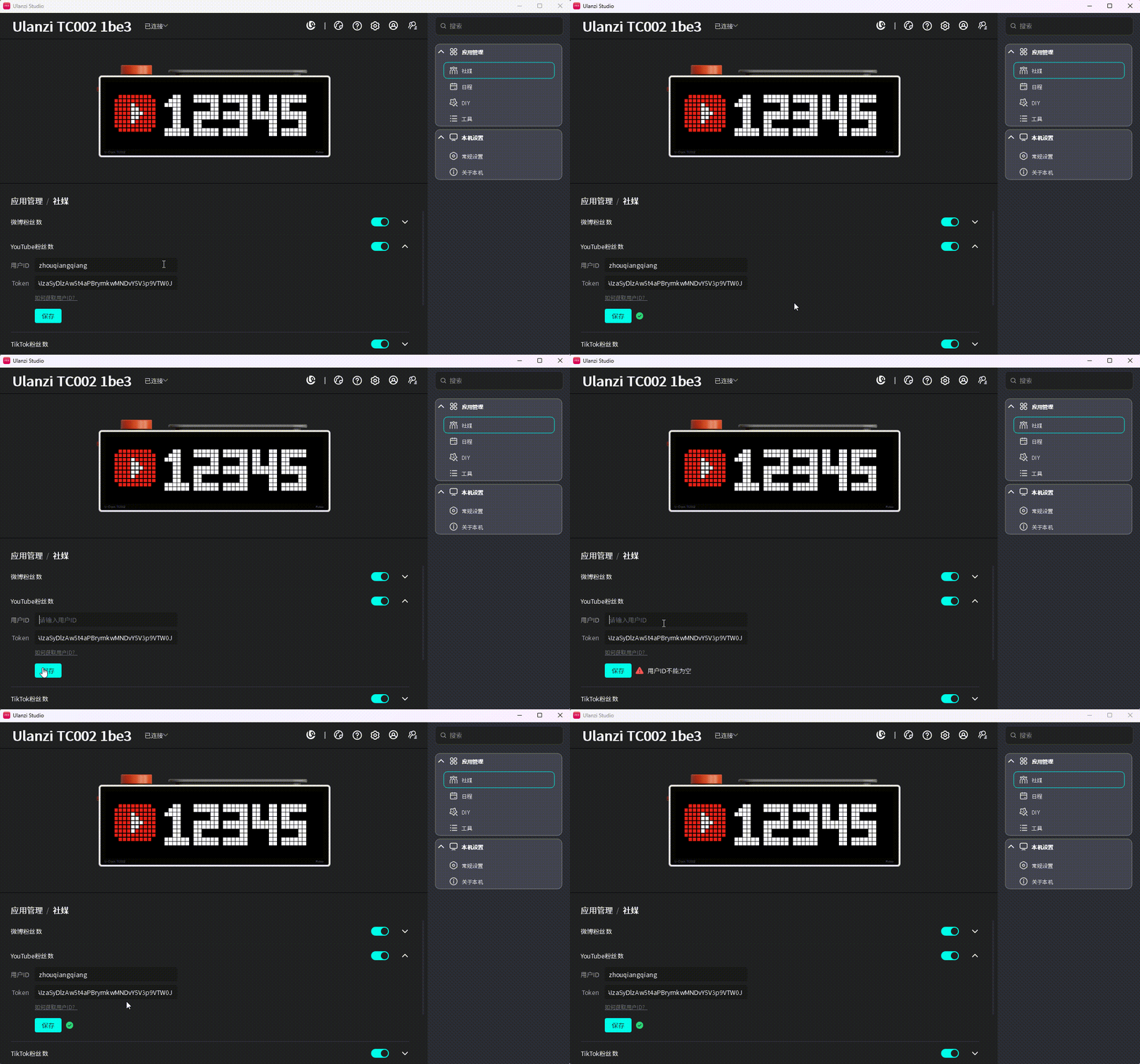
- After saving, switch TC002 to Social Media > YouTube subscriber count to view the channel's subscriber count.