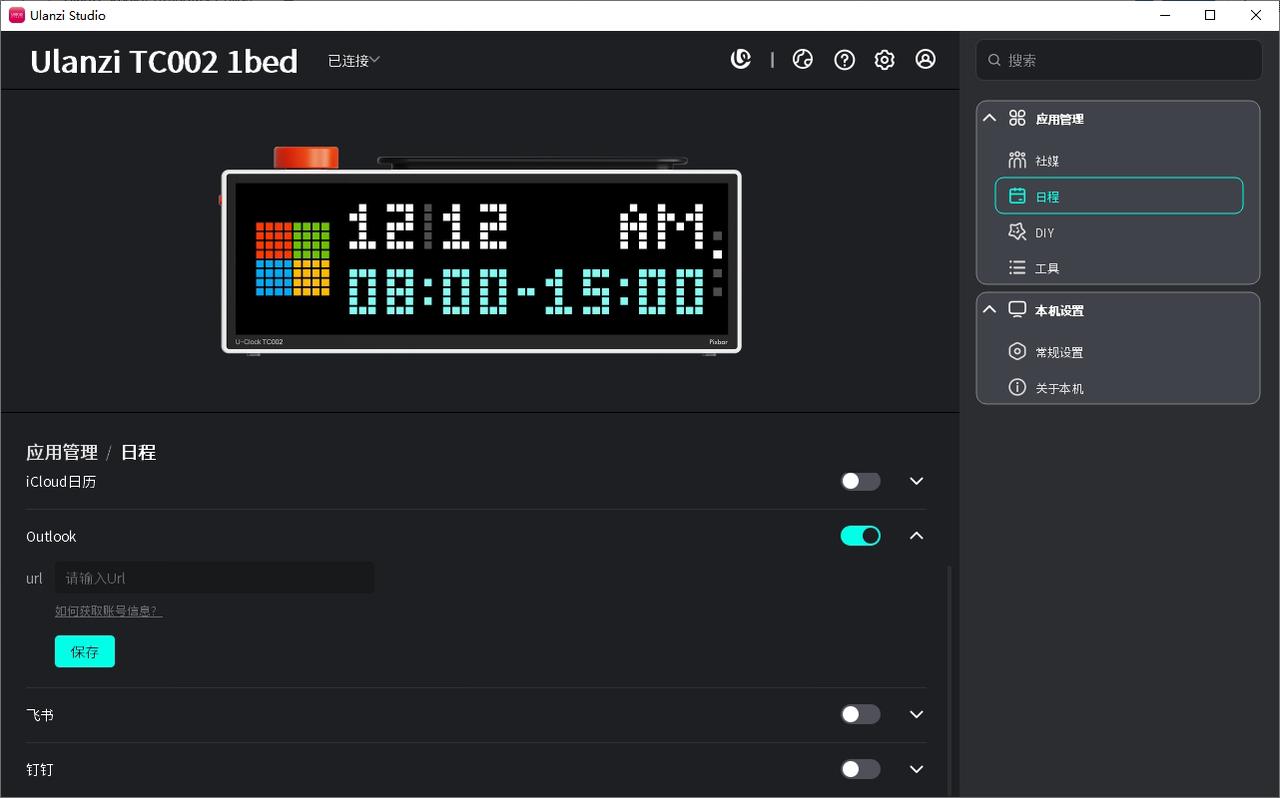
Outlook Calendar Sharing Guide
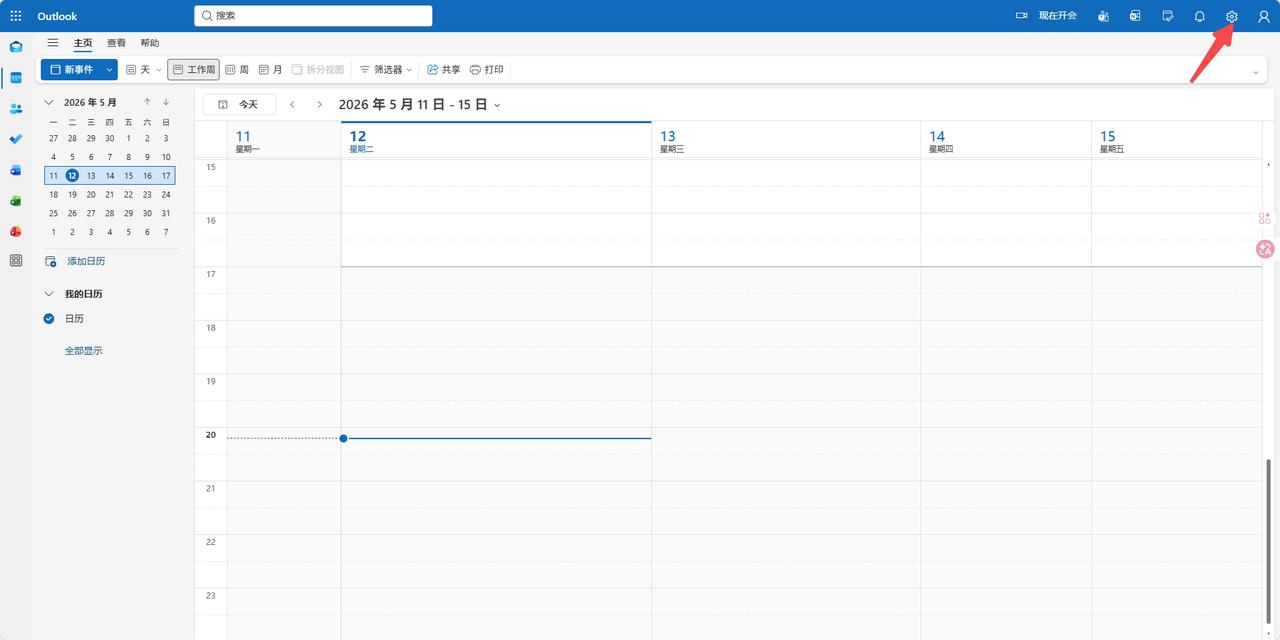
- Open the Outlook Calendar web version https://outlook.live.com/calendar/view/workweek and click Settings.
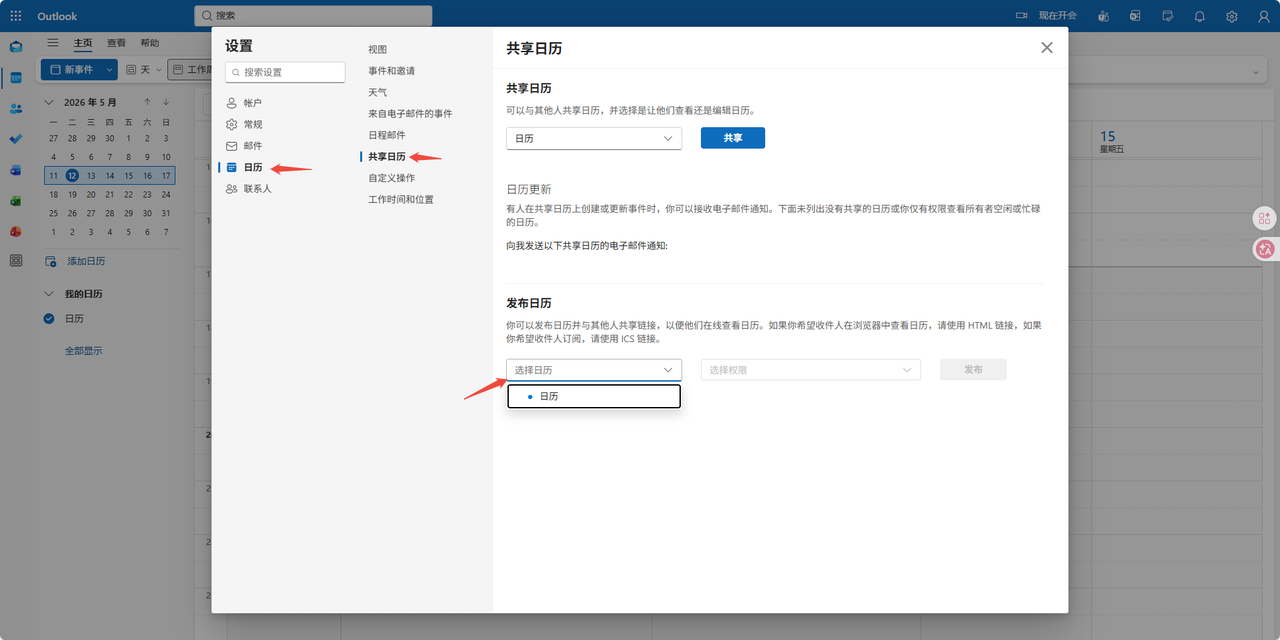
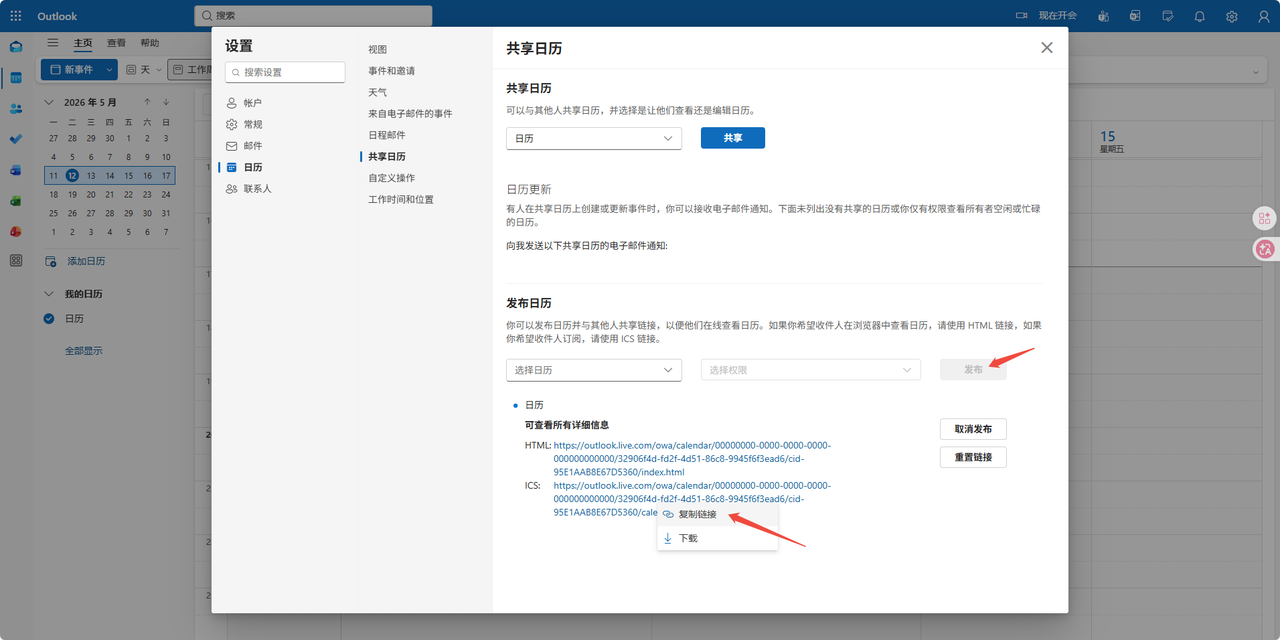
- Under Calendar, select the calendar you want to share. In Publish a calendar, click [Select a calendar] and choose a calendar.
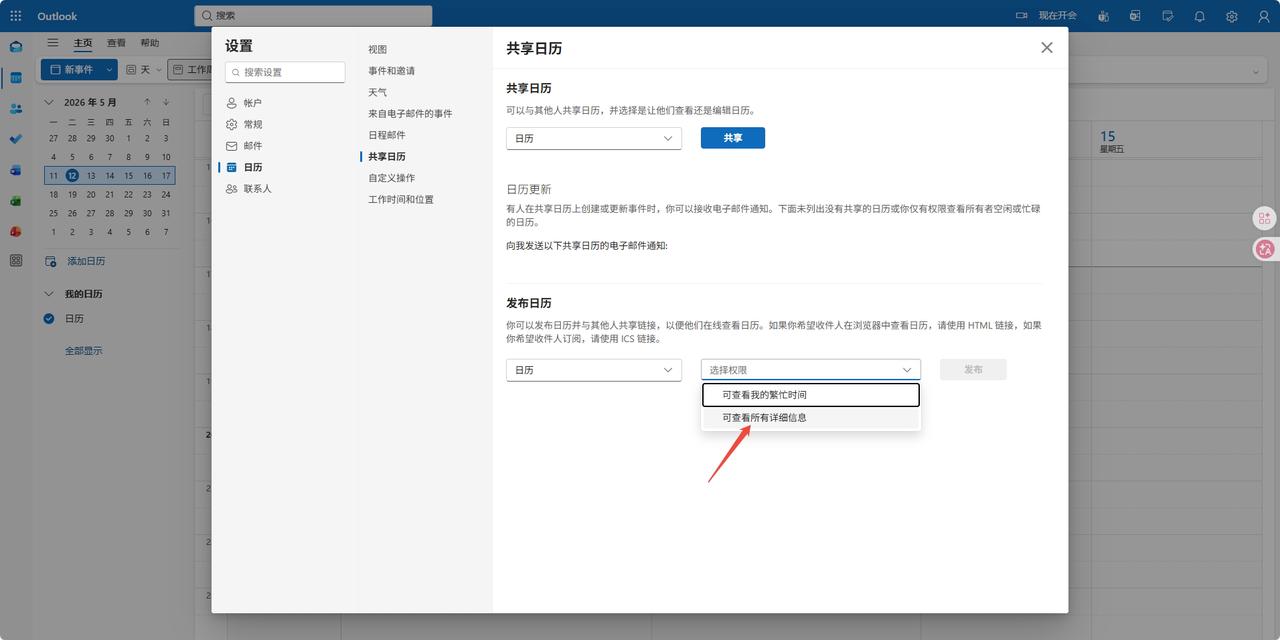
- Click [Select permissions] and choose Can view all details.
- Click Publish, then click the ICS URL and copy the link.
- Paste it into the URL input box of the Outlook Schedule feature and click Save.