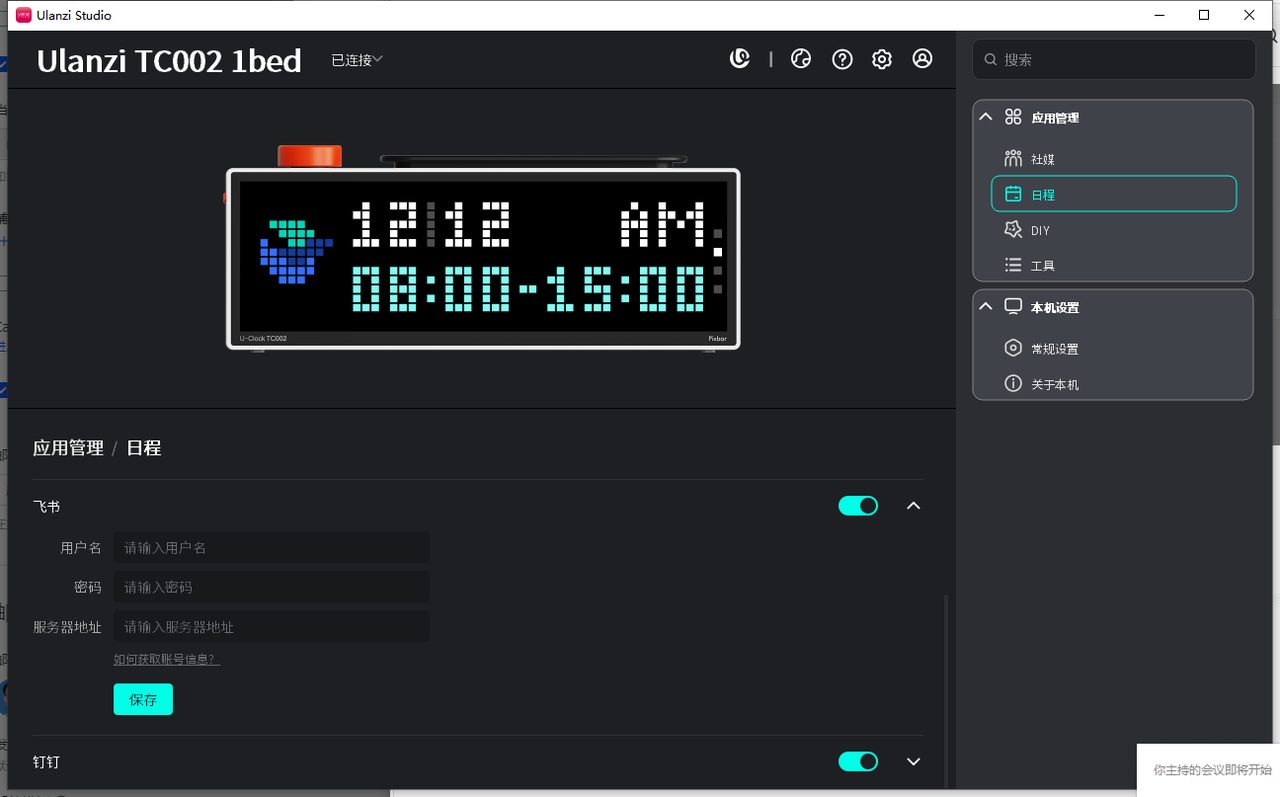
Lark: Get CalDav Sync Account
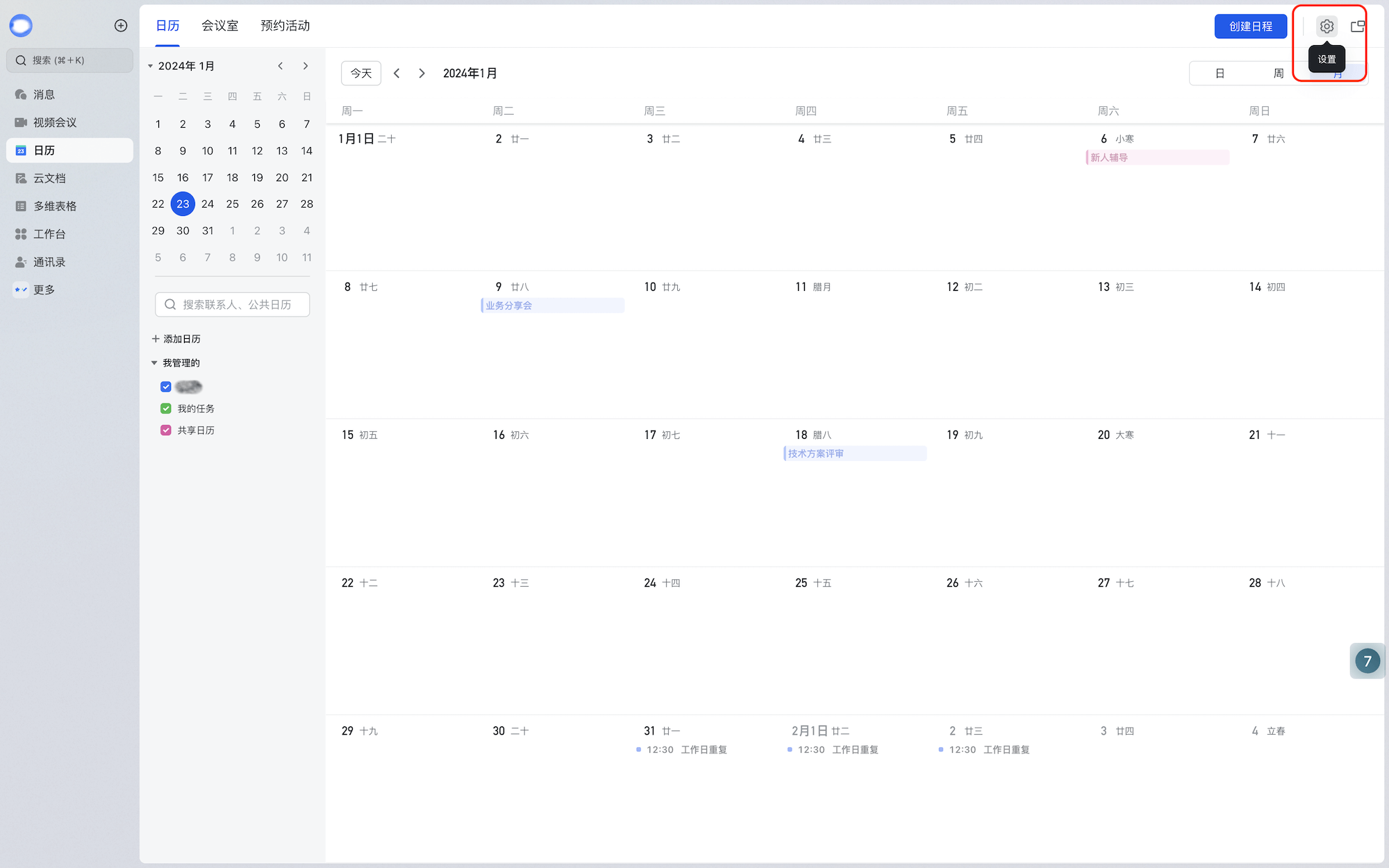
- In the Lark desktop app, click “Calendar” in the left navigation, then click the Settings icon in the top-right.
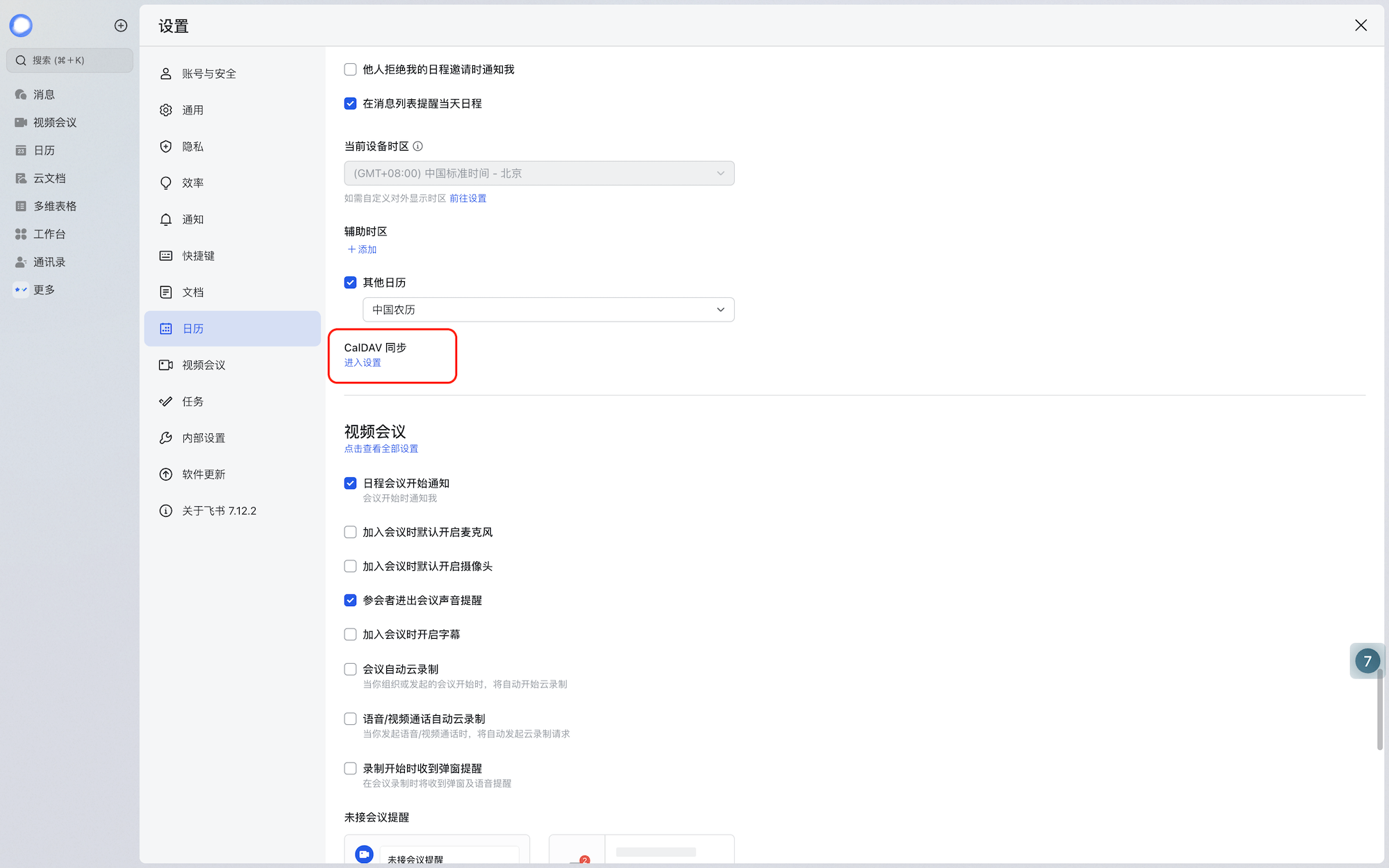
- In Calendar, find CalDAV sync and click to enter settings.
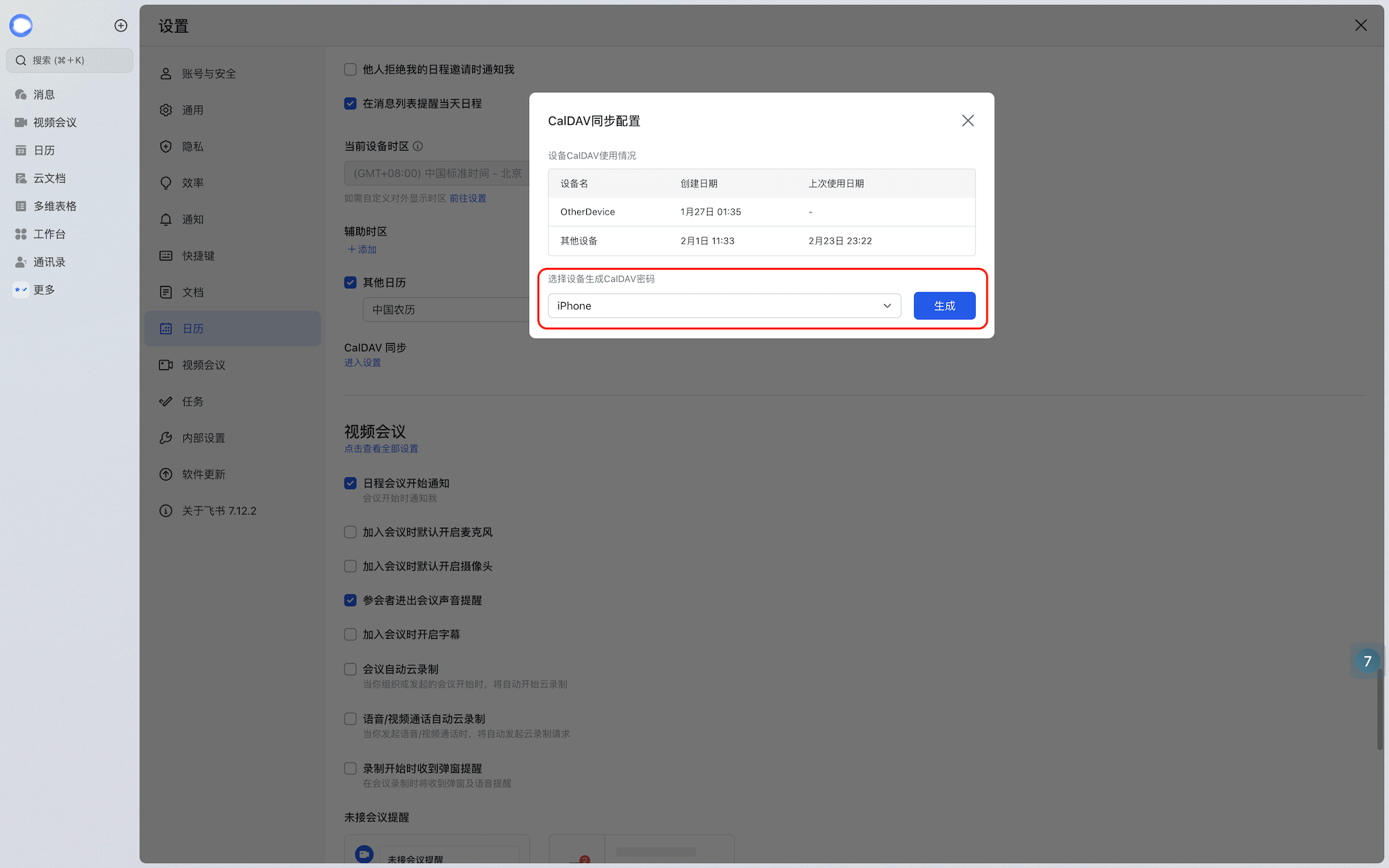
- Select a device and click Generate.
- Copy the account, password, and server address.
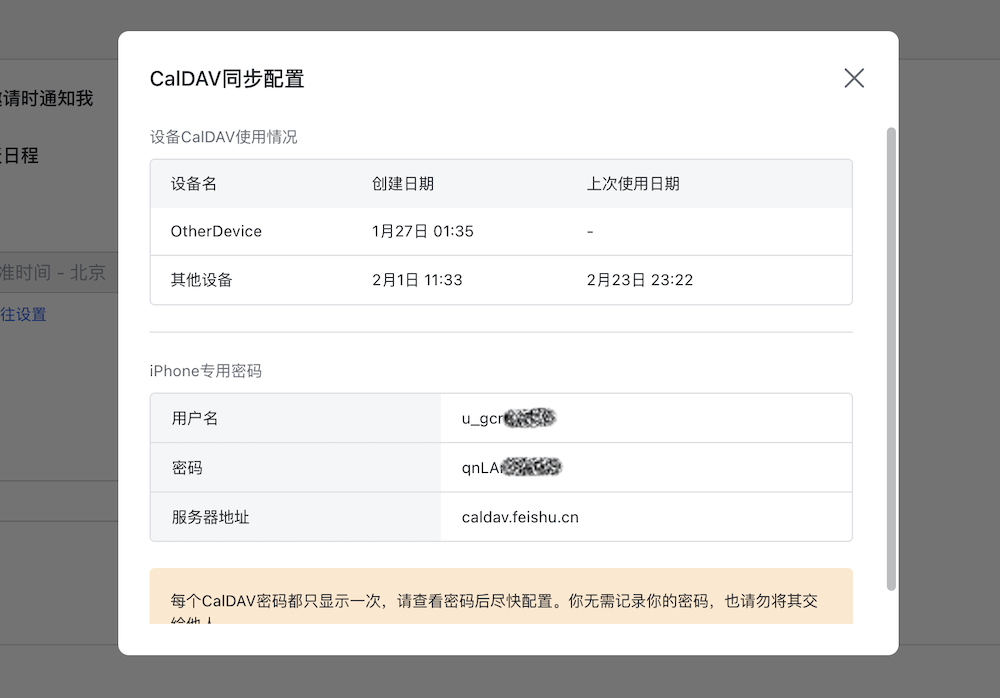
- Paste them into the account/password/server input boxes of the Lark Schedule feature and click Save.