System Control Permissions
Why does pressing the voice Fn key do nothing after connecting the Bluetooth Dongle on Mac?
Answer:
- Make sure the Bluetooth Dongle indicator is on and that it is connected to the app normally.
- If you are using a Mac mini, make sure voice-input software is installed and the input method is switched to voice input.
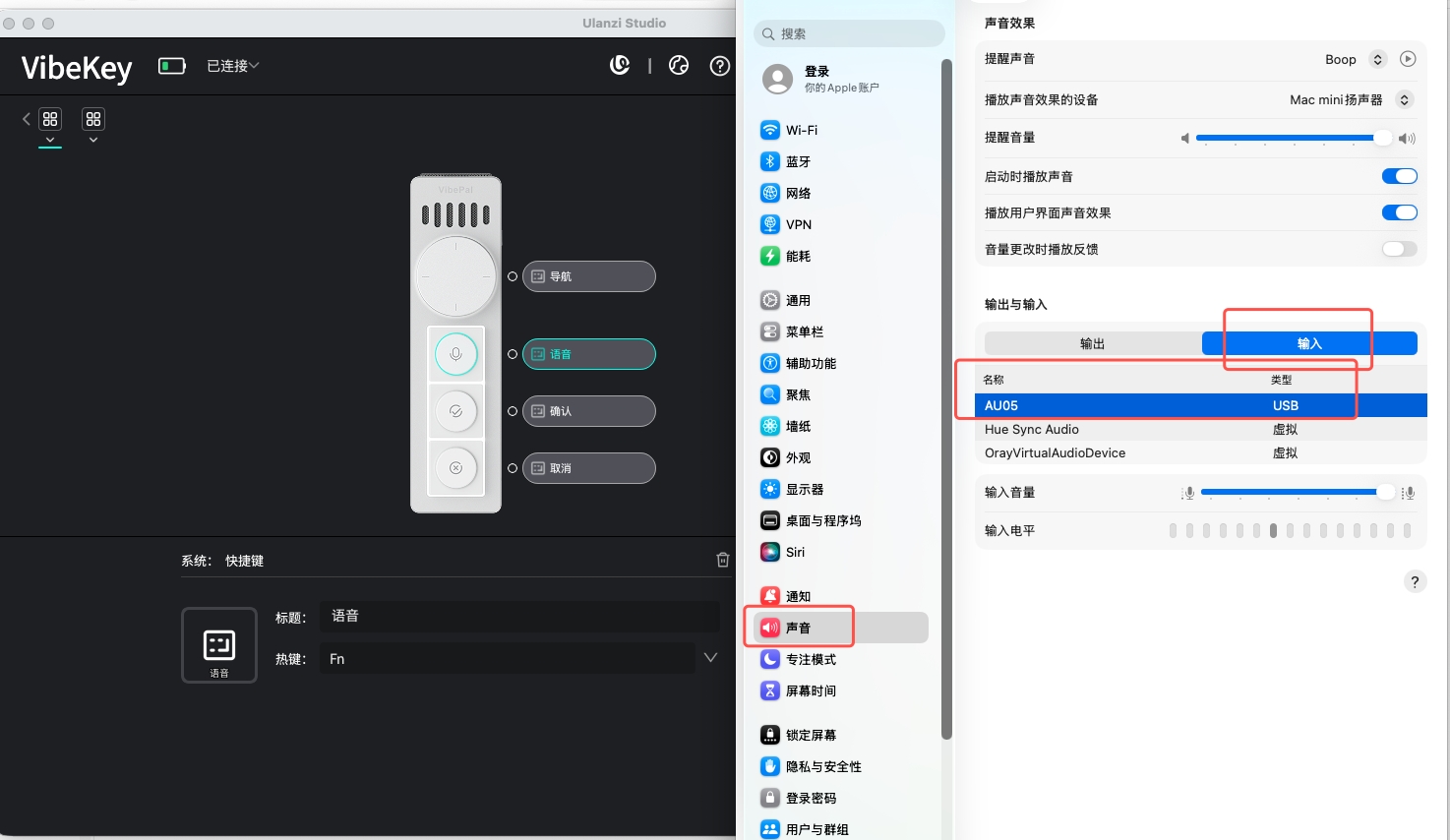
- Go to System Settings → Sound → Input and select AU05 as the input device.