POP Plugin Feature Guide
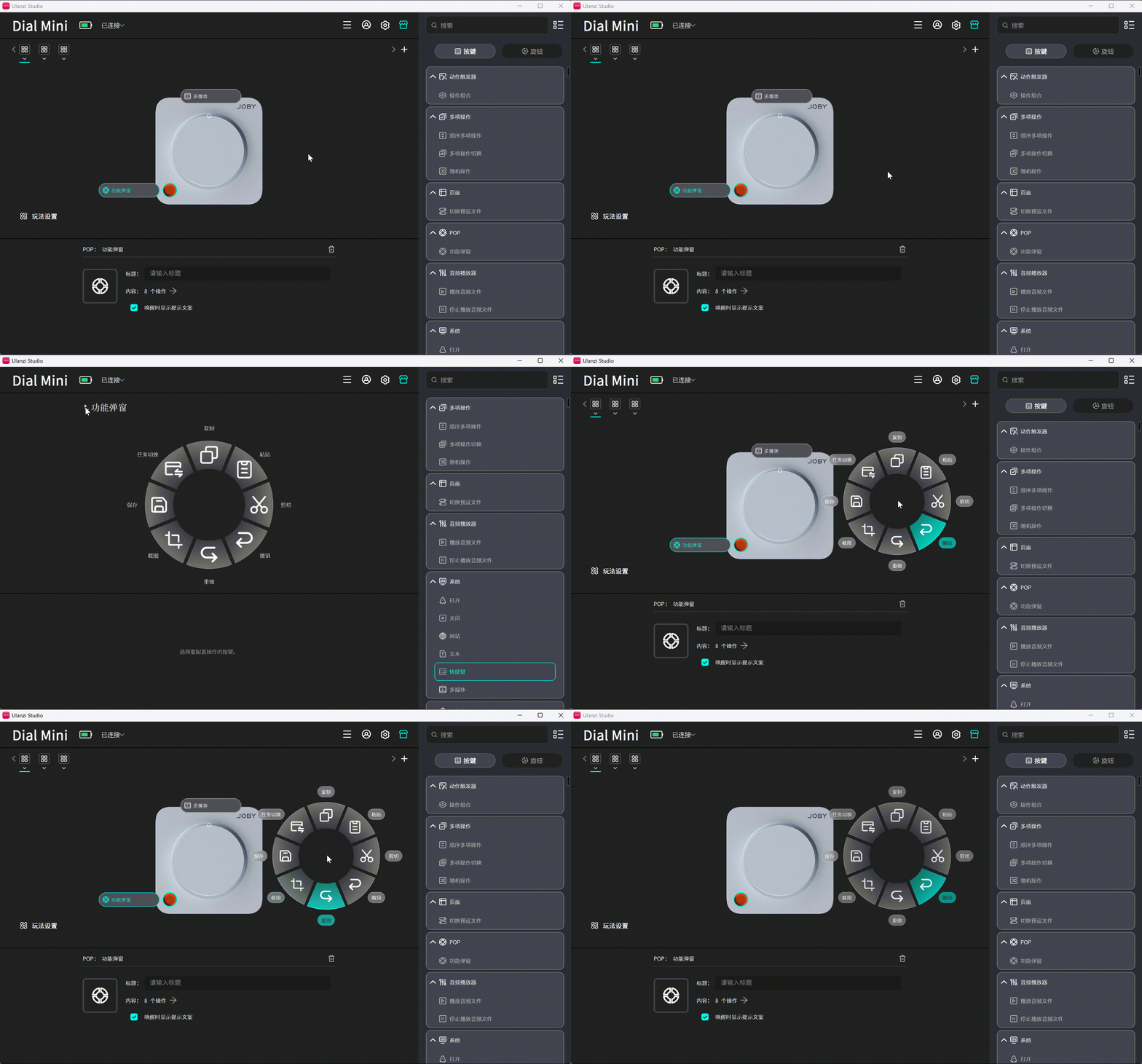
POP places eight functions under one key. Press the POP key to show a radial menu at the mouse pointer, rotate the dial to move through the sectors, and press the dial to run the selected function.
Compatibility: Ulanzi Studio V3.4.4 or later; supports D200, D200H, D200X, D100H (Dial), Dial Mini, AU05 (Vibe Key), and other compatible devices.
1. What Is POP?
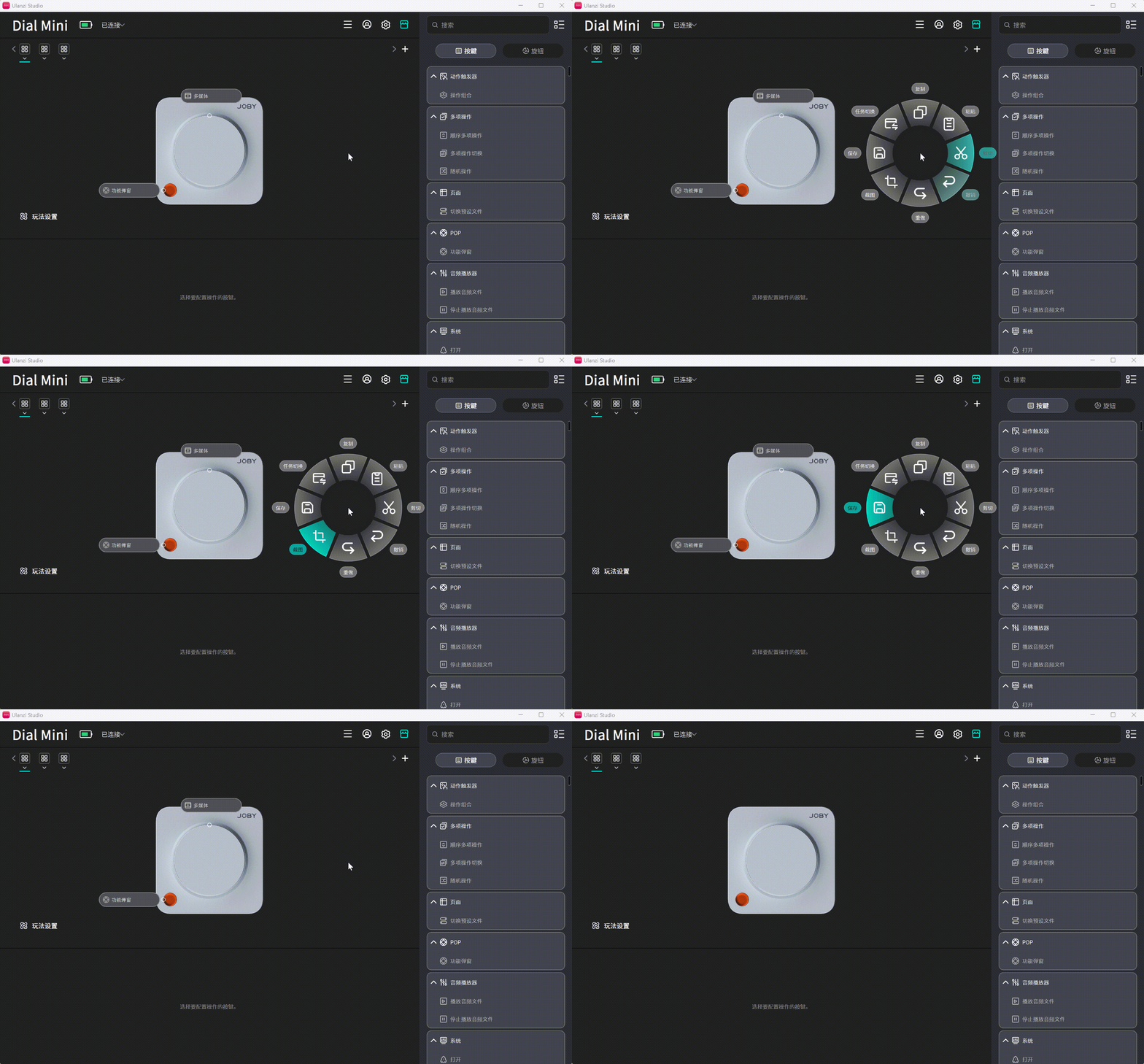
POP (Function Popup) acts as a function container. It stores eight common actions under one key. The device normally shows a single key icon; pressing it opens the eight-item radial menu with the current selection highlighted.
| Comparison | Traditional method | With POP |
|---|---|---|
| Access eight functions | Uses eight key slots | Uses one key slot |
| Find a function | Search across device icons | View all eight in one popup |
| Operation | Press the dedicated key | Press POP → rotate to select → press the dial to run |
2. Configuration
- Confirm that the device is connected and visible in the device list.
- Find POP in the plugin list on the right side of the Studio home page.
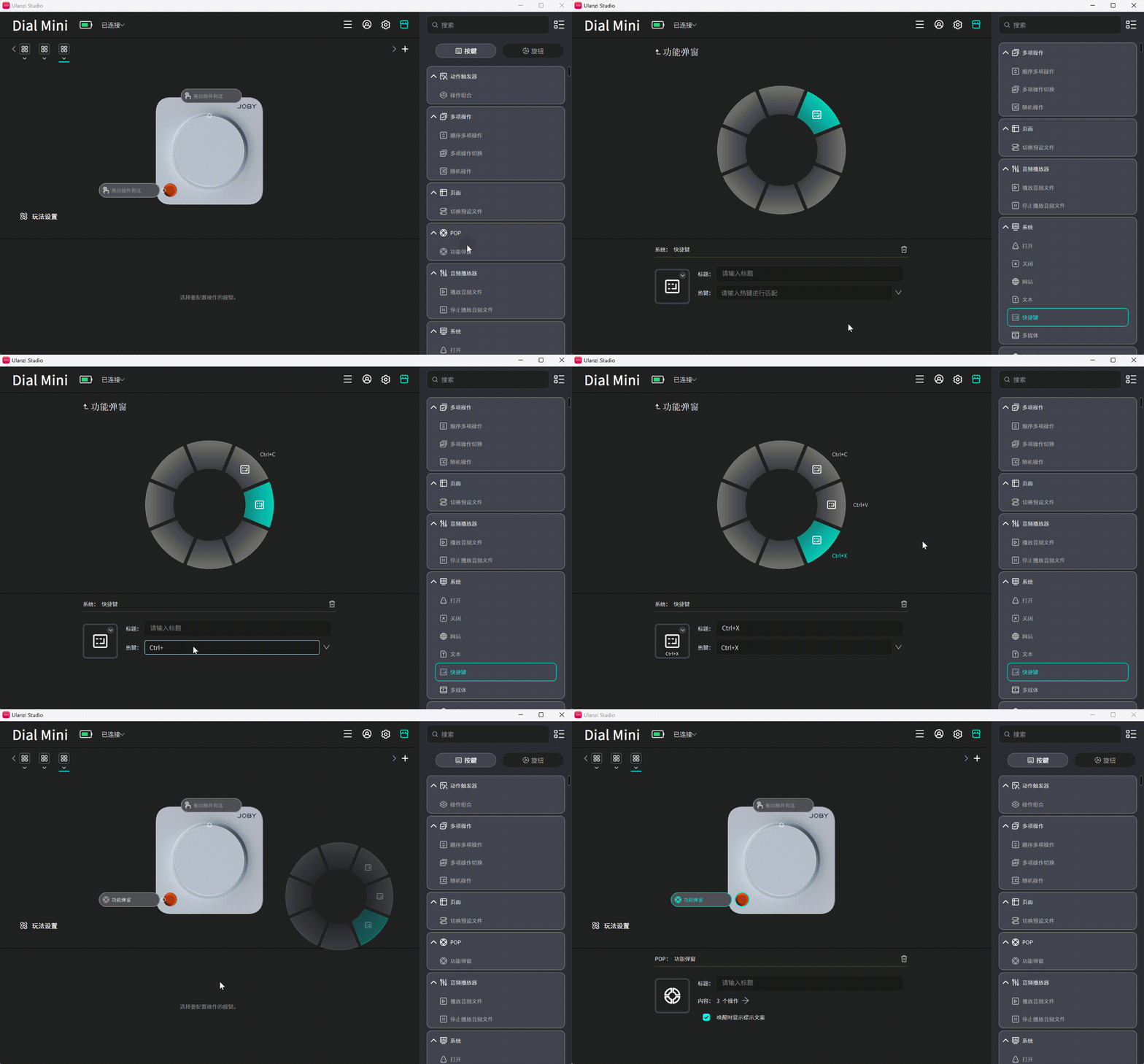
- Drag Function Popup onto any available key slot.
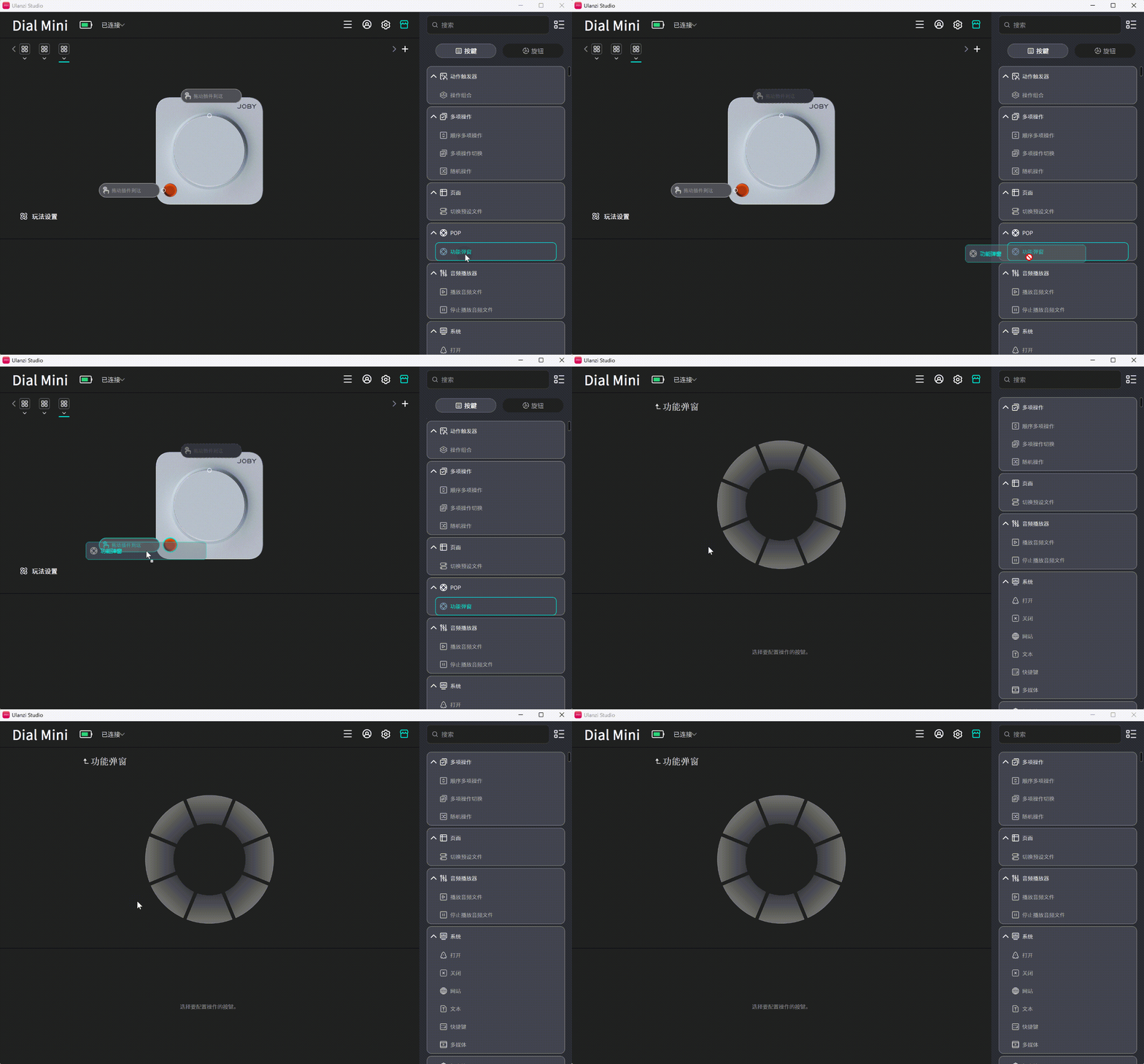
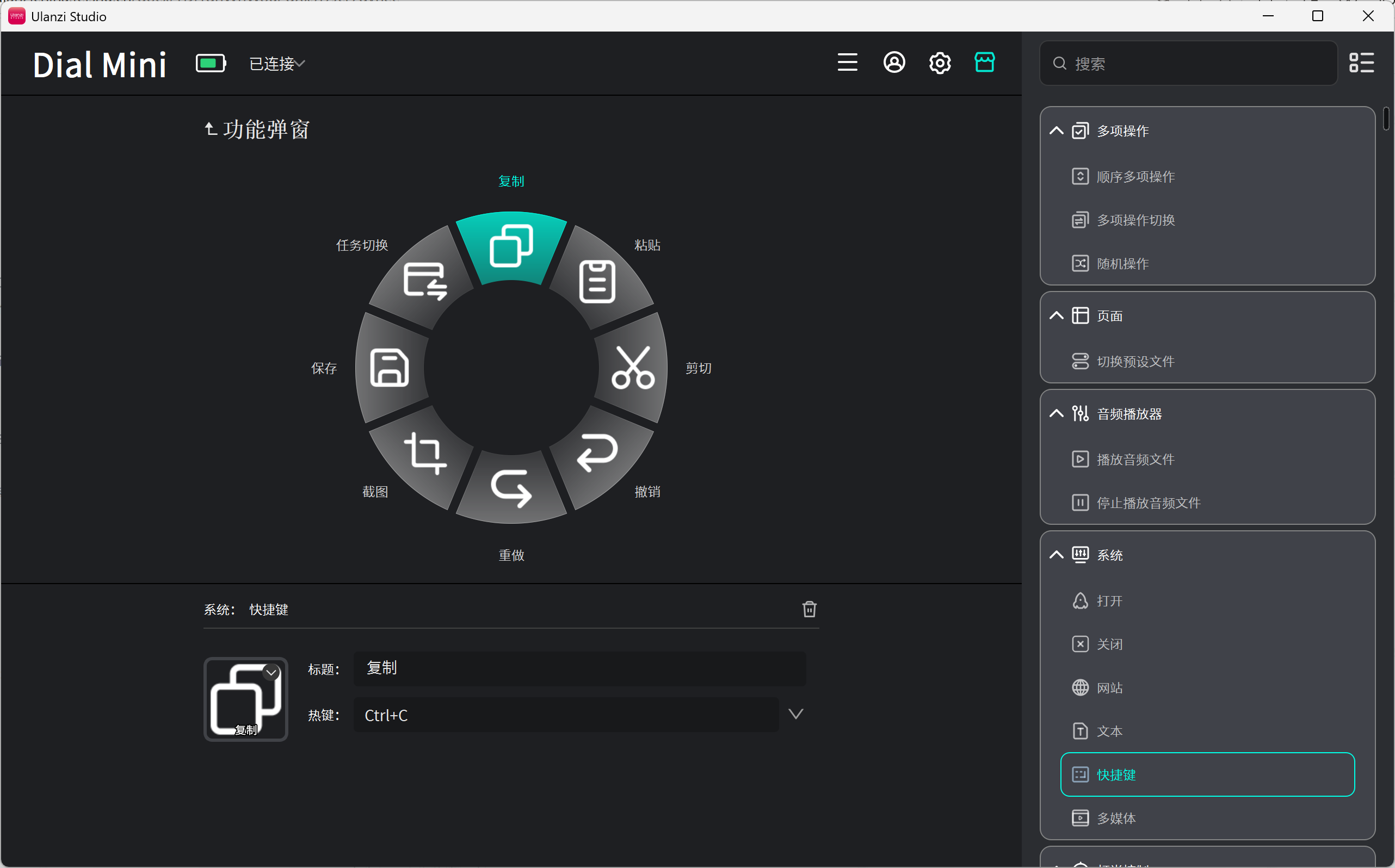
- Select the POP key to open its configuration panel and assign a function to each sector.
The completed configuration appears as follows:
3. Frequently Asked Questions
3.1 Can POP Be Used When the Dial Controls Volume?
Yes. While the POP menu is open, POP temporarily uses the dial to move through the eight functions, so rotating does not change volume. Closing the menu immediately restores volume control.
3.2 Can POP Be Used When the Dial Has No Assigned Function?
Yes. The dial can still move through and activate POP functions while the menu is open. It returns to an unassigned state after the menu closes.
3.3 Why Does the Dial Not Change Volume While POP Is Open?
This is expected. The dial controls the POP menu while the popup is active. Close the popup to resume volume control.
3.4 Must All Eight Slots Be Filled?
No. Configure only the required functions. Pressing the dial on an empty slot closes the popup without running an action or showing a message.
3.5 Can One Preset Contain Two POP Keys?
Yes. Each POP key has its own eight slots, but only one radial menu can appear at a time. To switch from key A to key B, press B twice: the first press closes A's menu and the second opens B's menu.
3.6 Can POP Be Nested Inside a Multi Action?
No. POP is an independent trigger and cannot be nested inside a Multi Action.
3.7 When Should POP Be Used Instead of Action Trigger?
- Use POP when there are many lower-frequency functions and gesture memorization is undesirable.
- Use Action Trigger when there are a few high-frequency functions that benefit from muscle memory.
3.8 What Happens After Rotating Past Item Eight?
The selection loops back to item one. Rotating in the opposite direction loops in the same way.
3.9 What Happens When the Dial Is Held Down and Rotated?
Only normal rotation and a short press are used while POP is open. Holding the dial while rotating behaves the same as rotating without holding it; there is no additional action.
3.10 Where Does the Popup Appear?
The popup appears at the mouse pointer. It currently has one fixed size and does not offer small, medium, or large options.