How to Sync Codex / Claude Status to Dial Mini
After Dial Mini is connected, Ulanzi Studio attempts to install Hooks automatically for Codex and Claude Code. When a new Codex or Claude session starts working, Ulanzi Studio listens for Agent state changes and maps them to the Dial Mini key and dial lights. The lighting indicates whether a task is running, waiting for approval, or requires human attention.
1. Get Started
- Open Ulanzi Studio: Confirm that the application is installed and running normally.
- Connect Dial Mini: Wait for Ulanzi Studio to detect the device.
- Install Hooks automatically: If Codex or Claude Code is installed, Ulanzi Studio attempts to install the corresponding Hooks.
- Start a new session: Open Codex or Claude, create a new session, and begin working.
- Check the lighting: Dial Mini changes its lighting when the Agent state changes.
2. Lock Screen and Sleep
Lock Screen
Locking the screen normally does not stop the Agent, and status synchronization usually continues.
Sleep
System sleep normally pauses local processes. The Agent and Hooks generally stop running, and Dial Mini status synchronization is interrupted.
Prevent automatic sleep while a long task is running. Locking the screen is usually safe, but behavior can also depend on the computer's power settings.
3. Frequently Asked Questions
Dial Mini Does Not Light Up
Possible causes include:
- Dial Mini is not connected successfully
- The lighting mode is not set to Work
- Ulanzi Studio is not running
- Hooks were not installed successfully
- No session is currently active
- The computer is asleep
Codex or Claude Is Working, but Dial Mini Does Not Respond
Confirm that Ulanzi Studio is still running in the background, Hooks are registered, a new session or state change has occurred, and the computer is not asleep.
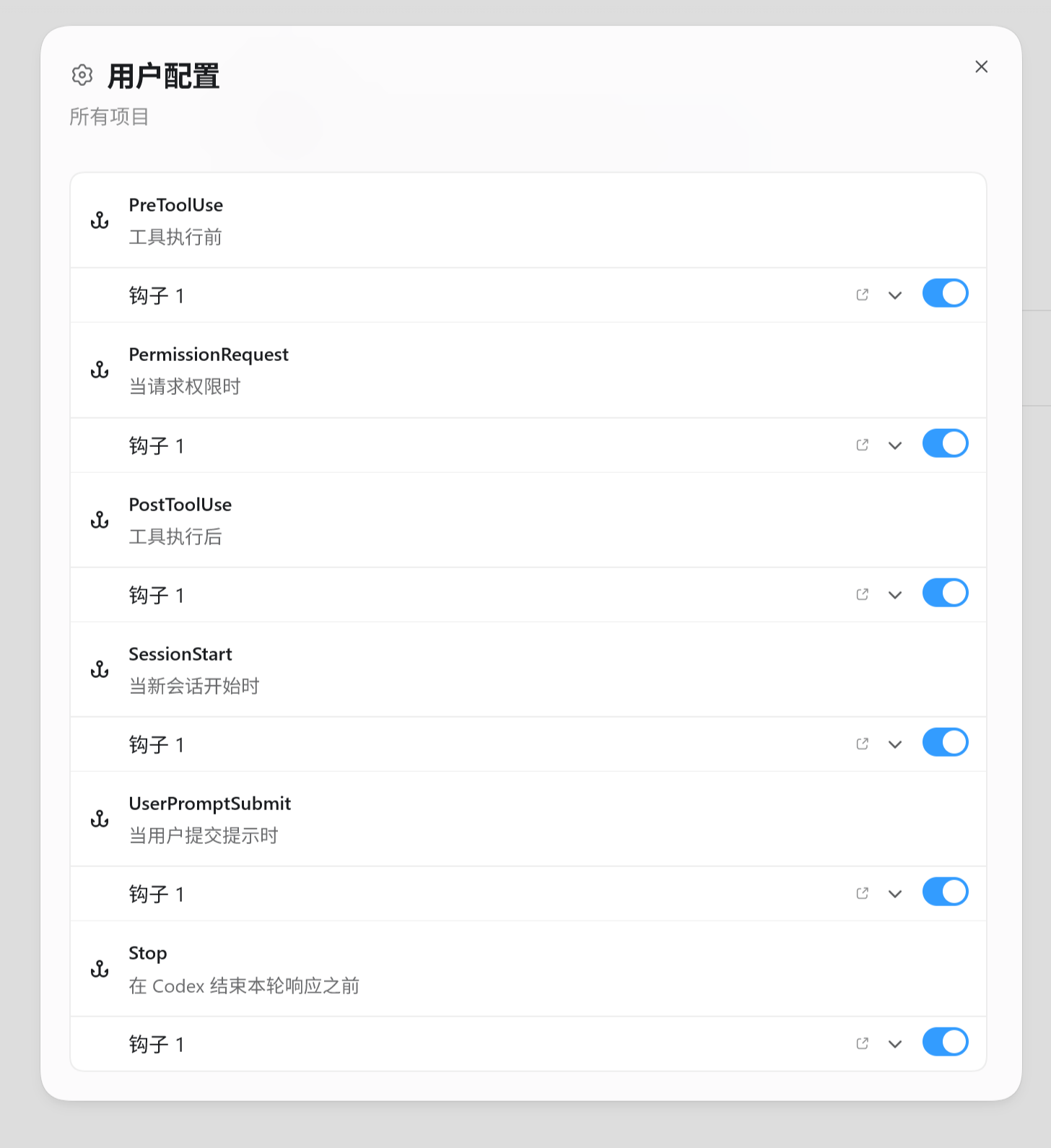
Confirm That Hooks Are Installed
In Claude Code, run /hooks in the terminal.
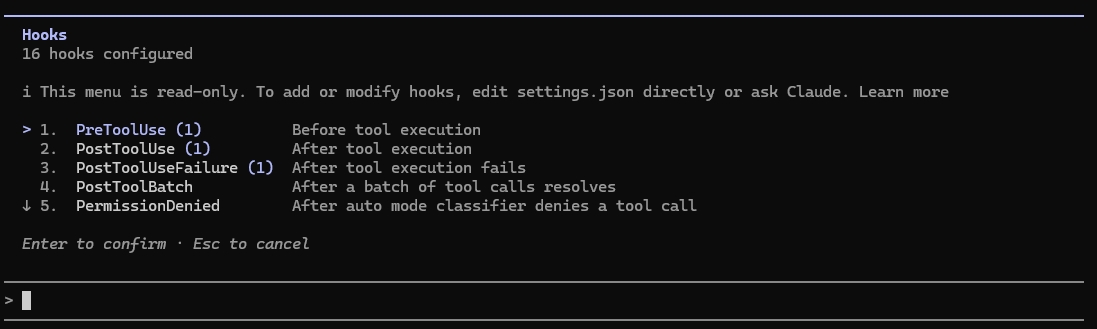
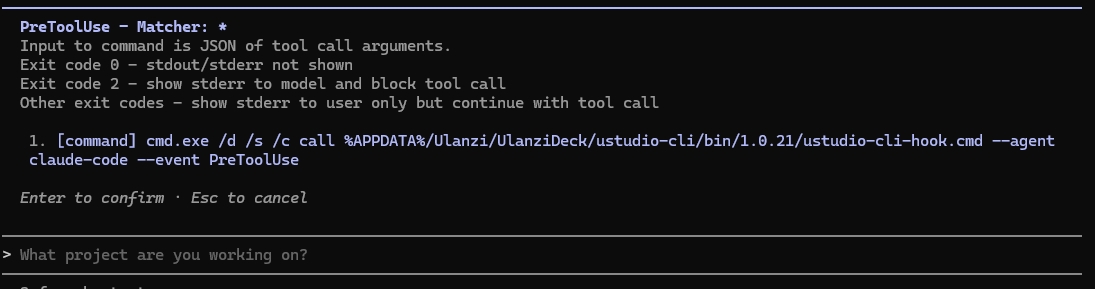
For Codex, inspect the Hooks configuration in ~/.codex/ or the project's .codex/ directory. It can also be viewed at Codex → Settings → Hooks → User configuration.
Why Do Multiple Approvals Show Only One Breathing Effect?
This is expected. Dial Mini indicates that an item is waiting for attention; it does not show the number of pending items. Multiple approvals do not create multiple breathing effects.
Does Locking the Screen Stop the Task?
Usually not. Locking the screen normally does not interrupt the task.
Does Sleep Stop the Task?
Usually yes. Sleep normally pauses local processes and status synchronization.
Hooks Stop Working After Reinstalling the System or Updating the Client
Return to Ulanzi Studio and run the Hooks installation or repair process again.
4. Troubleshooting
- Confirm that Dial Mini is connected.
- Confirm that Ulanzi Studio is running.
- Confirm that Codex or Claude has started a new session.
- Check that Hooks were installed successfully.
- Check whether the computer is asleep.
- If synchronization still does not resume, reinstall or repair the Hooks.